 Directus: Connecting Directus to a PostgreSQL database
This documentation is part of the External databases guide. You can view the complete guide here: How to connect Directus to a MySQL, MariaDB, or PostgreSQL database.
👋 Welcome to the Stackhero documentation!
Stackhero provides a Directus cloud service that is production-ready in just 2 minutes:
- Unlimited collections, items, users, roles, API requests, and data transfers
- Custom domain name with built-in HTTPS for secure access (for example, https://cms.your-company.com)
- Dedicated email server for unlimited transactional and notification emails
- Integrated Redis cache for high performance
- Consistent performance and enhanced security with private, dedicated infrastructure
- One-click updates to keep your system up to date effortlessly
Focus on your project, not on the setup: you can discover Stackhero's Directus cloud solution in just 5 minutes.
-
Start by creating a user for Directus on PostgreSQL. Open PgAdmin, expand servers > postgresql, right-click on Login/Group Roles, and select Create > Login/Group Role....
-
In the Name field, enter
directus. -
Switch to the Definition tab and set a strong, secure password.
-
Next, go to the Privileges tab, check Can login, and save the new user.
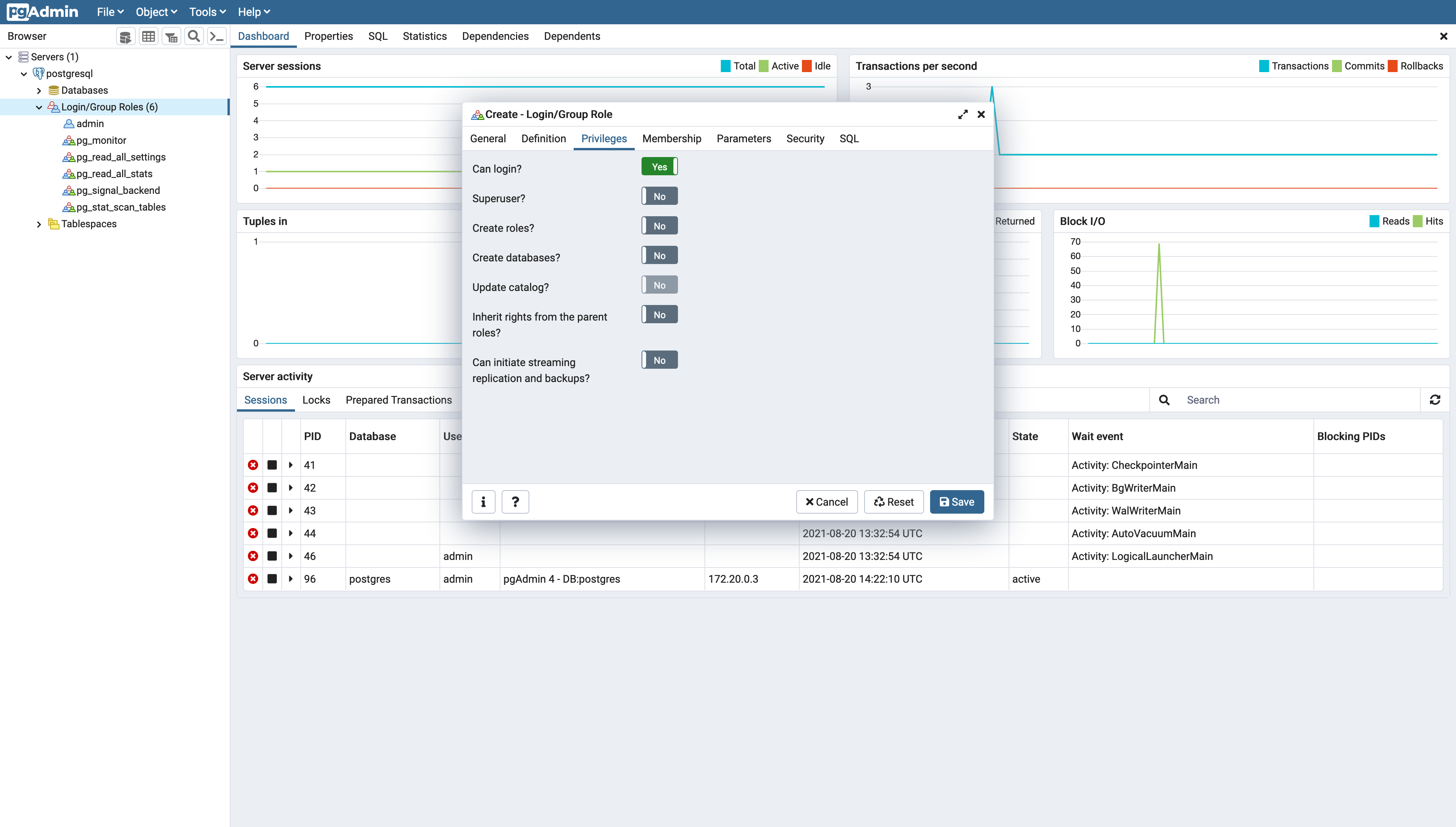 Directus user creation on a PostgreSQL database
 -
Now create a database for Directus. Right-click on Databases and choose Create > Database.
-
Enter
directusin the Database field, selectdirectusas the owner, and save your changes.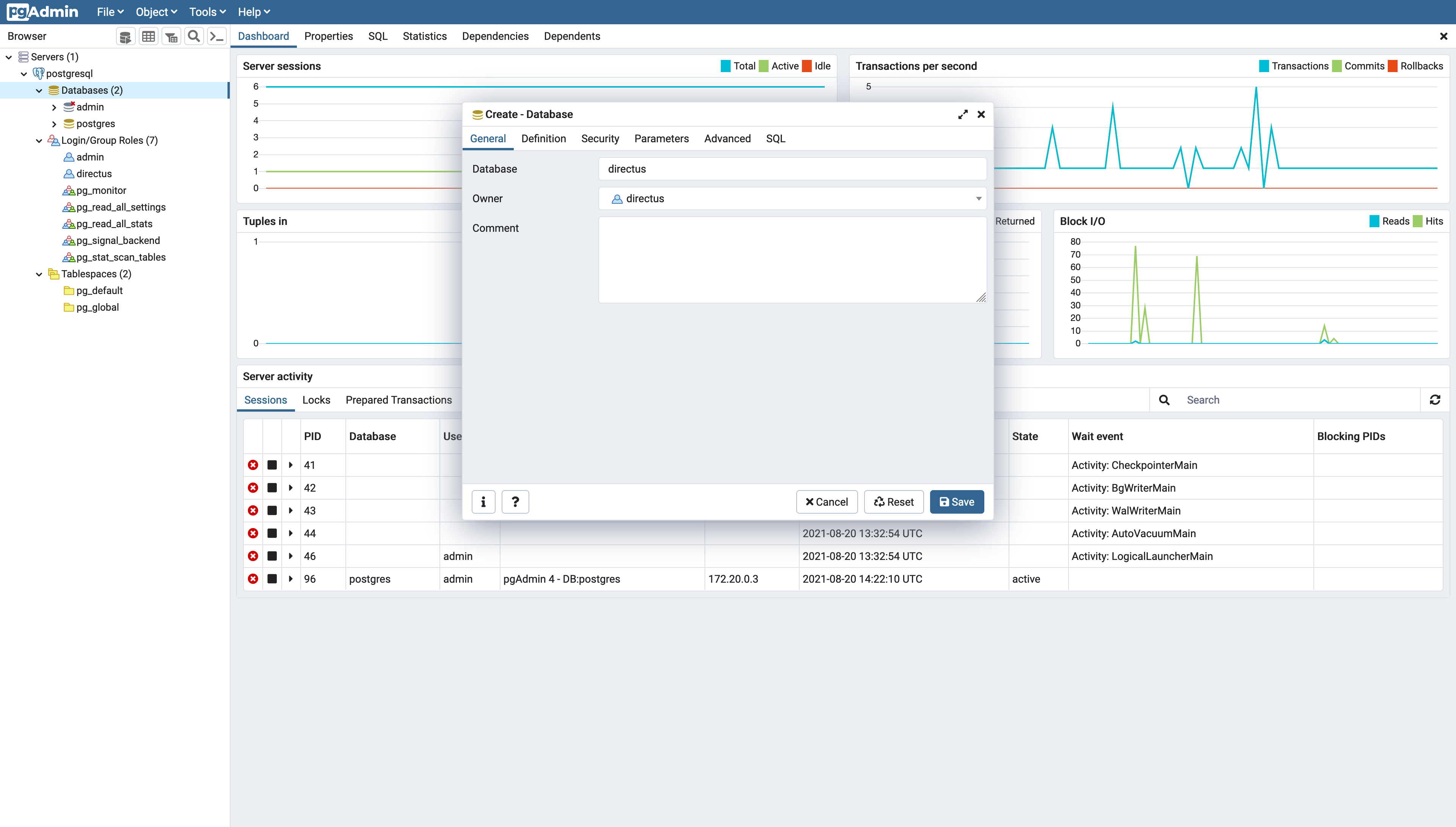 Directus database creation on PostgreSQL
 -
Finally, navigate to your Stackhero dashboard, select your Directus service, and click Configure.
-
Under Database, select PostgreSQL and fill in the additional fields as shown below.
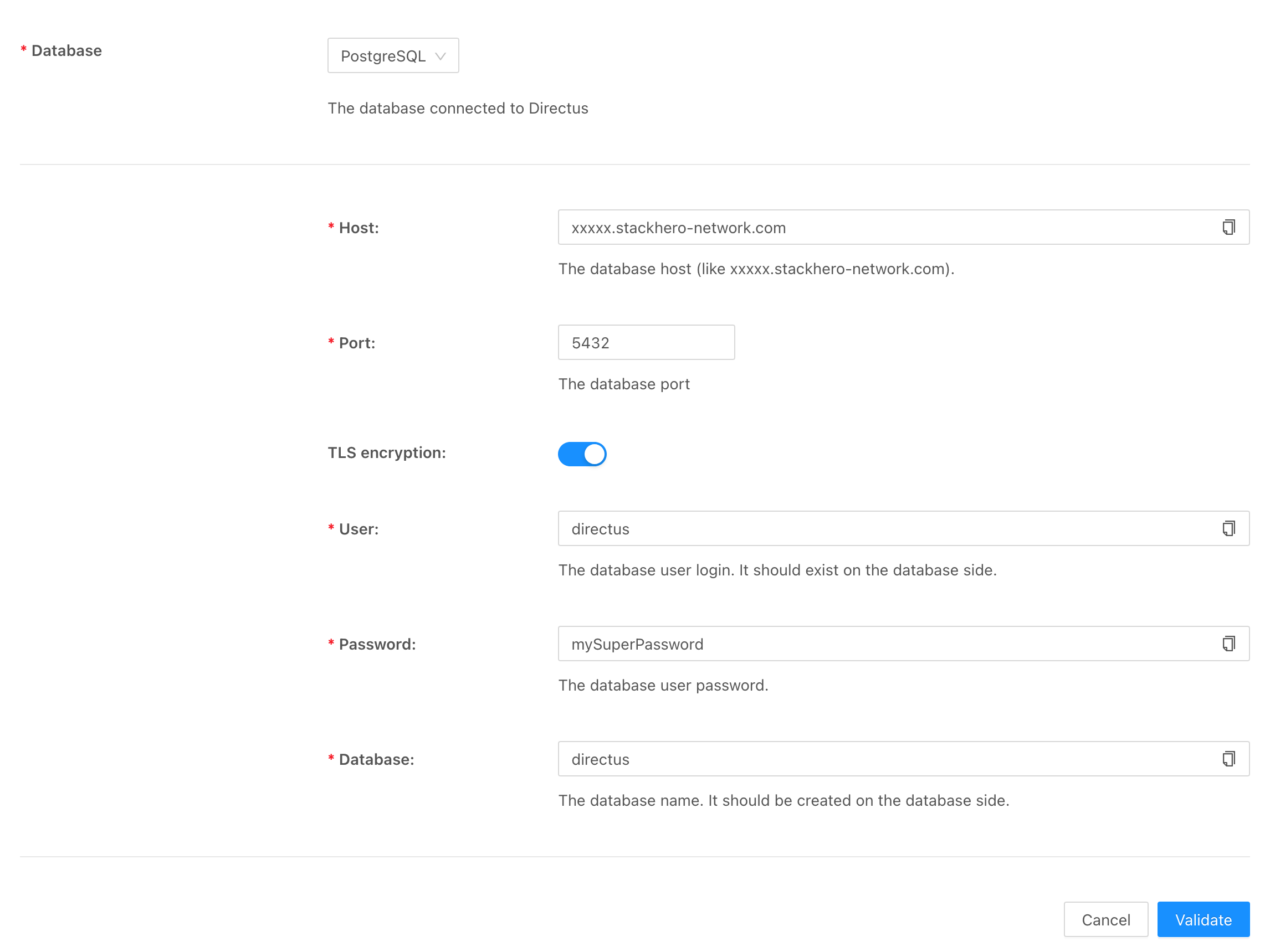 Configuration of PostgreSQL for Directus