 MariaDB: Connecting HeidiSQL to MariaDB
This documentation is part of the Configure GUIs guide. You can view the complete guide here: How to connect graphical interfaces to MariaDB.
👋 Welcome to the Stackhero documentation
Stackhero offers a ready-to-use MariaDB cloud solution with a range of benefits, including:
- Unlimited connections and data transfers.
- Built-in phpMyAdmin web interface.
- One-click updates for simplified maintenance.
- Optimal performance and enhanced security thanks to private, dedicated infrastructure.
Save time and make your life easier: it only takes 5 minutes to try Stackhero's MariaDB cloud hosting solution!
Follow these steps to connect HeidiSQL to MariaDB:
- Open HeidiSQL and start a new session.
- Enter the following information:
- Hostname
- User
- Password
- Port
- Ensure the default library is set to
libmariadb.dll.
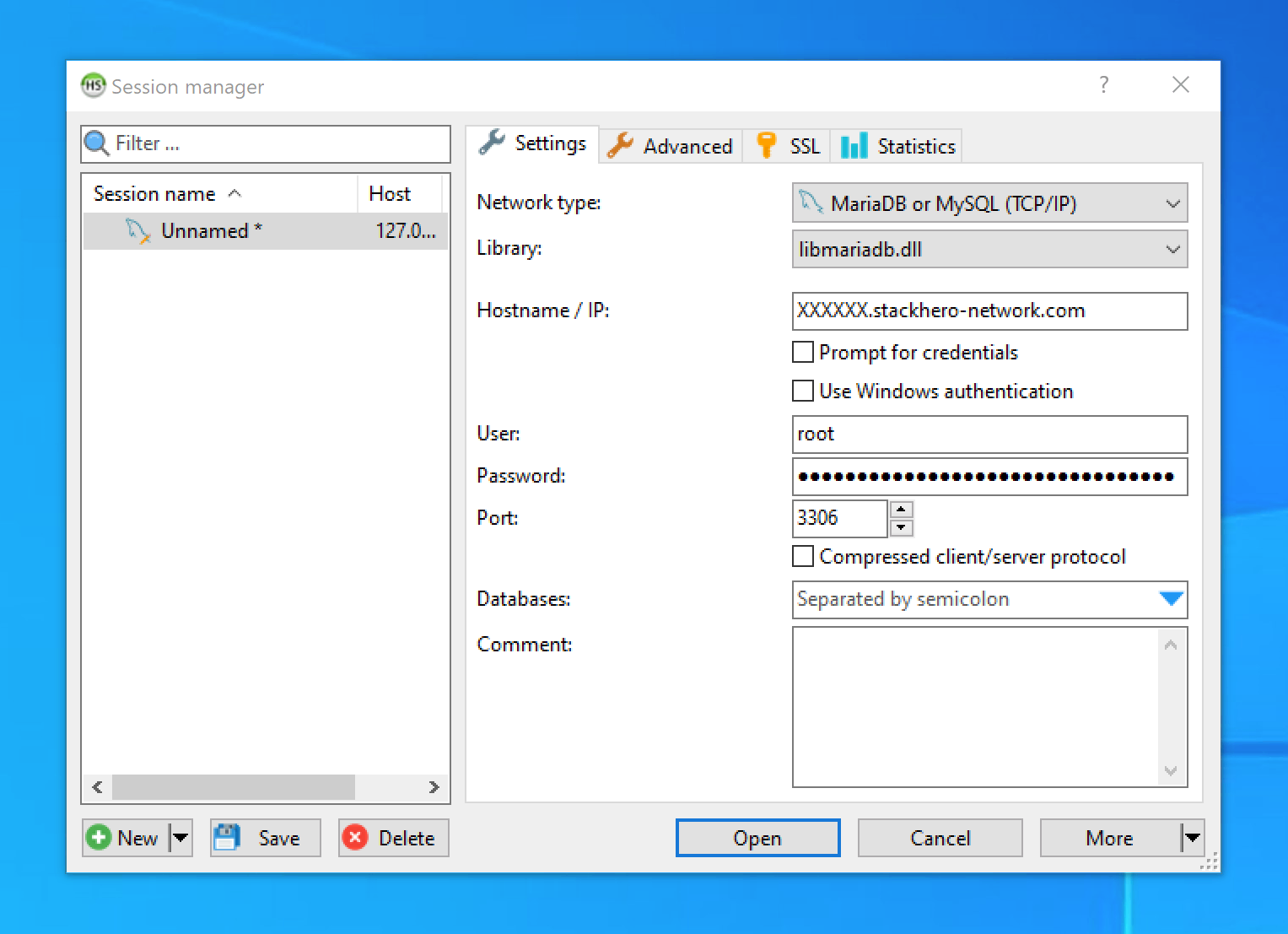 HeidiSQL configuration prompt
Enabling SSL/TLS encryption in HeidiSQL
- Go to the
SSLtab. - Check the
Use SSLoption.
note There is no need to manually add certificates for the SSL connection.
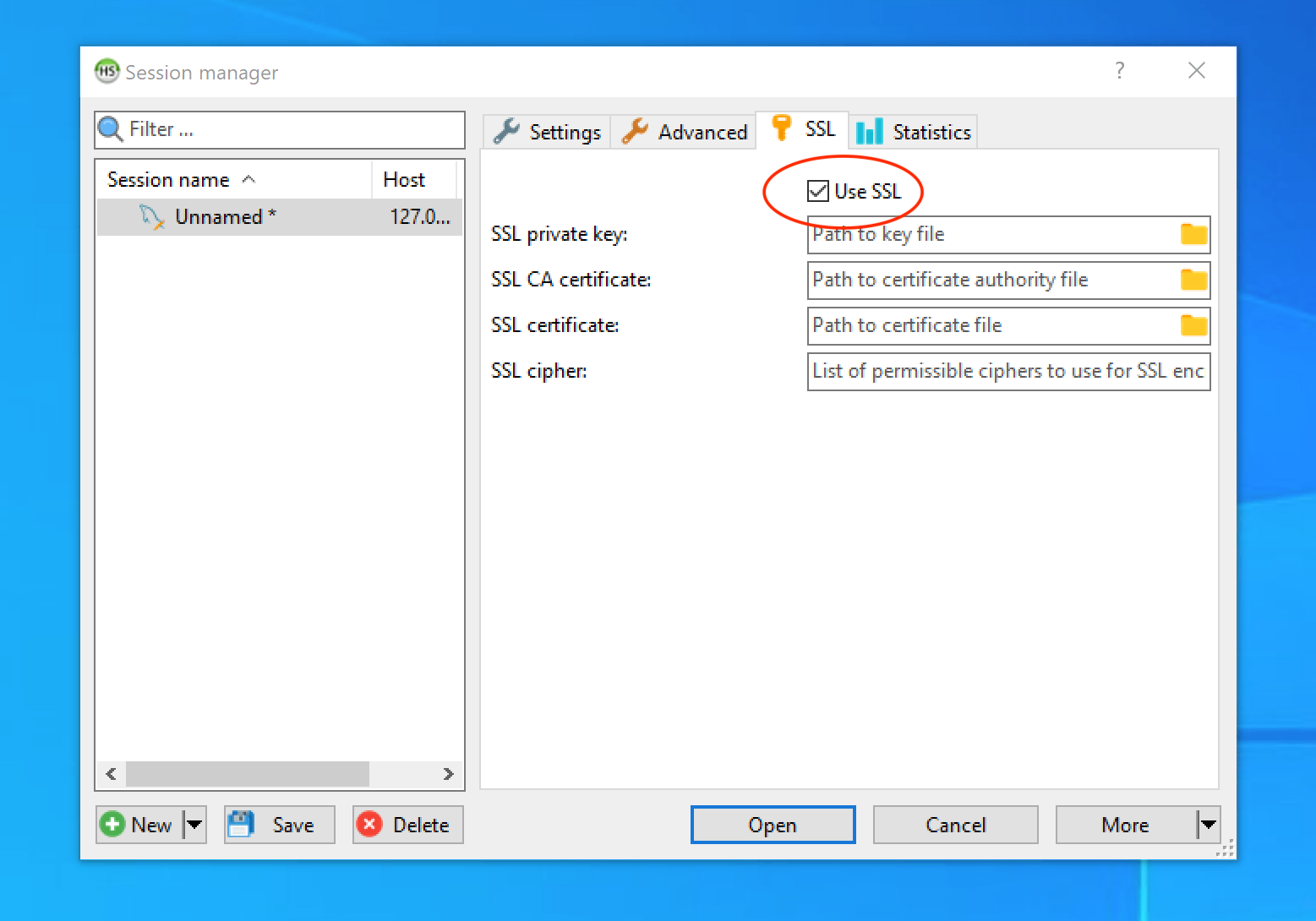 SSL/TLS encryption setup in HeidiSQL