 MariaDB: Connecting HeidiSQL to MariaDB
This documentation is part of the Configure GUIs guide. View the full guide here: How to connect graphical interfaces to MariaDB.
👋 Welcome to Stackhero documentation
Stackhero provides a ready-to-use MariaDB cloud service designed for production workloads. You get:
- Unlimited connections and data transfers.
- Built-in phpMyAdmin web interface for database management.
- One-click updates for easy maintenance.
- High performance and strong security on private, dedicated infrastructure.
Launch a fully managed MariaDB instance in minutes. Stackhero handles setup, updates, and security so you can focus on your application. Learn more about MariaDB cloud hosting.
Follow these steps to connect HeidiSQL to MariaDB:
- Open HeidiSQL and start a new session.
- Enter the following information:
- Hostname
- User
- Password
- Port
- Ensure the default library is set to
libmariadb.dll.
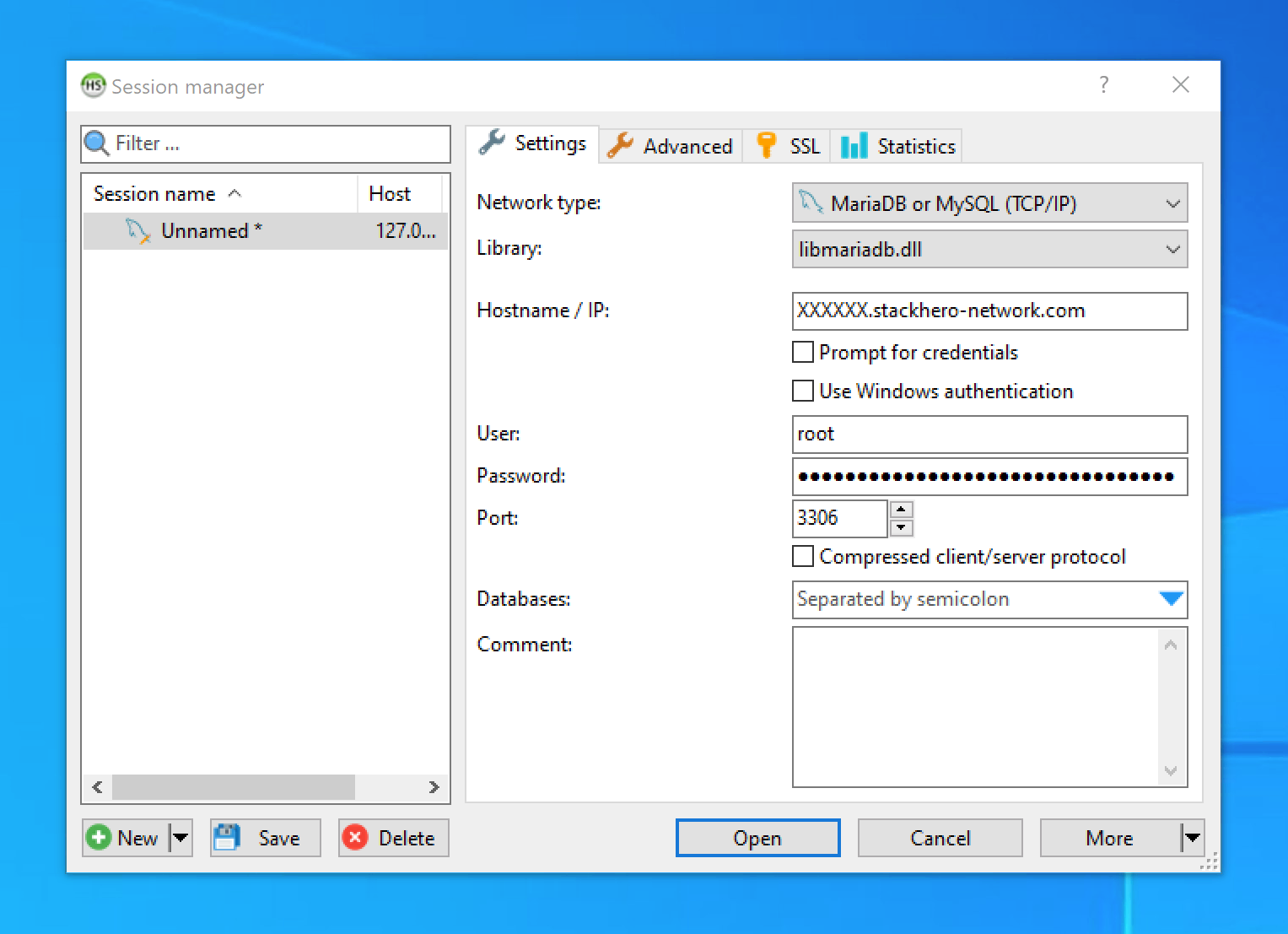 HeidiSQL configuration prompt
Enabling SSL/TLS encryption in HeidiSQL
- Go to the
SSLtab. - Check the
Use SSLoption.
note There is no need to manually add certificates for the SSL connection.
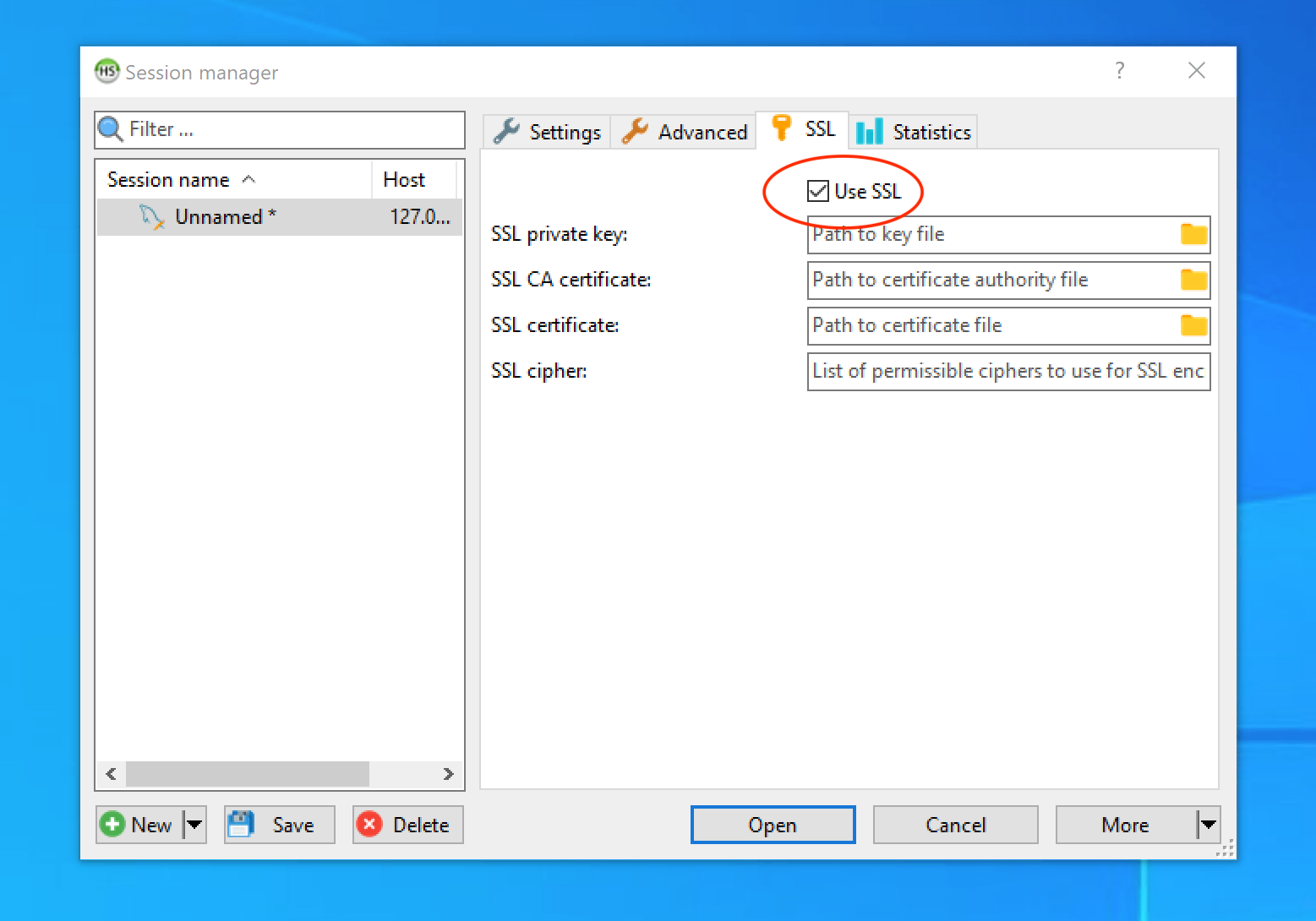 SSL/TLS encryption setup in HeidiSQL