 Node.js: Reading environment variables
This documentation is part of the Managing secrets guide. You can view the complete guide here: How to manage secrets with Node.js.
👋 Welcome to the Stackhero documentation!
Stackhero offers a ready-to-use Node.js cloud solution designed to help you move faster:
- Deploy to production in seconds with a simple
git push. No additional tools or manual configuration needed.- Use your own domain and take advantage of automatic HTTPS certificate setup, keeping your application secure with no extra steps.
- Enjoy automatic backups, one-click updates, and predictable, transparent pricing so you can focus on building features while Stackhero manages the infrastructure.
- Benefit from dedicated, private infrastructure for optimal performance and enhanced security.
Save time and simplify your operations: you can have your application running on Stackhero's Node.js cloud hosting in just a few minutes.
In your app.js file, you can access your environment variable via process.env, like this:
console.log(process.env.MY_PASSWORD);
This will display myDevelopmentPassword.
Now, your password is defined outside your code. This helps prevent it from accidentally ending up in your Git repository.
If you are using Stackhero in a production environment, you can define a new environment variable named MY_PASSWORD with the value myProductionPassword directly from your Node.js service dashboard. This makes it easy to manage different environments smoothly.
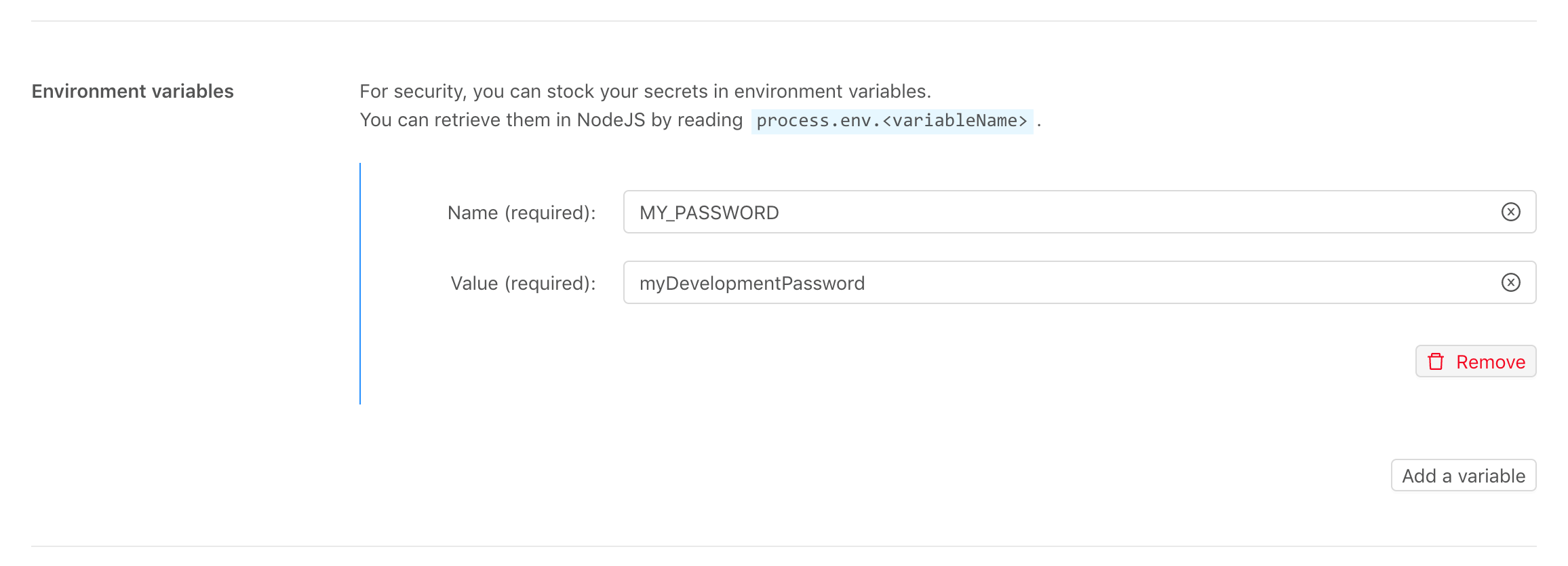 Example of Node.js configuration on the Stackhero dashboard
With this approach, your password is no longer stored in your code, and you can easily use different credentials for development and production environments.