 PHP: Configuring SSH Keys
This documentation is part of the Deploying PHP Applications with GitHub Actions guide. You can view the complete guide here: How to deploy your PHP code using GitHub Actions.
👋 Welcome to the Stackhero documentation!
Stackhero offers managed PHP hosting designed for fast and reliable deployments:
- Deploy your PHP application to production in seconds with a simple
git push.- Use your own domain, with automatic HTTPS certificates configured for you. No manual steps required.
- Take advantage of automatic backups, one-click updates, and clear, predictable pricing. Stackhero takes care of these details so you can focus on your code.
- Enjoy strong performance and security on a private, dedicated infrastructure built specifically for your applications.
Streamline your workflow and save time. Getting started with Stackhero's PHP hosting for Laravel and Symfony only takes a few minutes.
SSH keys are the recommended method for allowing GitHub Actions to securely connect to your PHP service during deployment. In this guide, you will create a dedicated SSH key pair for this purpose.
Generate SSH Keys
To generate new SSH keys, run the following command on your computer:
ssh-keygen -C "" -f /tmp/ssh_key -N ""
Add the Public Key
Next, retrieve the public key by running:
cat /tmp/ssh_key.pub
Go to your Stackhero dashboard and select your "Production" PHP service. Click on "Configure" and follow these steps:
- Under
SSH public keys, click on "Add a public key". - Set the
Descriptionto "GitHub Action". - Paste the public key you just retrieved into the
Keyfield.
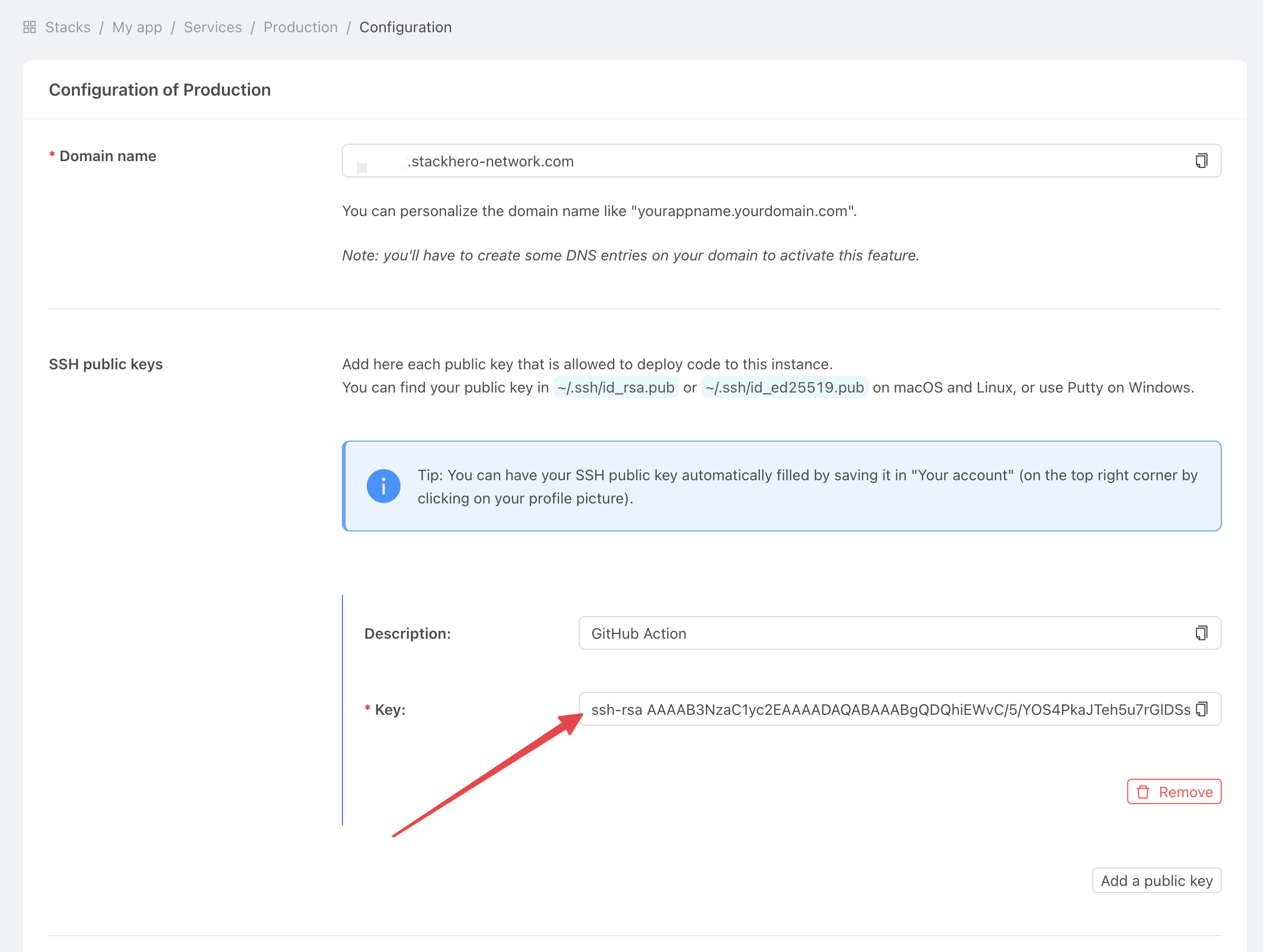 Get service settings
Add the Private Key
Now, add the private key to your GitHub project so it can be used during deployment:
-
Go to
Settings, then selectEnvironmentsand click onNew environment.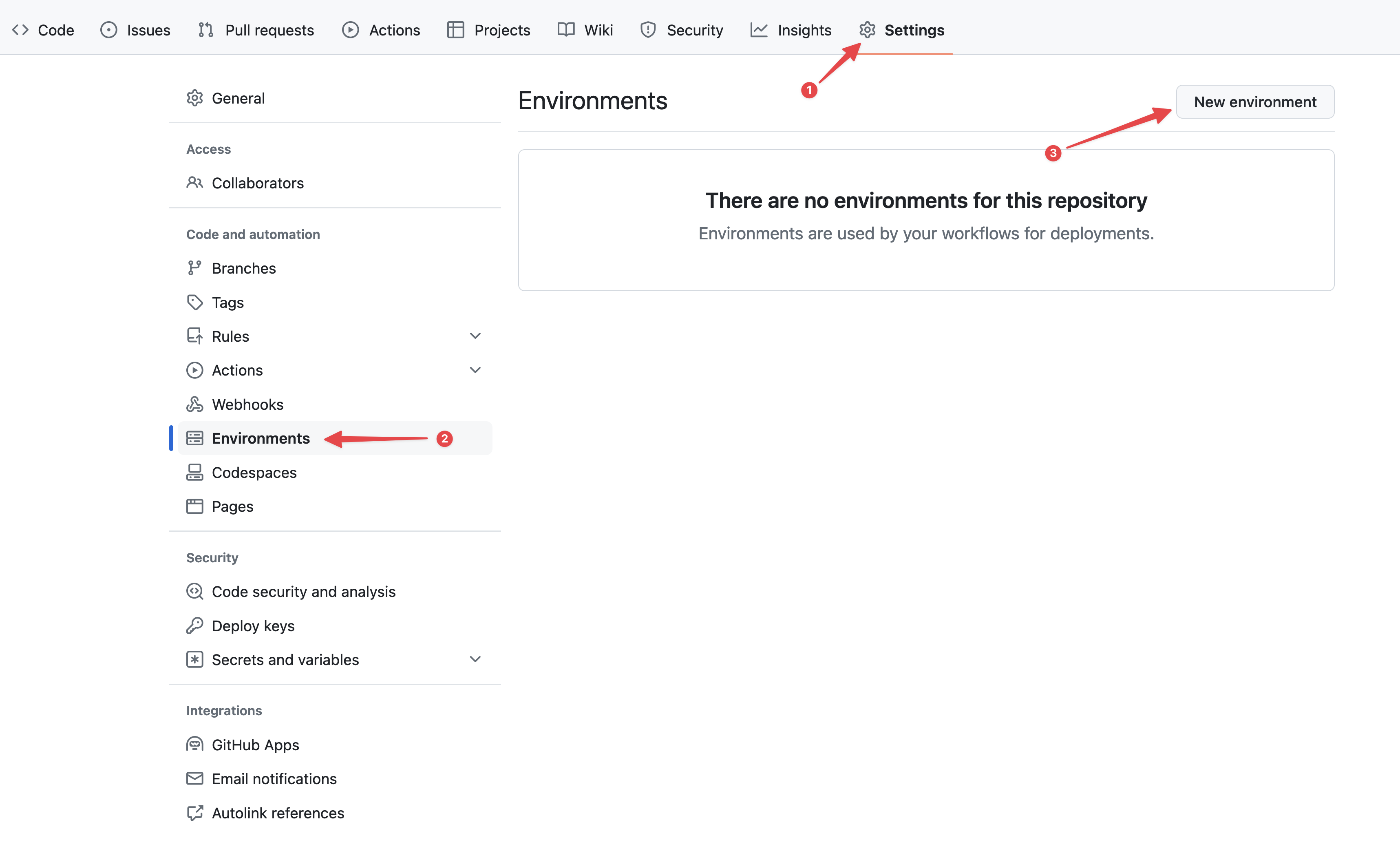 Configuring GitHub environments
-
In the
Namefield, enter "production" and confirm.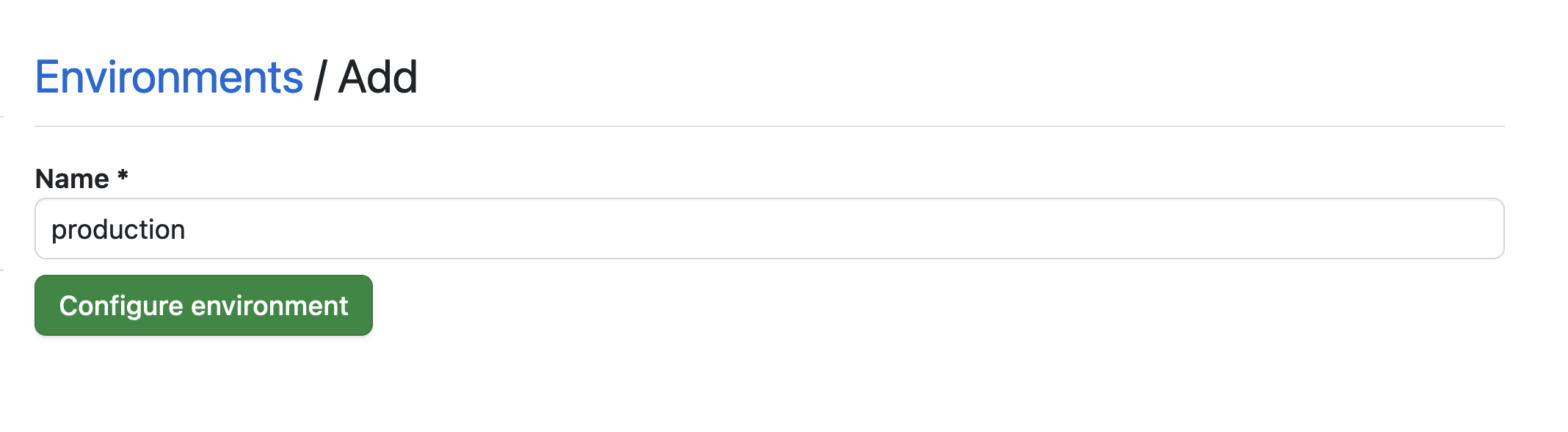 Setting the environment
-
Click on the
No restrictionbutton and selectSelected branches and tags.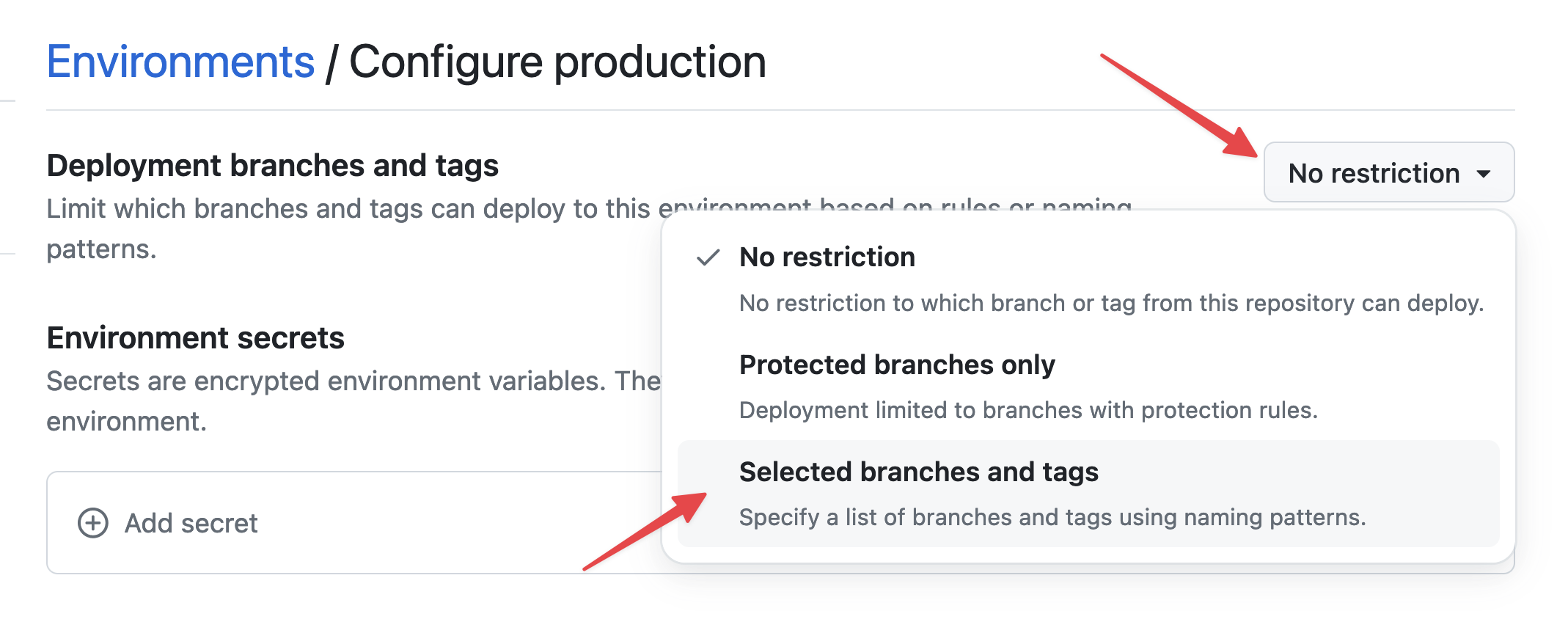 Setting environment restrictions
-
Click on
Add deployment branch or tag rule, enter "production" in theName patternfield, and click onAdd rule.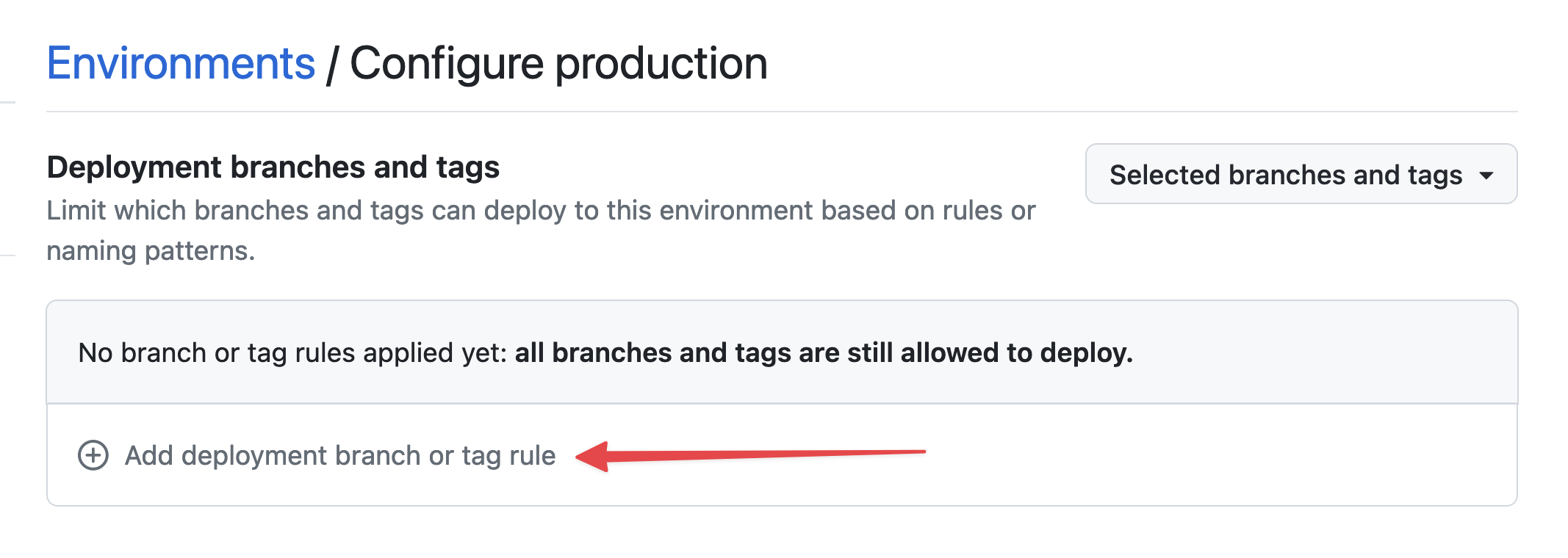 Setting environment branch
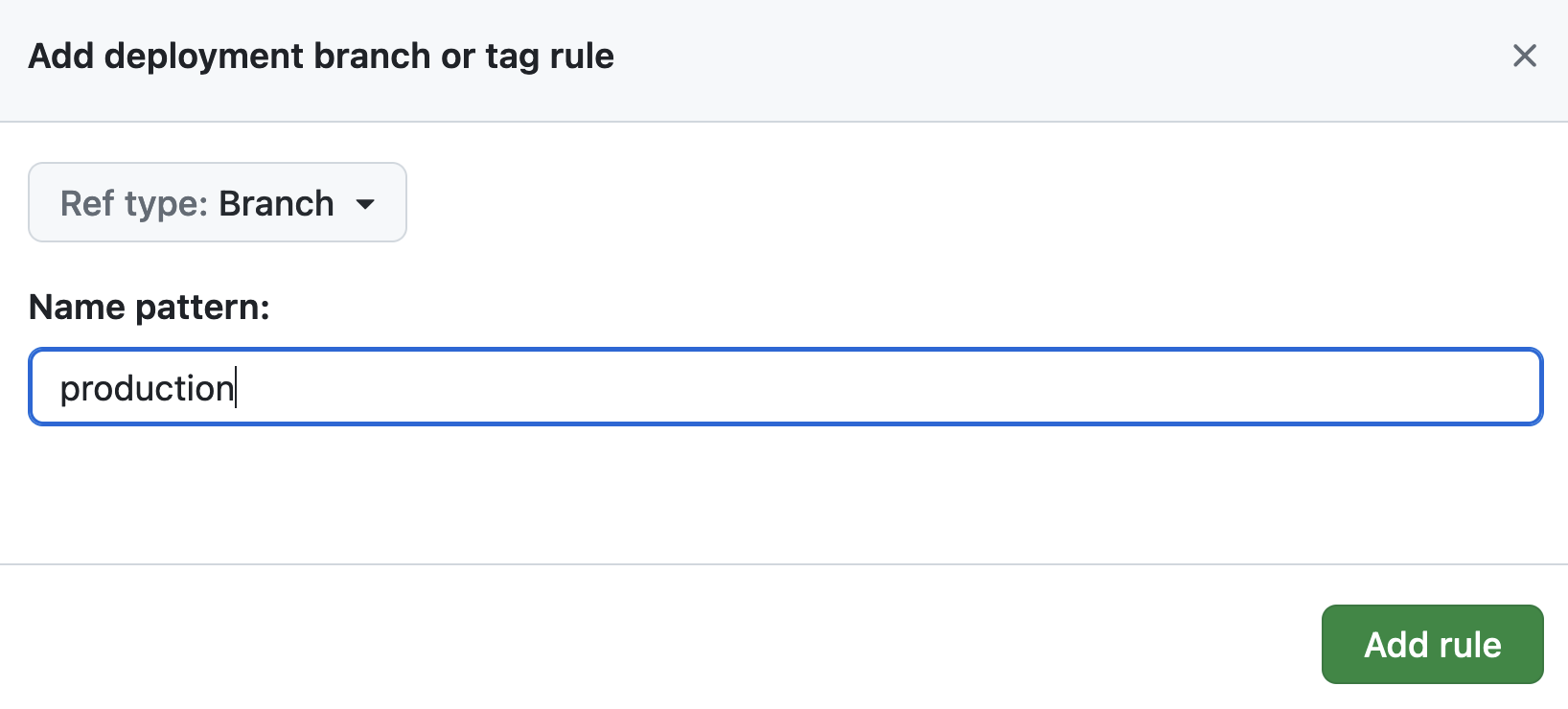 Setting environment branch
-
Under
Environment secrets, click onAdd secret.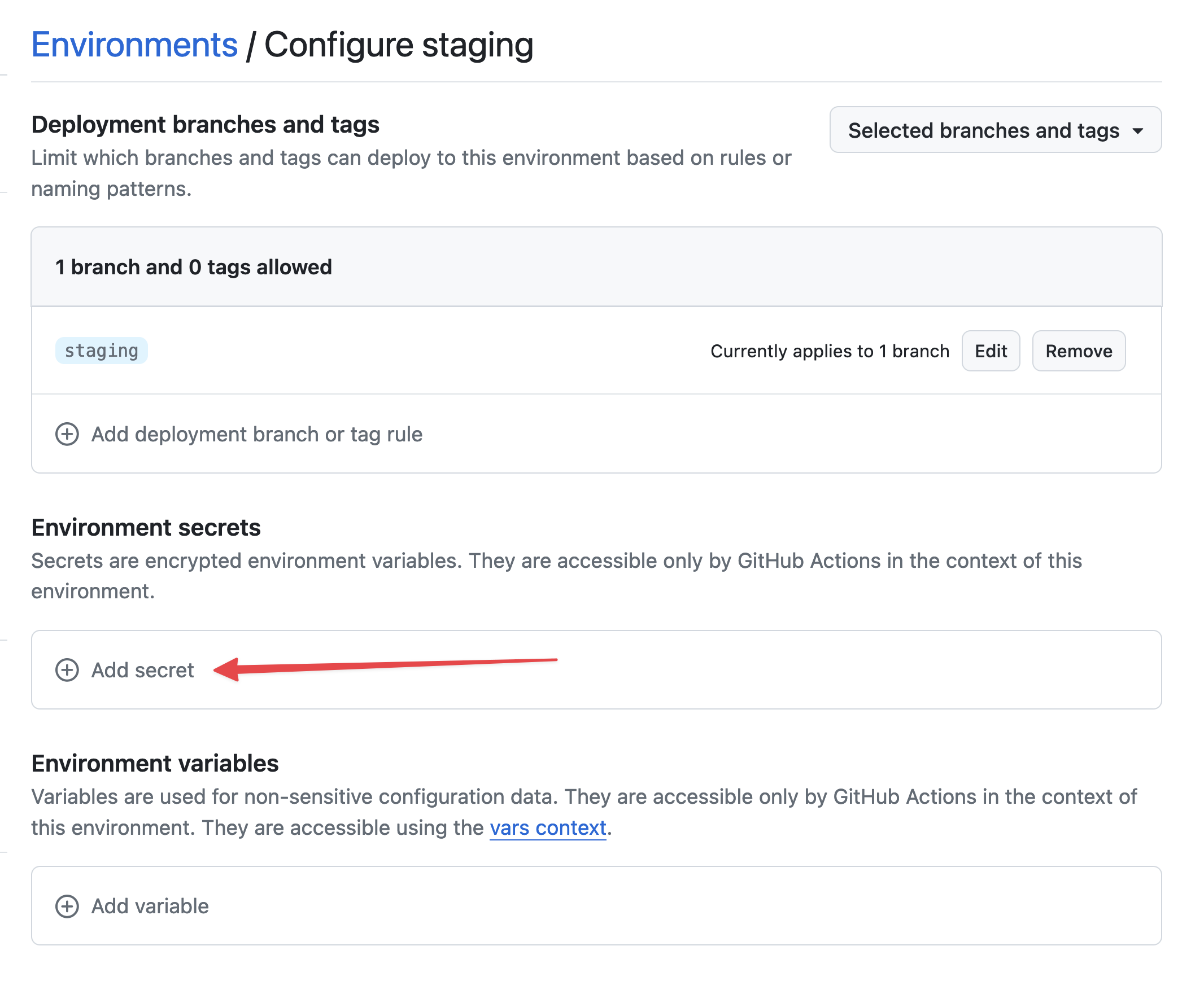 Add secret
Retrieve the private key you generated earlier by running:
cat /tmp/ssh_key
In the GitHub environment settings:
-
For
Name, enterSTACKHERO_SSH_PRIVATE_KEYand paste your private key into theValuefield.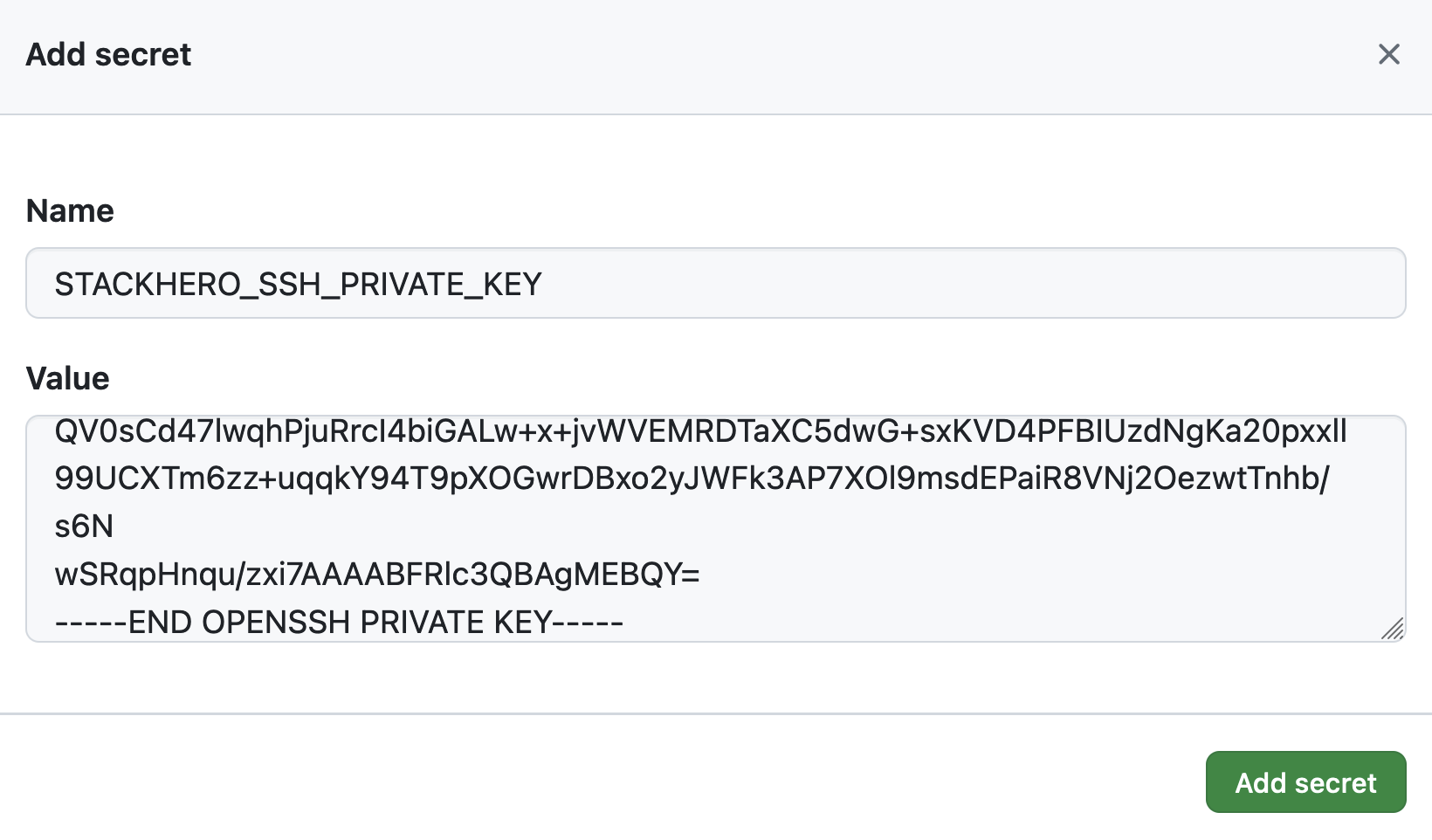 Setting the SSH private key secret
-
In the
Environment variablessection, click onAdd variable.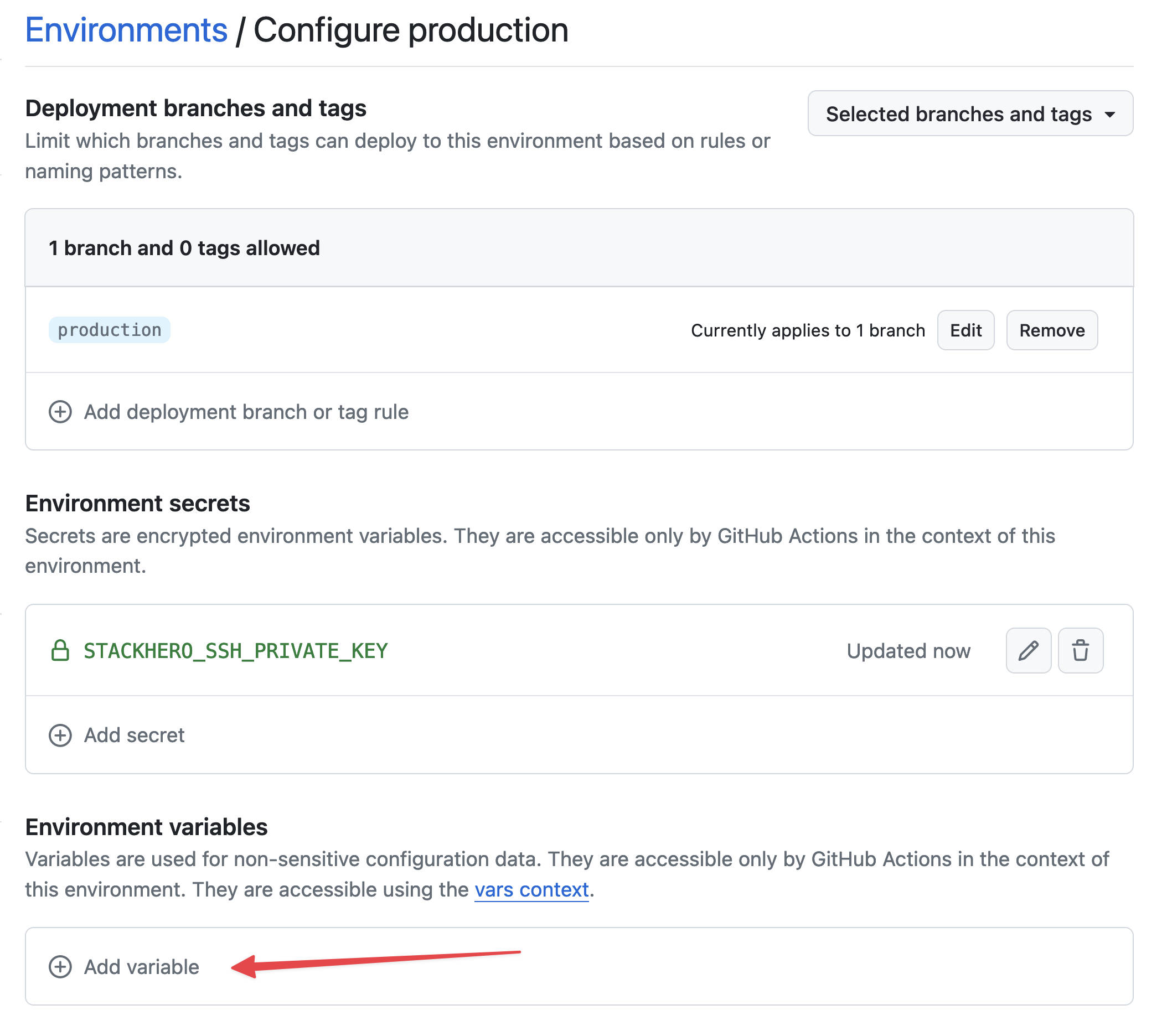 Setting variables
-
For
Name, enterSTACKHERO_ENDPOINTand paste your PHP service endpoint into theValuefield. You can find this endpoint in your Stackhero dashboard.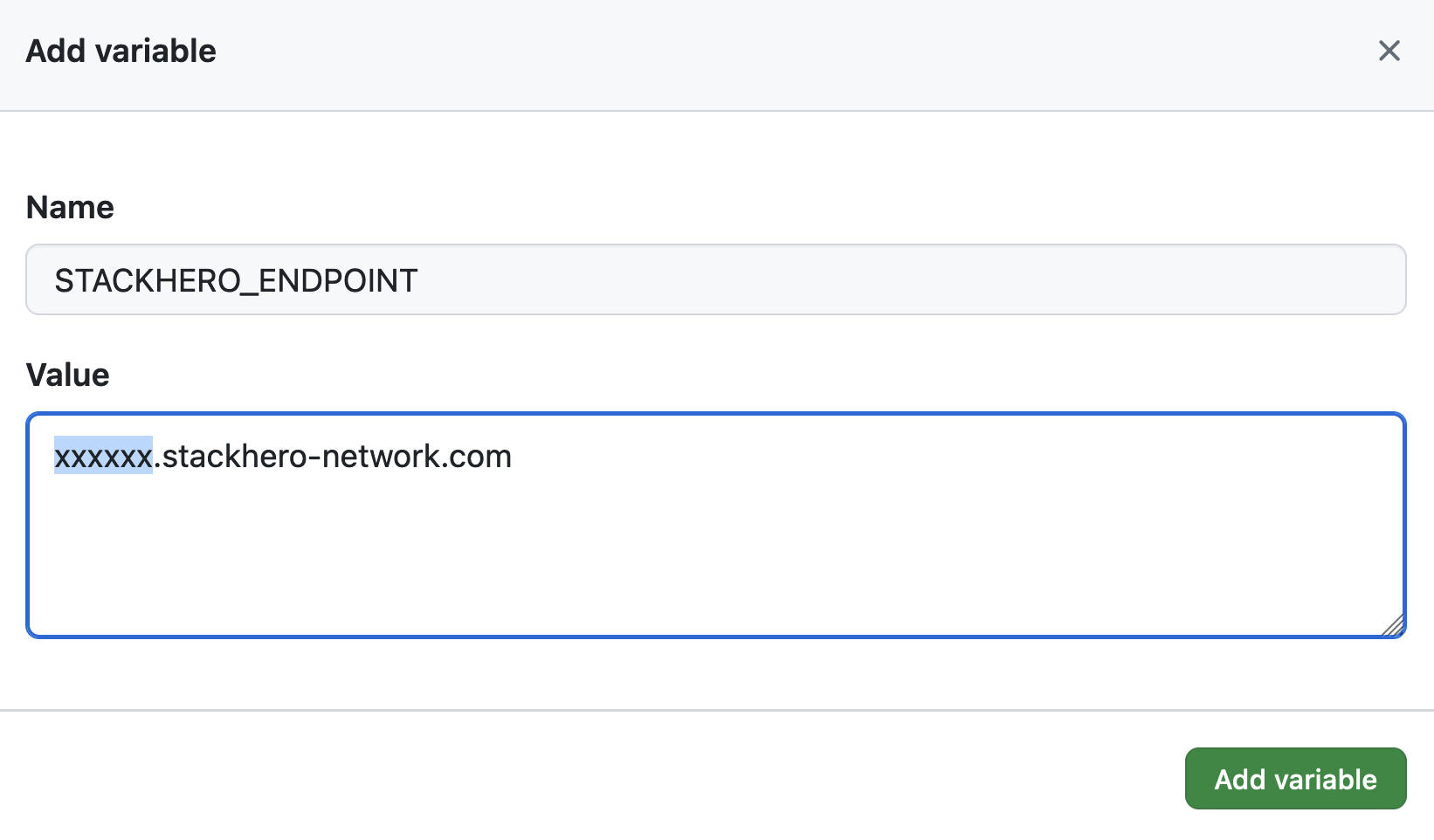 Setting the endpoint variable
If you have customized your service's domain name, use the customized version instead of <XXXXXX>.stackhero-network.com.
Remove the Generated Keys
For security reasons, it is recommended to delete the generated SSH keys from your computer after setup:
rm /tmp/ssh_key /tmp/ssh_key.pub