 Python: Deploying your Python code to production
This documentation is part of the Building a REST API guide. You can view the complete guide here: Step-by-step guide to building a REST API with Flask in Python.
👋 Welcome to the Stackhero documentation!
Stackhero offers a ready-to-use Python cloud solution designed to simplify your deployments:
- Deploy your application to production in just seconds with a simple
git push.- Use your own domain name, with automatic HTTPS certificate setup for secure connections managed for you.
- Take advantage of automatic backups, one-click updates, and predictable pricing, so you can focus on your code instead of infrastructure management.
- Benefit from high performance and security on a private, dedicated infrastructure. Your environment is isolated and protected.
Save time and streamline your workflow: your code can be up and running with Stackhero's Python cloud hosting in just 5 minutes.
Stackhero makes cloud deployment simple and secure. You can deploy your Python project using the Python cloud hosting service. Features include:
- Deployment with a simple
git push - Automatic TLS (HTTPS) with custom domain management
- Dedicated infrastructure for security
- Support for HTTP/2, TLS 1.3, WebSockets, GZIP & Brotli, ETag, and access to both TCP/UDP ports
Configuring the "Stackhero for Python" service
To deploy, follow these steps:
-
Get your public SSH key:
cat ~/.ssh/id_*.pub -
In the Stackhero dashboard, open your "Stackhero for Python" service and click "Configure".
-
Paste your public key in the "SSH public keys" or "Key" field.
-
Click "Validate" to confirm your configuration.
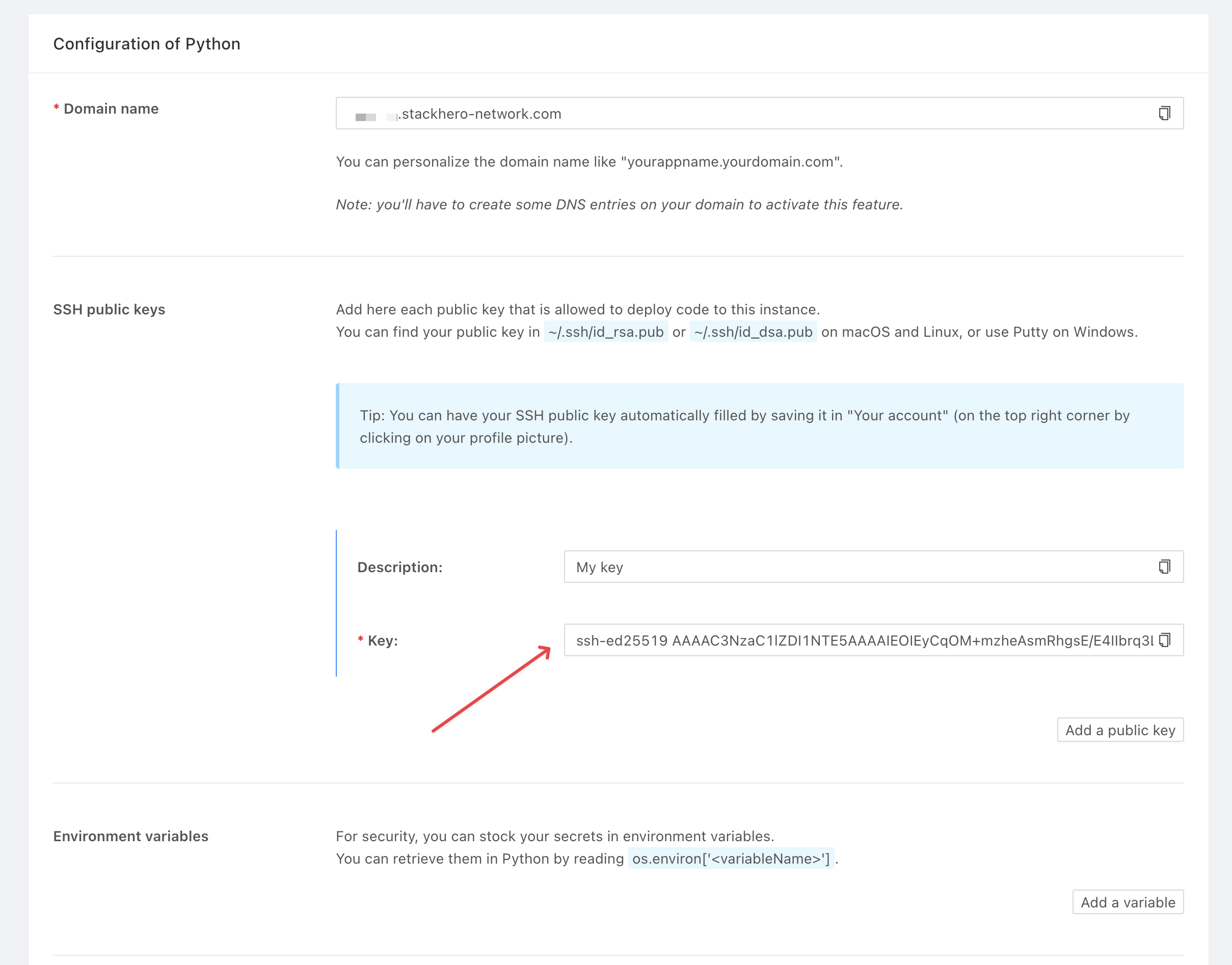 "Stackhero for Python" public key configuration
If you do not have SSH keys yet, you can generate them with:
ssh-keygen -t ed25519
Add a Git remote to your project using the command provided in your Stackhero service (replace <XXXXXX> with your service domain):
git remote add stackhero ssh://stackhero@<XXXXXX>.stackhero-network.com:222/project.git
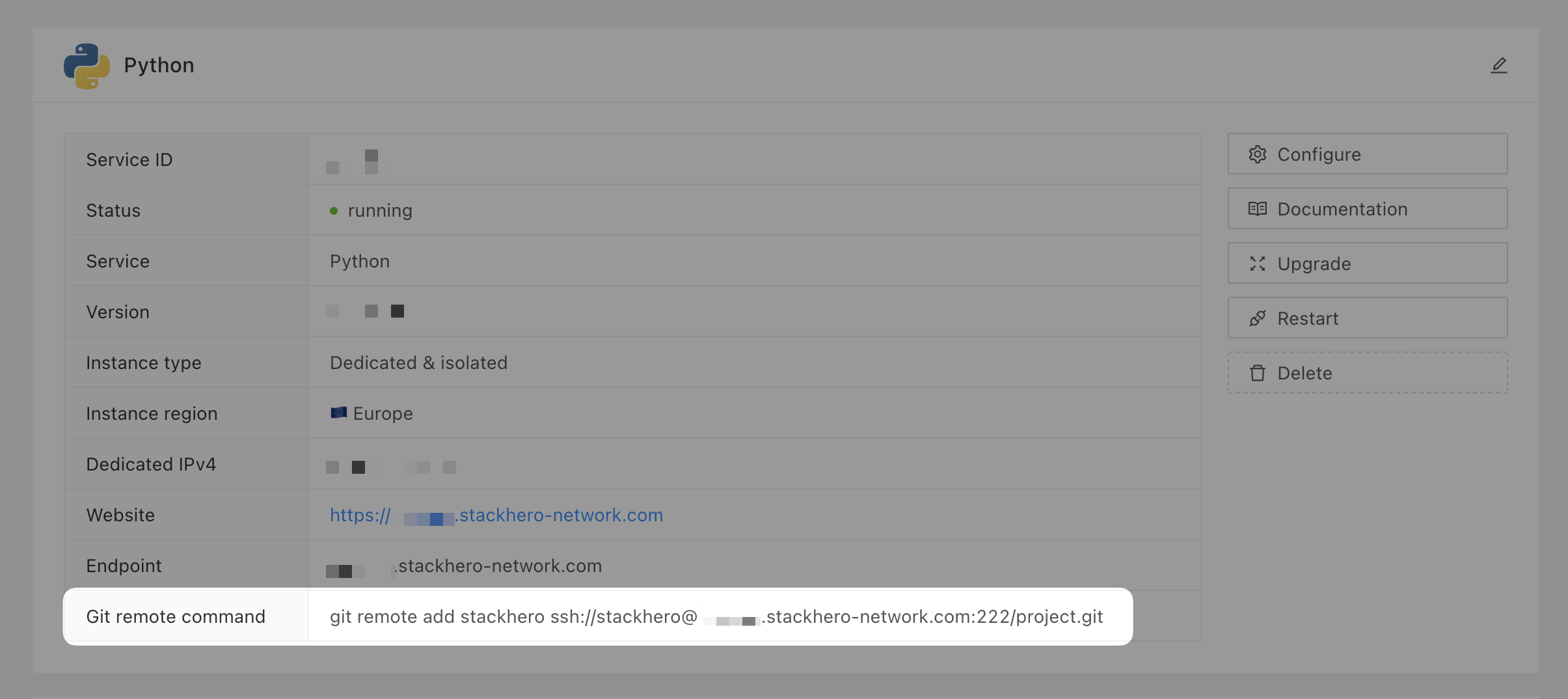 Git remote command
Deploying to production
When you are ready to deploy, push your code with:
git push stackhero main
After deployment, your API is available at https://<XXXXXX>.stackhero-network.com/api/tasks. Replace <XXXXXX> with your service domain to access your Flask API.