 Graylog: 配置电子邮件通知
本文件是警报通知指南的一部分。您可以在这里查看完整指南:如何通过电子邮件、Slack 或 Mattermost 发送 Graylog 警报。
👋 欢迎查阅 Stackhero 文档
Stackhero 提供全托管的 Graylog cloud 解决方案,专为高效与简便而设计。您可以:
- 依赖于服务内置的无限制专用 SMTP 邮件服务器。
- 只需一键即可轻松完成更新,无需手动操作。
- 使用由HTTPS保护的自定义域名(例如 https://logs.your-company.com),为您的团队提供安全、直接的访问。
- 在专属私有基础设施上获得卓越的性能与安全性,无共享资源,无干扰邻居。
专注于您的数据,而非工具本身:只需几分钟,即可开始使用 Stackhero 的 Graylog cloud hosting 解决方案。
每个由 Stackhero 提供的 Graylog 实例都内置了邮件服务器,允许您直接从实例发送无限量电子邮件,无需额外费用。
要设置电子邮件通知,您可以按照以下步骤操作:
-
进入您的 Graylog 服务,导航至
Alerts>Notifications,点击Get started!按钮,或选择Create notification。 -
输入通知标题,并在
Notification type下选择Email Notification。 -
在
Sender字段中填写noreply@<yourGraylogDomain>。请将<yourGraylogDomain>替换为您的实际 Graylog 域名,通常格式为<XXXXXX>.stackhero-network.com。重要提示: 请务必使用您的 Graylog 域名,否则发送邮件时会出现错误。
-
在
Email recipient字段中填写您希望接收警报的电子邮件地址。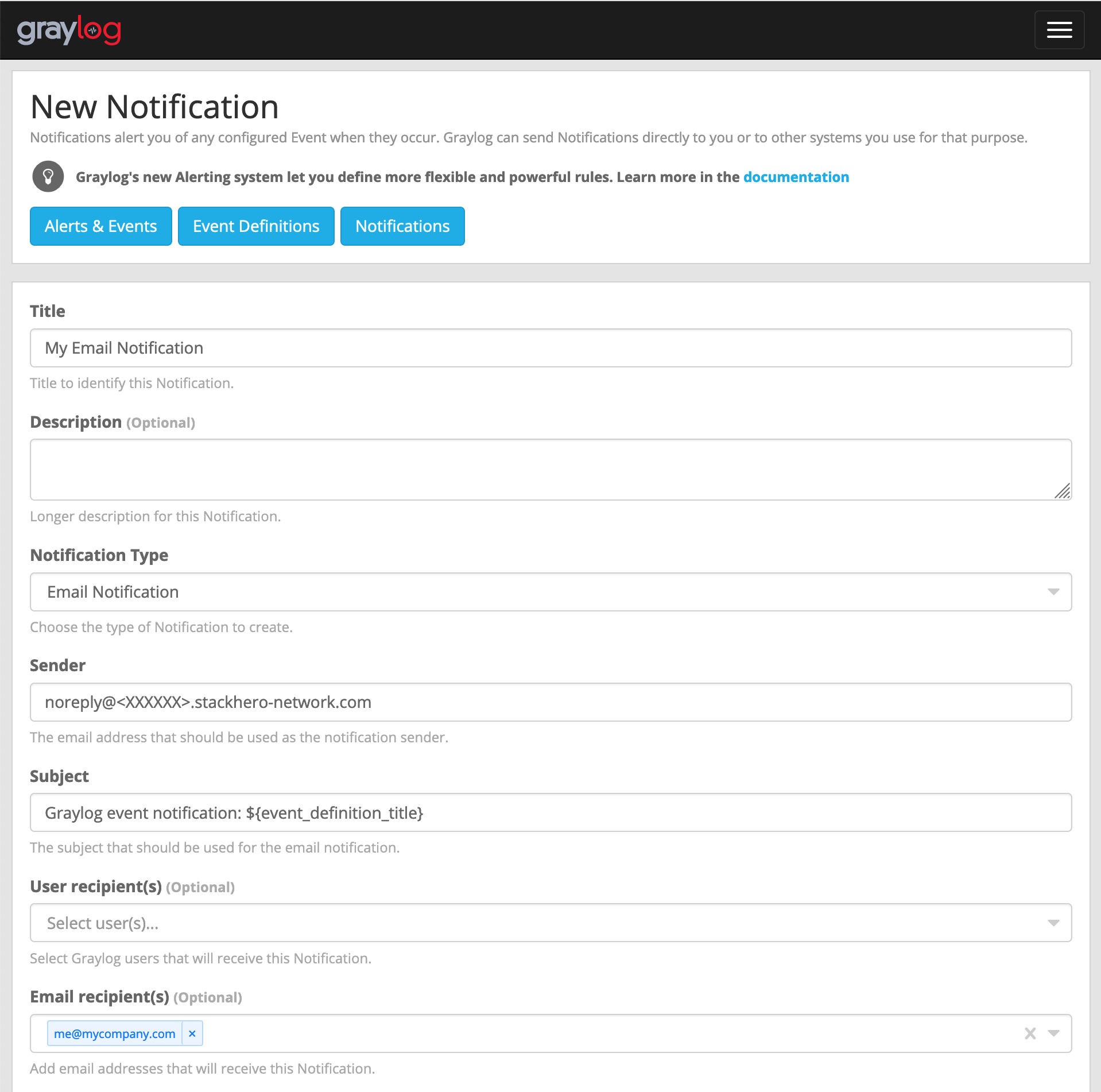 电子邮件配置示例
 -
点击
Execute test notification按钮,验证一切是否正常。确认无误后,点击Create完成设置。
恭喜!您的电子邮件通知现已配置并可正常使用!
处理错误:“Sending the email to the following server failed: postfix:25”
如果您遇到 Error: Notification has email recipients and is triggered, but sending emails failed. Sending the email to the following server failed: postfix:25 错误,很可能是因为 sender 字段格式不正确。它应遵循 <something>@<yourGraylogDomain> 的格式。"something" 可以自定义(如 "noreply"),但 "yourGraylogDomain" 必须与您的 Graylog 服务域名一致,通常为 <XXXXXX>.stackhero-network.com。