 Grafana: Troubleshooting missing data points in Grafana charts
This documentation is part of the Using Prometheus guide. You can view the complete guide here: How to configure Grafana to use Prometheus as a data source.
👋 Welcome to the Stackhero documentation!
Stackhero provides you with a ready-to-use Grafana cloud environment, designed for fast setup and reliable performance:
- Unlimited users, dashboards, and alerts: scale your monitoring as needed, with no artificial restrictions.
- A dedicated SMTP email server is included, so you can send as many notifications as you want, with no quotas to monitor.
- One-click plugin installation makes it easy to add new features to Grafana.
- Built-in SSO support for
GitLab,GitHub,OAuth2provider. User management remains simple and secure.- One-click updates keep your Grafana instance up to date, with no downtime or maintenance headaches.
- Use your own custom domain with automated HTTPS provisioning for secure, branded access (for example, https://grafana.your-company.com).
- High performance and enhanced security are included by default, running on your own private, dedicated infrastructure.
Get started faster and save time on setup: a secure Grafana cloud hosting instance is ready in about 5 minutes.
Are you noticing gaps in your Grafana charts? A common cause is a mismatch in scrape intervals between Prometheus and Grafana. Here is how you can address this:
- Open your Prometheus configuration file and check the
global/scrape_intervalsetting. For Stackhero's Prometheus instance, the default is typically15s.
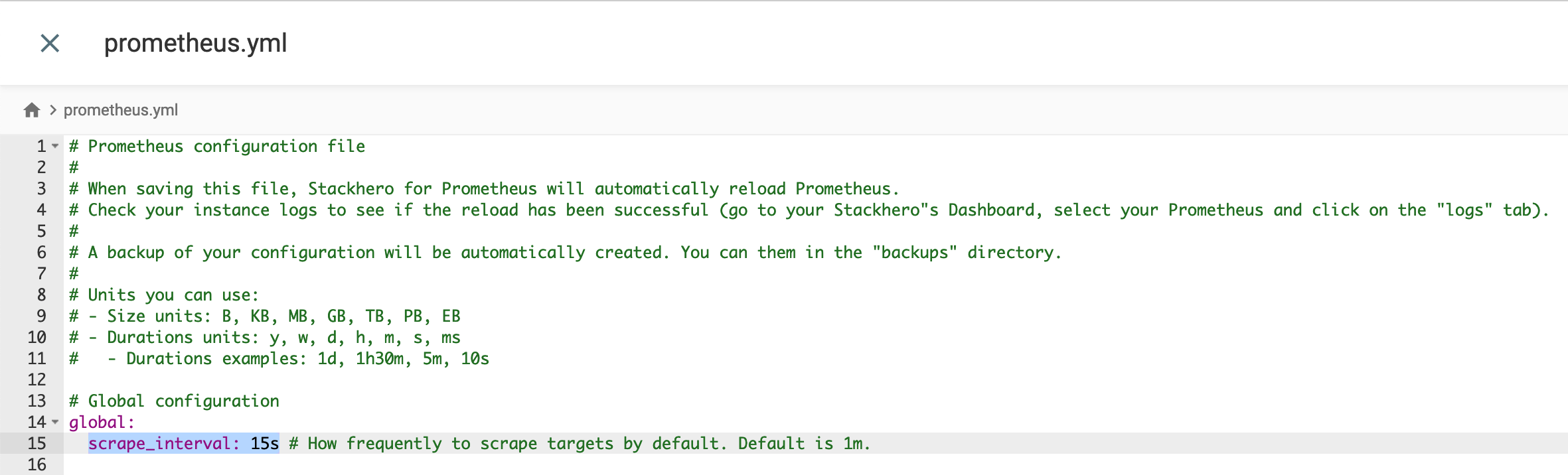 Prometheus default configuration
- In the Grafana UI, navigate to
Configuration>Data Sourcesand selectPrometheus. - Ensure the
Scrape Intervalin Grafana matches thescrape_intervalin your Prometheus configuration.
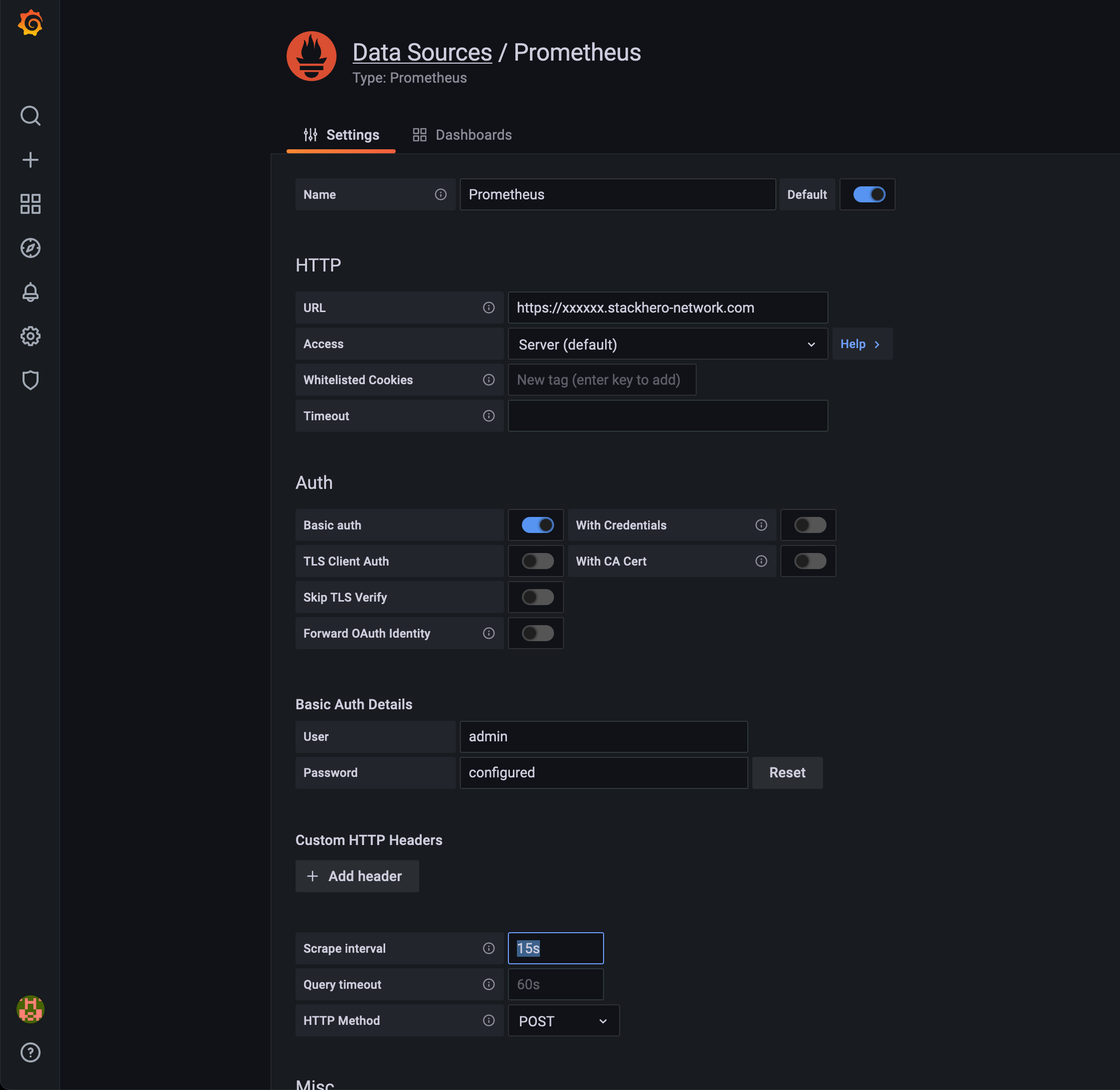 Prometheus data source configuration in Grafana
By aligning the scrape intervals, you can resolve most issues related to missing data points in your dashboards.