 Graylog: Sending error logs
This documentation is part of the Integrating Python with Graylog guide. You can view the complete guide here: How to send logs from Python to Graylog.
👋 Welcome to Stackhero documentation
Stackhero offers a fully managed Graylog cloud solution designed for speed and simplicity. You can:
- Count on an unlimited, dedicated SMTP email server included with your service.
- Apply updates easily with a single click, with no manual intervention required.
- Use a custom domain name secured by HTTPS (for example, https://logs.your-company.com), providing your team with secure, direct access.
- Benefit from strong performance and security on a private, dedicated infrastructure with no shared resources or noisy neighbours.
Focus on your data, not your tools: you can get started with Stackhero's Graylog cloud hosting solution in just a few minutes.
Graylog is not just for standard log messages. You can also capture and forward errors to gain better insight into your application's behaviour. This makes it easier to monitor and receive notifications about issues via email, Slack, or Mattermost.
Here is an example where we deliberately call a function that does not exist to generate an error. Remember to replace "<XXXXXX>.stackhero-network.com" with your actual instance hostname.
import logging
import graypy

my_logger = logging.getLogger('test_logger')
my_logger.setLevel(logging.DEBUG)

handler = graypy.GELFTLSHandler('<XXXXXX>.stackhero-network.com', 12201)
my_logger.addHandler(handler)

try:
    unknown_function()
except NameError:
    my_logger.debug('The "unknown_function" raised an error', exc_info=1)
You can run this script just as before. In your Graylog admin panel, you will see the error message "NameError: name 'unknown_function' is not defined" along with the full stack trace.
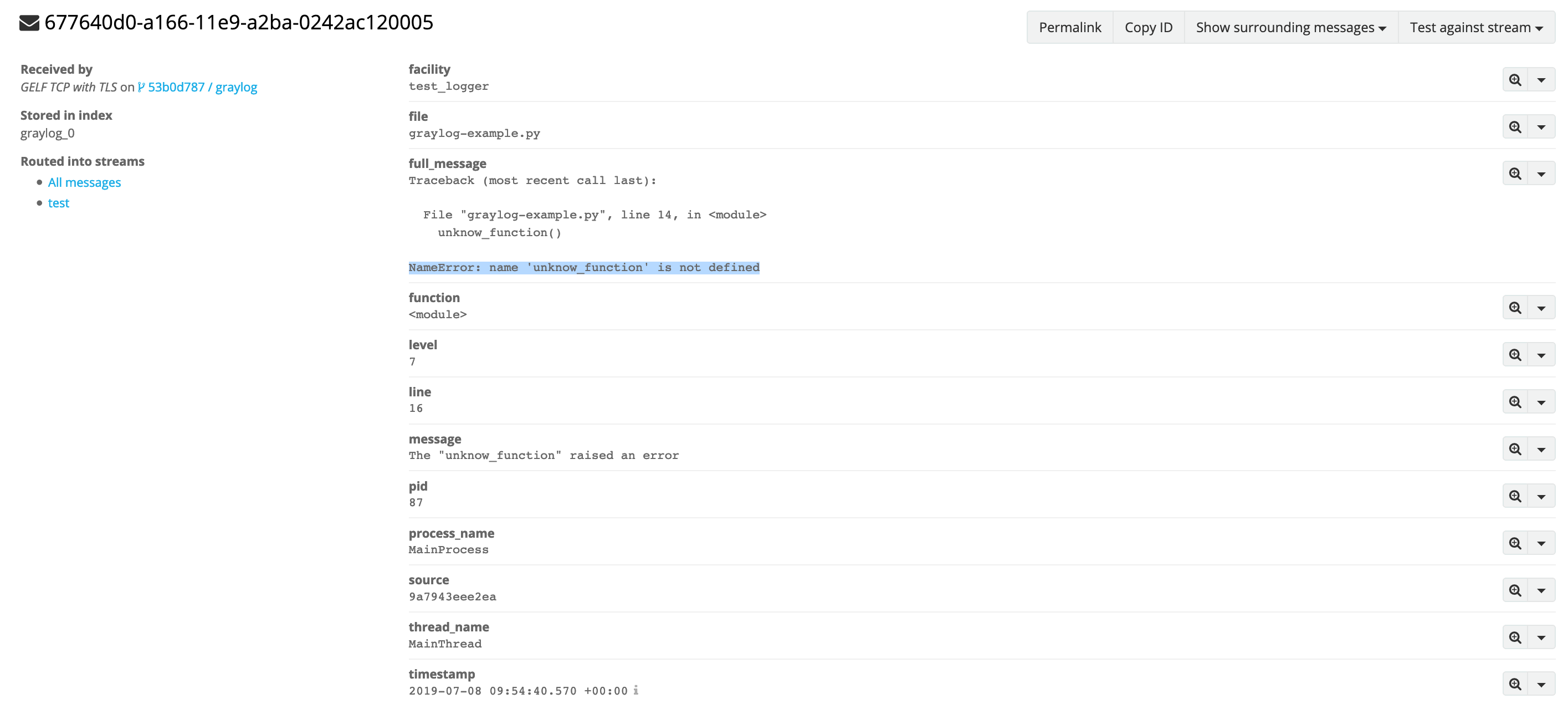 Error log example