 Graylog: Sending error logs
This documentation is part of the Using with Python guide. View the full guide here: How to send logs from Python to Graylog.
👋 Welcome to Stackhero documentation
Stackhero provides a fully managed Graylog cloud solution designed for speed and simplicity. You can:
- Rely on an unlimited, dedicated SMTP email server included with your service.
- Apply updates effortlessly with a single click, with no manual intervention needed.
- Use a custom domain name secured by HTTPS (for example, https://logs.your-company.com), giving your team secure, direct access.
- Experience strong performance and security on a private, dedicated infrastructure with no shared resources or noisy neighbors.
Focus on your data, not your tooling: you can get started with Stackhero's Graylog cloud hosting solution in just a few minutes.
Graylog is not just for regular log messages. You can also catch and forward errors for better visibility into your application's behavior. This makes it easier to monitor and receive notifications for issues via email, Slack, or Mattermost.
Here is an example where we intentionally call a function that does not exist to generate an error. Remember to substitute "<XXXXXX>.stackhero-network.com" with your actual instance hostname.
import logging
import graypy

my_logger = logging.getLogger('test_logger')
my_logger.setLevel(logging.DEBUG)

handler = graypy.GELFTLSHandler('<XXXXXX>.stackhero-network.com', 12201)
my_logger.addHandler(handler)

try:
    unknown_function()
except NameError:
    my_logger.debug('The "unknown_function" raised an error', exc_info=1)
You can run this script just like before. In your Graylog admin panel, you will see the error message "NameError: name 'unknown_function' is not defined" along with the full stack trace.
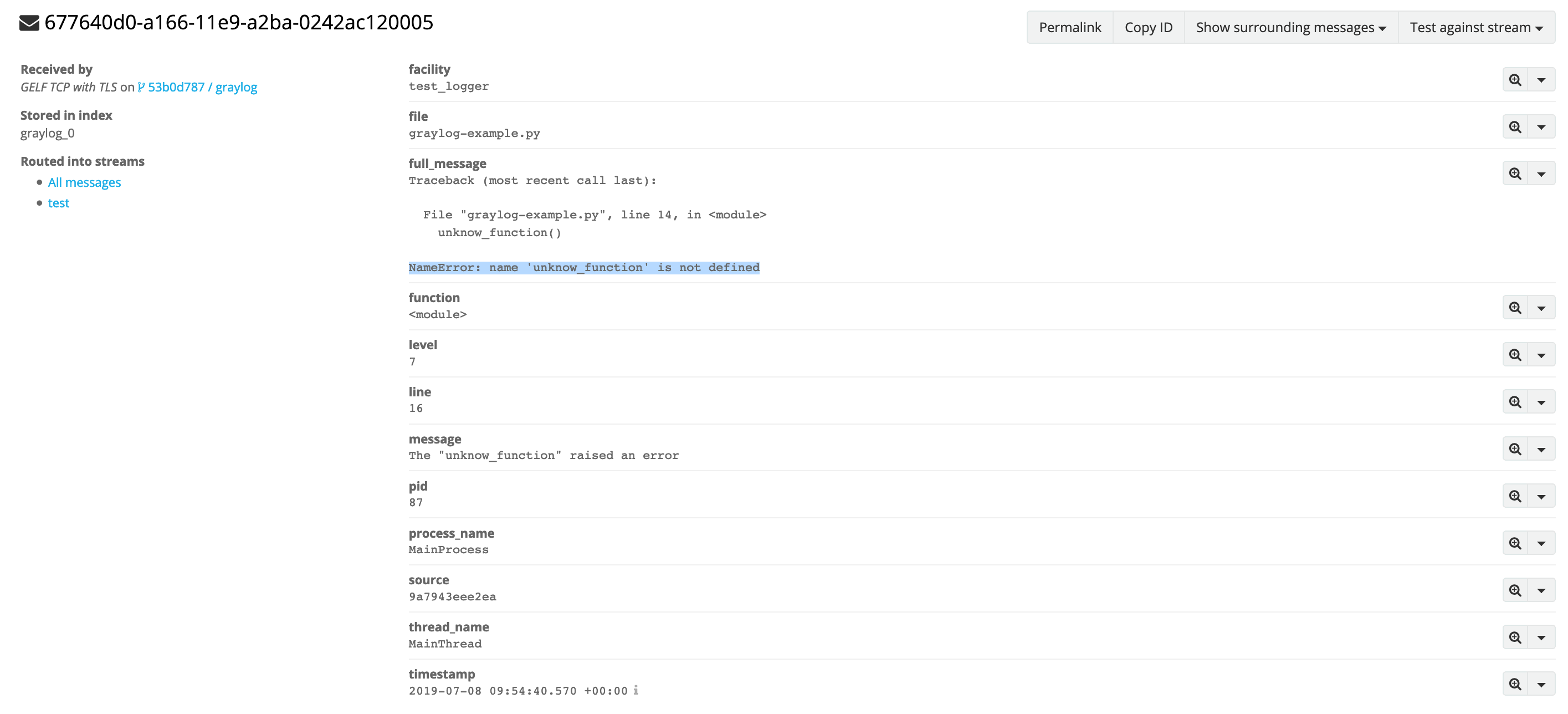 Error log example