 Graylog: Setting up Graylog
This documentation is part of the Using with Python guide. View the full guide here: How to send logs from Python to Graylog.
👋 Welcome to Stackhero documentation
Stackhero provides a fully managed Graylog cloud solution designed for speed and simplicity. You can:
- Rely on an unlimited, dedicated SMTP email server included with your service.
- Apply updates effortlessly with a single click, with no manual intervention needed.
- Use a custom domain name secured by HTTPS (for example, https://logs.your-company.com), giving your team secure, direct access.
- Experience strong performance and security on a private, dedicated infrastructure with no shared resources or noisy neighbors.
Focus on your data, not your tooling: you can get started with Stackhero's Graylog cloud hosting solution in just a few minutes.
First, you will want to configure a GELF TCP input on your Graylog server.
Head over to your Graylog admin panel. Under "System" > "Inputs", you can create a new input of type "GELF TCP". Be sure to check the "global" box, enter a "title" for your input, and confirm the port is set to 12201.
Do not activate any TLS option here. The TLS encryption will be handled by the reverse proxy included with your instance.
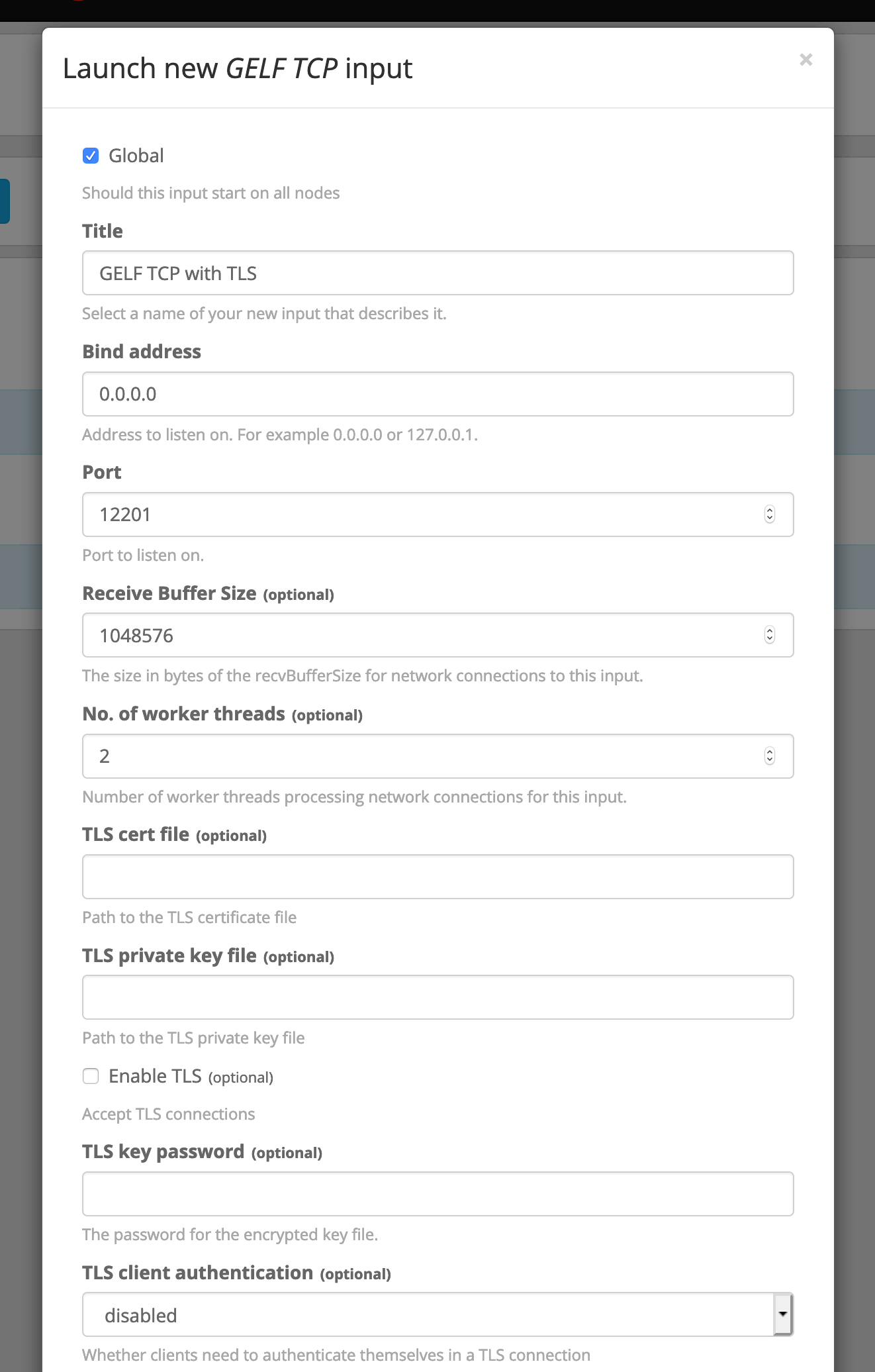 Input configuration