 Graylog: 設定電郵通知
此文件屬於警報通知指南的一部分。請在此處查看完整指南:如何透過電郵、Slack 或 Mattermost 發送 Graylog 警報。
👋 歡迎瀏覽 Stackhero 文件
Stackhero 提供全託管的 Graylog cloud 方案,專為高效與簡易而設。您可以:
- 依賴隨服務附送的無限量、專屬 SMTP 電郵伺服器。
- 只需一鍵即可輕鬆更新,無需手動操作。
- 使用受 HTTPS 保護的自訂網域名稱(例如 https://logs.your-company.com),讓您的團隊安全直接存取。
- 於專屬私人基礎設施上享有卓越效能及安全性,無需與他人共用資源,亦無「嘈吵鄰居」問題。
專注於您的數據,而非工具管理:只需數分鐘,即可開始使用 Stackhero 的 Graylog cloud hosting 方案。
每個由 Stackhero 提供的 Graylog 實例都內建電郵伺服器,讓您可以直接從您的實例發送無限量電郵,無需額外收費。
如要設定電郵通知,您可以參考以下步驟:
-
登入您的 Graylog 服務,前往
Alerts>Notifications,然後點擊Get started!按鈕或選擇Create notification。 -
輸入通知標題,並於
Notification type選擇Email Notification。 -
在
Sender欄位輸入noreply@<yourGraylogDomain>。請記得將<yourGraylogDomain>替換為您實際的 Graylog 網域名稱,格式通常為<XXXXXX>.stackhero-network.com。重要提示: 請務必使用您的 Graylog 網域,以避免發送電郵時出現錯誤。
-
在
Email recipient欄位填寫您希望接收警報的電郵地址。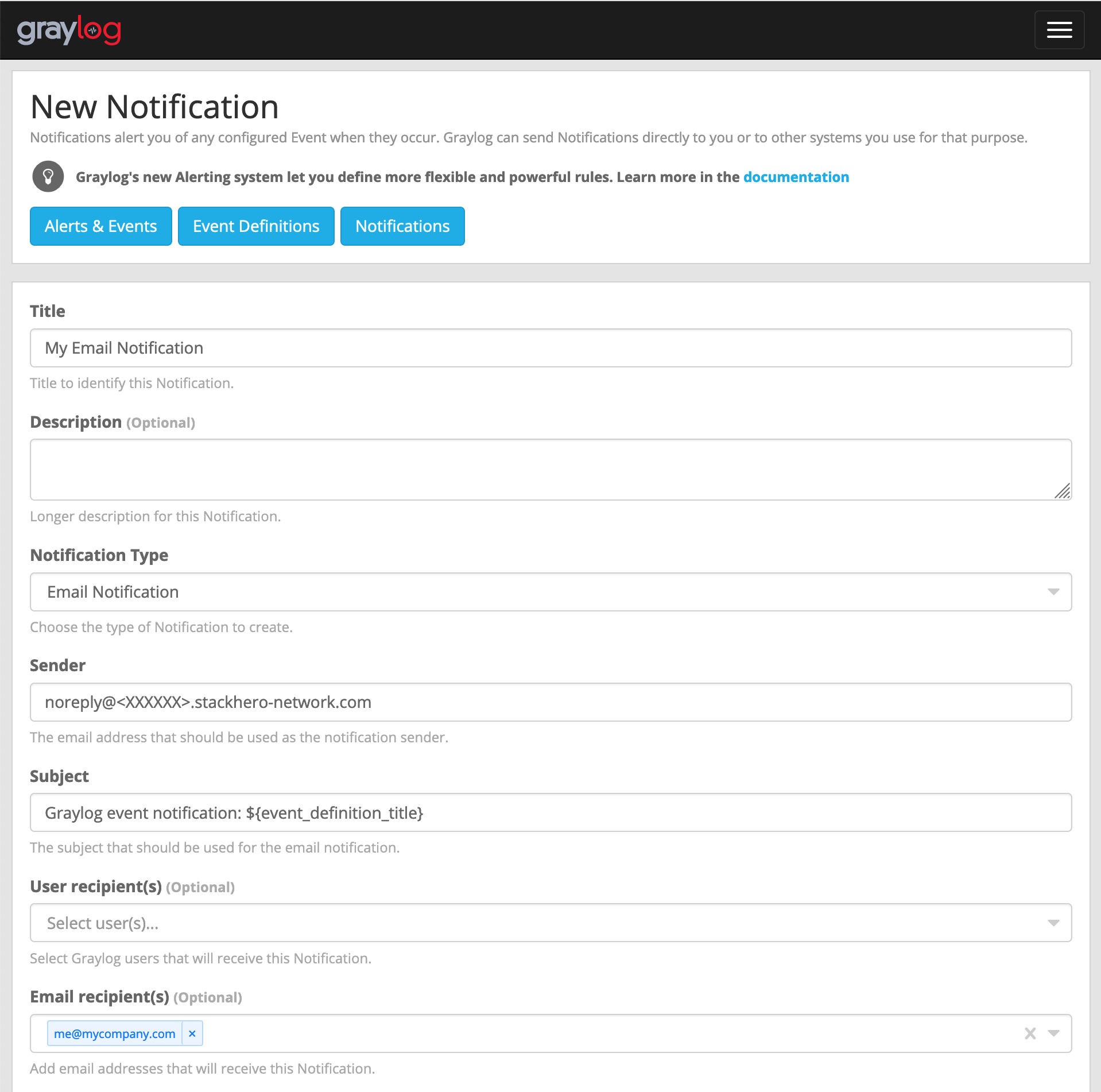 電郵設定範例
 -
點擊
Execute test notification按鈕以確認一切運作正常。測試成功後,點擊Create完成設定。
恭喜您!您的電郵通知已成功建立並可正常運作!
處理錯誤:「Sending the email to the following server failed: postfix:25」
如果您遇到 Error: Notification has email recipients and is triggered, but sending emails failed. Sending the email to the following server failed: postfix:25 這個錯誤,通常是因為 sender 欄位格式不正確。正確格式應為 <something>@<yourGraylogDomain>。其中 "something" 可自訂(如 "noreply"),但 "yourGraylogDomain" 必須與您的 Graylog 服務網域一致,通常為 <XXXXXX>.stackhero-network.com。