 Directus: Connecting Directus to a MySQL or MariaDB database
This documentation is part of the External databases guide. You can view the complete guide here: How to connect Directus to a MySQL, MariaDB, or PostgreSQL database.
👋 Welcome to the Stackhero documentation!
Stackhero provides a Directus cloud service that is production-ready in just 2 minutes:
- Unlimited collections, items, users, roles, API requests, and data transfers
- Custom domain name with integrated HTTPS for secure access (for example, https://cms.your-company.com)
- Dedicated email server for unlimited transactional and notification emails
- Integrated Redis cache for high performance
- Consistent performance and enhanced security thanks to private, dedicated infrastructure
- One-click updates to keep your system up to date with minimal effort
Focus on your project, not on configuration: you can discover Stackhero's Directus cloud solution in just 5 minutes.
-
First, create a user for Directus on MySQL or MariaDB. Open phpMyAdmin and navigate to User accounts followed by Add user account.
-
Provide a username (for example,
directus). Set a secure password by clicking the Generate button, choose Native MySQL authentication, and check Create database with same name and grant all privileges.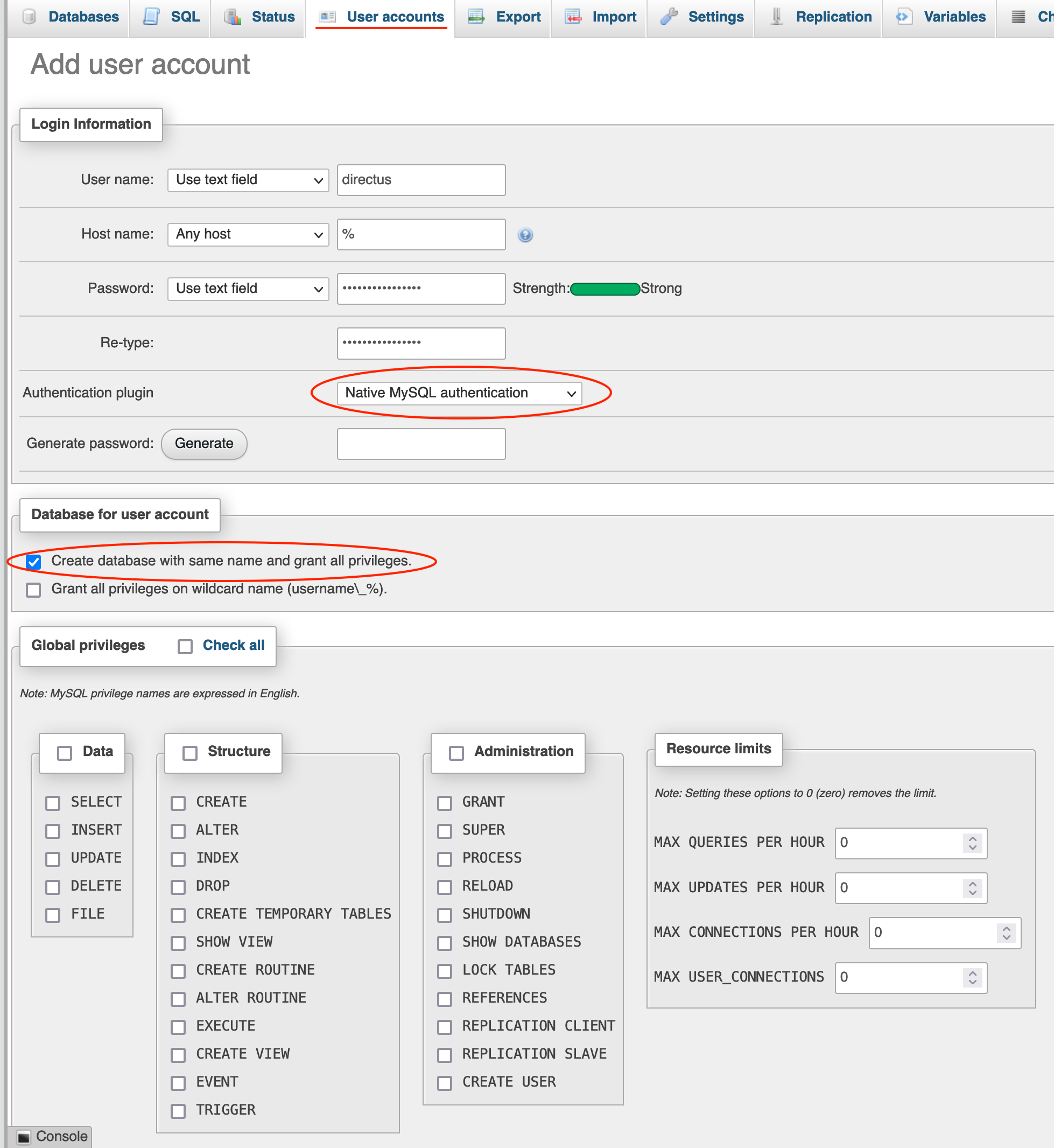 Directus user creation on a MySQL/MariaDB database
 -
Next, log in to your Stackhero dashboard. Select your Directus service and click Configure.
-
In the configuration panel under Database, choose MySQL/MariaDB and complete the remaining fields as shown in the screenshot below.
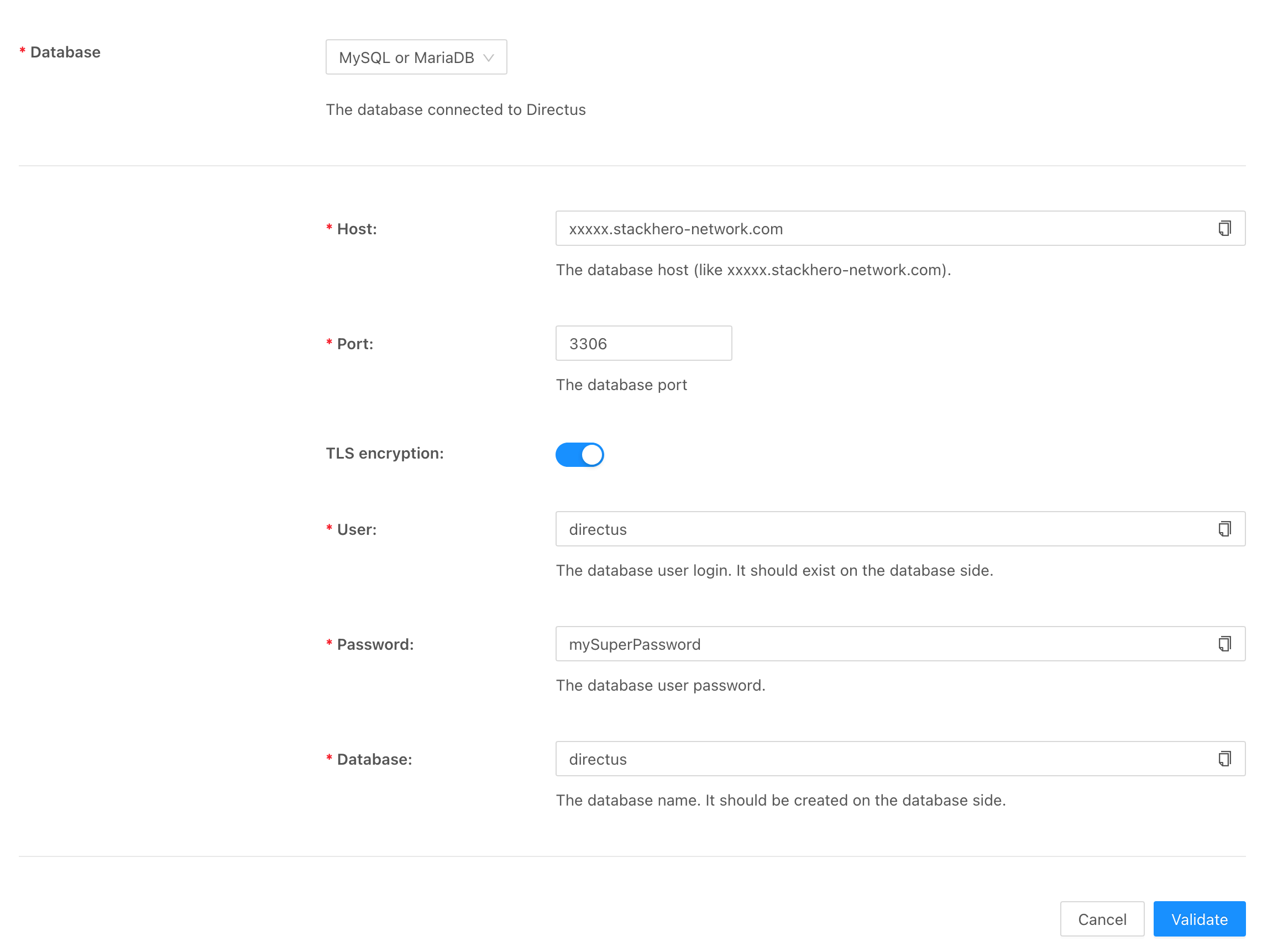 Configuration of MySQL/MariaDB for Directus