 MySQL: Connecting HeidiSQL to MySQL
This documentation is part of the Configure GUIs guide. You can view the complete guide here: How to connect graphical interfaces to MySQL.
👋 Welcome to the Stackhero documentation!
Stackhero offers a fully managed MySQL cloud service that streamlines deployment and management for your production workloads:
- Unlimited connections and data transfers.
- Integrated phpMyAdmin web interface for simplified database management.
- Effortless updates with one-click upgrades.
- Consistent performance and enhanced security on a private, dedicated infrastructure.
With Stackhero, you have a reliable MySQL database ready within minutes. Reduce the time spent on installation and maintenance, and focus on developing your applications. Try MySQL cloud hosting on Stackhero today.
HeidiSQL is a lightweight, user-friendly database management tool. Here is how you can configure it to connect to MySQL:
- Launch HeidiSQL and create a new session.
- Fill in the required fields: Hostname, User, Password, and Port.
- Ensure the Library setting is set to
libmariadb.dll.
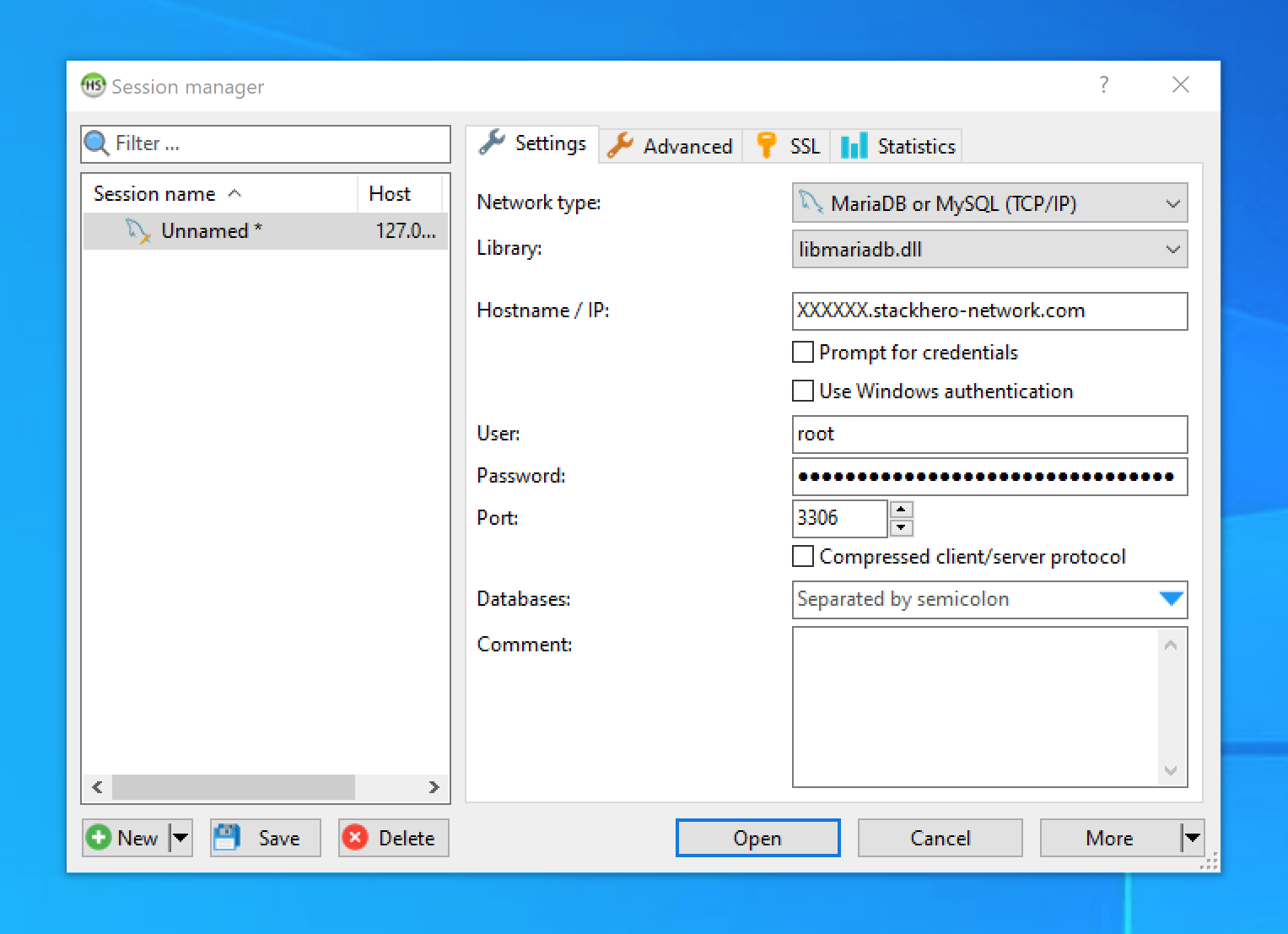 HeidiSQL Configuration Example
To enable SSL encryption:
- Go to the SSL tab.
- Enable the Use SSL option.
Stackhero employs TLS certificates issued by trusted Certificate Authorities (CAs), so no additional certificates need to be imported.
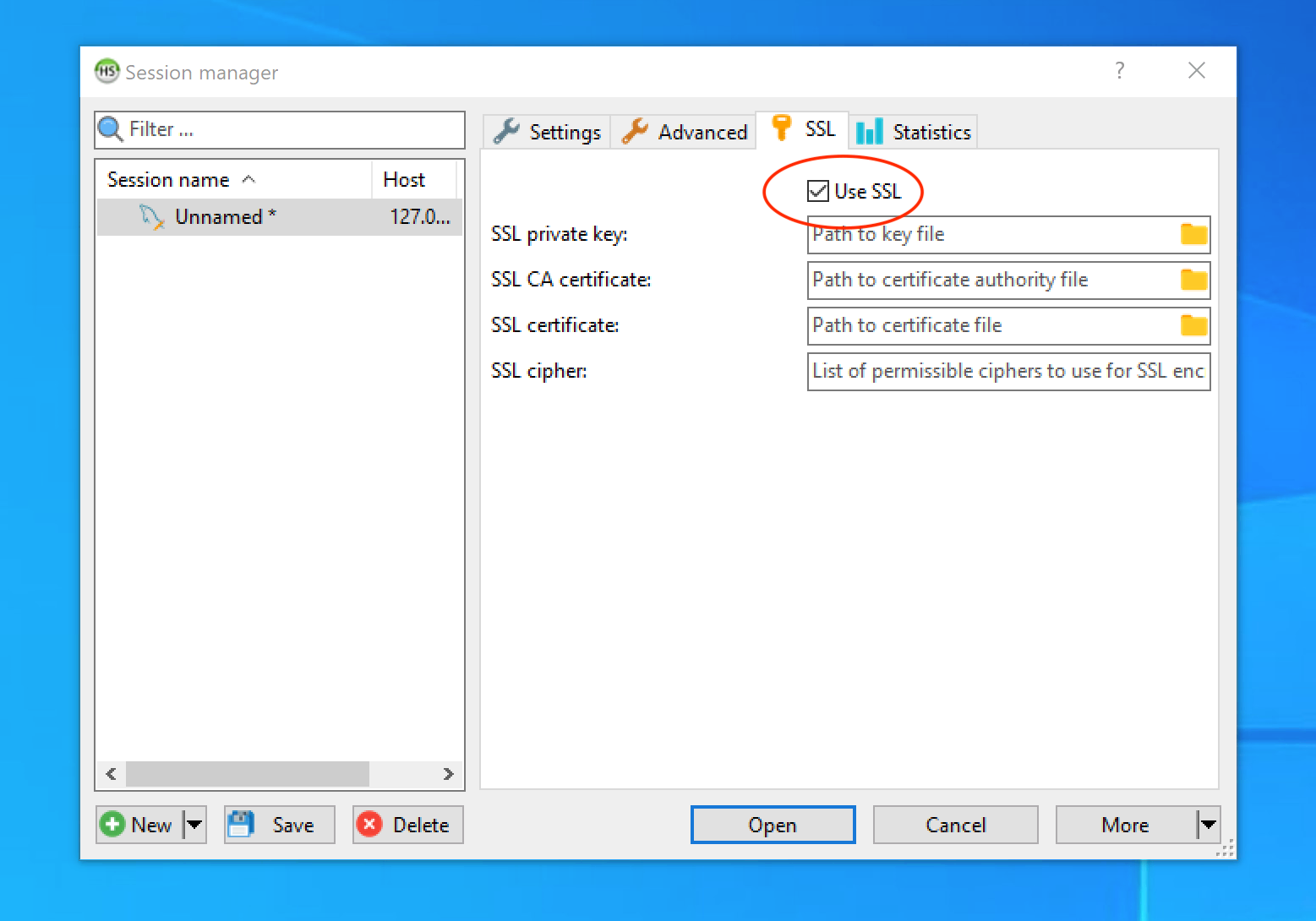 Enable SSL/TLS Encryption in HeidiSQL