 Node-RED: Authenticating MQTT users in Node-RED
This documentation is part of the MQTT server guide. You can view the complete guide here: How to connect Node-RED to the Mosquitto MQTT server.
Welcome to the Stackhero documentation
Stackhero offers a fully managed Node-RED cloud environment designed to help you build workflows quickly:
- Integrated MQTT server (Mosquitto) for seamless IoT integration.
- Full access to the Node-RED admin interface for managing your flows and settings.
- Node-RED Dashboard included for real-time visualisation.
- Dedicated SMTP email server included, with no sending limits.
- Effortless one-click updates to keep your instance up to date.
- Custom domain names with automatic HTTPS: for example, https://node-red.your-company.com.
- High performance and enhanced security thanks to private, dedicated infrastructure.
You can have a secure, production-ready Node-RED cloud hosting instance running in around 5 minutes. Stackhero takes care of installation, updates, and infrastructure, so you can focus on building your automations.
Managing MQTT user authentication is straightforward with a dedicated flow in Node-RED. You will find the "MQTT Authentication" flow directly from the Node-RED admin panel.
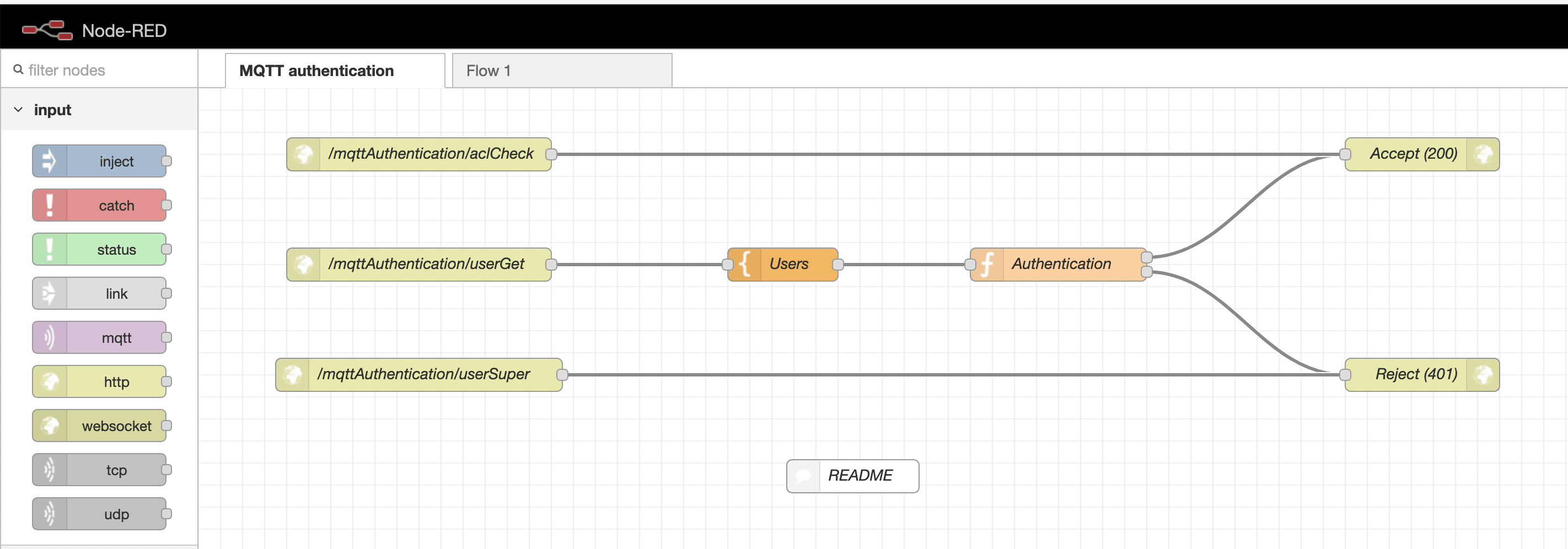 MQTT authentication flow
Within this authentication flow, look for the Users template node. This node contains an array where you can define credentials for each user. You can add as many users as your project requires.
Note: The
node-reduser is essential for Node-RED to connect to the MQTT server. Be sure not to remove this user from your configuration.
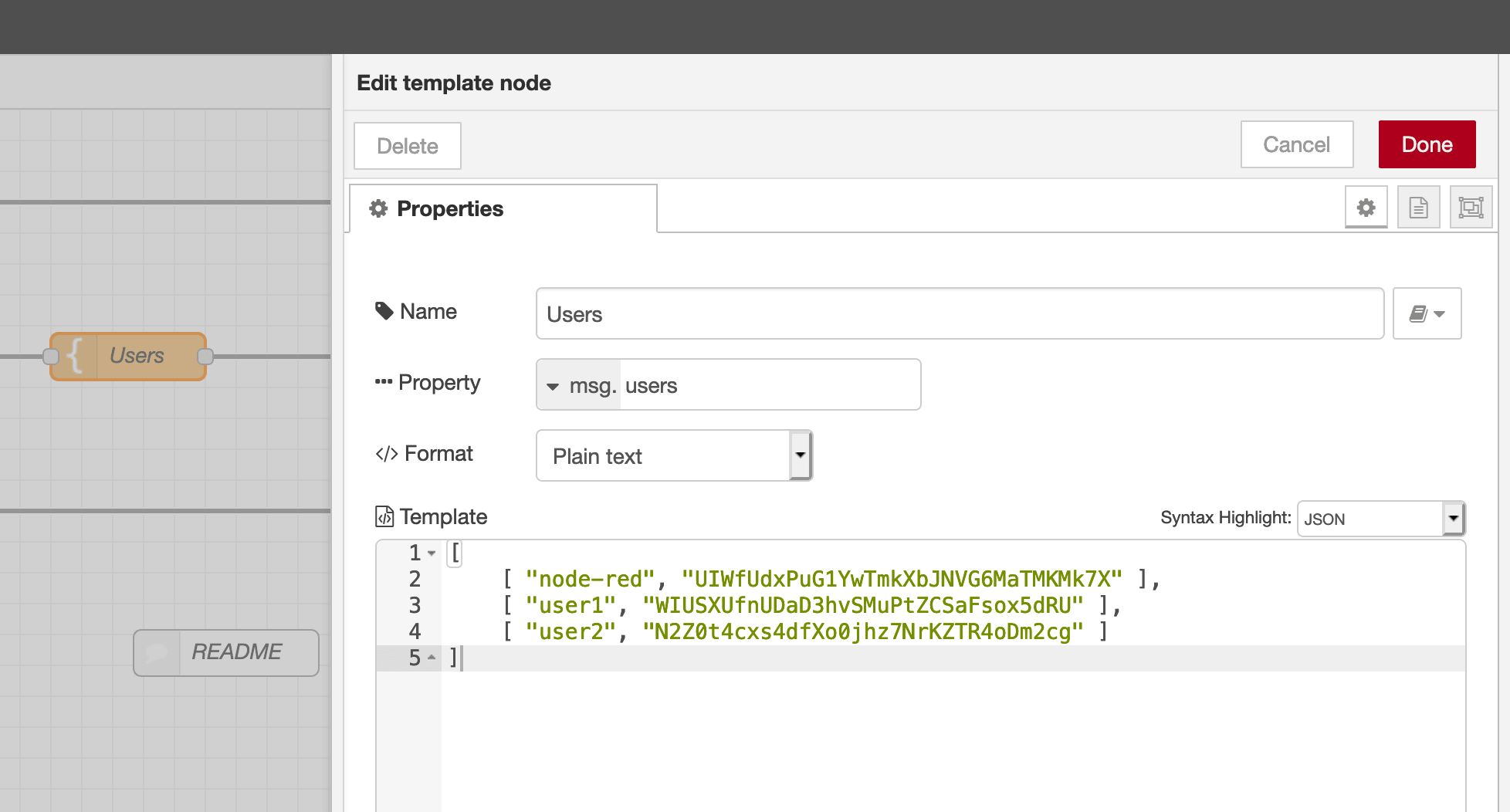 MQTT users node