 Node-RED: Authenticating MQTT users in Node-RED
This documentation is part of the MQTT server guide. View the full guide here: How to connect Node-RED to Mosquitto MQTT server.
Welcome to the Stackhero documentation
Stackhero provides a fully managed Node-RED cloud environment designed to get you building workflows quickly:
- Built-in MQTT server (Mosquitto) for seamless IoT integration.
- Full access to the Node-RED admin UI for managing flows and settings.
- Node-RED Dashboard included for real-time visualization.
- Dedicated SMTP email server included, with no limits on sending.
- Effortless one-click updates to keep your instance current.
- Custom domain names with automatic HTTPS: for example, https://node-red.your-company.com.
- High performance and strong security with private, dedicated infrastructure.
You can have a secure, production-ready Node-RED cloud hosting instance running in about 5 minutes. Stackhero handles setup, updates, and infrastructure so you can focus on building automations.
Managing MQTT user authentication is straightforward with a dedicated flow in Node-RED. You can find the "MQTT Authentication" flow directly from the Node-RED admin panel.
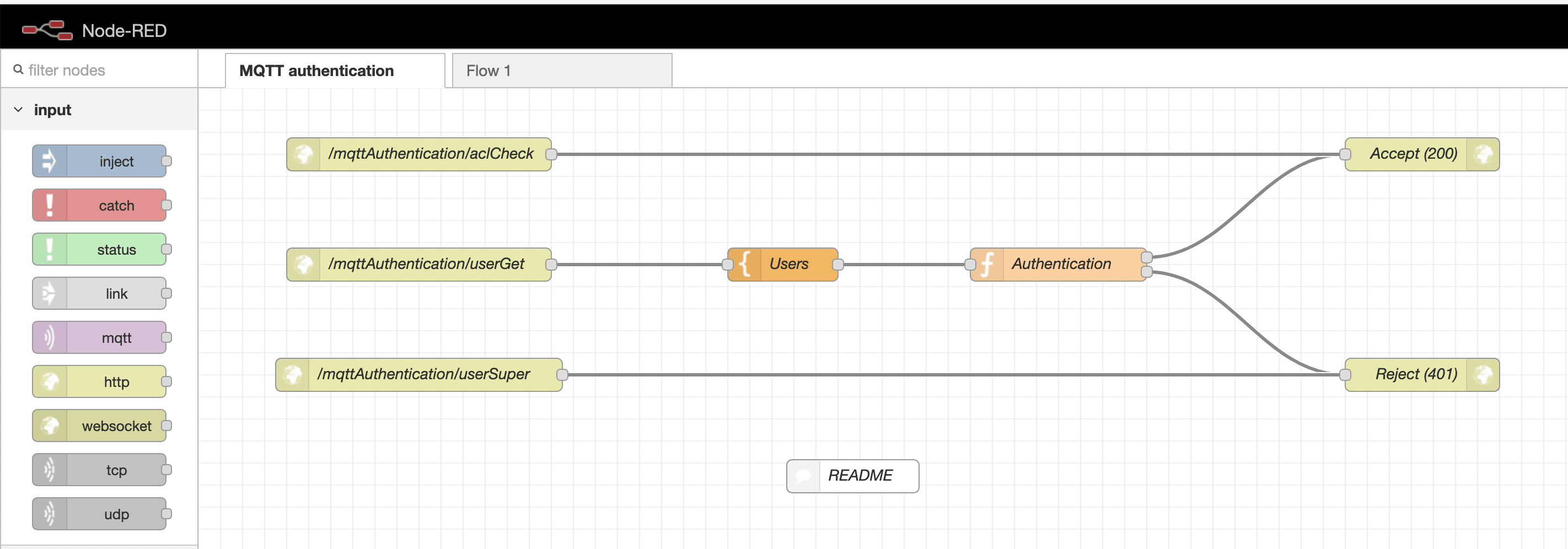 MQTT authentication flow
Inside this authentication flow, look for the Users template node. This node holds an array where you can define credentials for each user. You have the flexibility to add as many users as your project needs.
Note: The
node-reduser is essential for Node-RED's connection to the MQTT server. Make sure not to remove this user from your configuration.
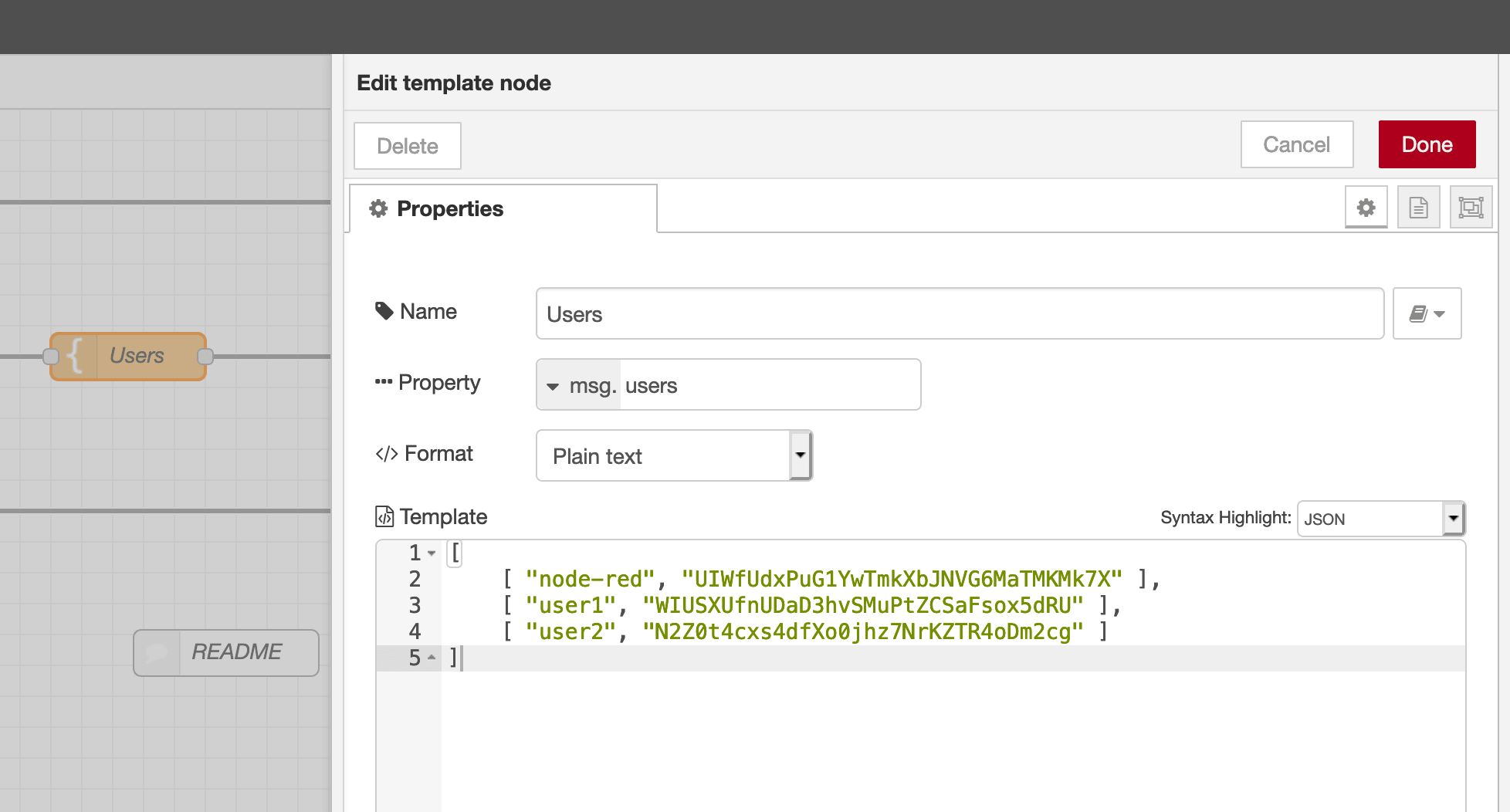 MQTT users node