 Redis®*: Technical validations
This documentation is part of the Rank users in real time guide. You can view the complete guide here: Learn how to rank 2 million users by score in real time using Redis.
👋 Welcome to the Stackhero documentation!
Stackhero provides a ready-to-use Redis cloud solution offering numerous advantages, including:
- Redis Commander web interface included.
- Unlimited message size and transfers.
- Updates made easy with just one click.
- Optimal performance and enhanced security thanks to a private, dedicated infrastructure.
Save time and make your life easier: it only takes 5 minutes to try Stackhero's Redis cloud hosting solution!
Sorted sets combine a key and a score. In our case, the key is the user ID and the score represents the user's points.
We began by launching a Redis service on Stackhero. The service is up in just 2 minutes with the latest stable release, offers hourly billing, and features Redis Commander, a handy web GUI. We validated the concept using this interface.
We added three users with sample IDs and scores as shown below:
| Username | Score |
|---|---|
| userId1 | 11 |
| userId2 | 54 |
| userId3 | 24 |
These users were added to a sorted set called usersScores using the following Redis commands:
ZADD usersScores 11 "userId1"
ZADD usersScores 54 "userId2"
ZADD usersScores 24 "userId3"
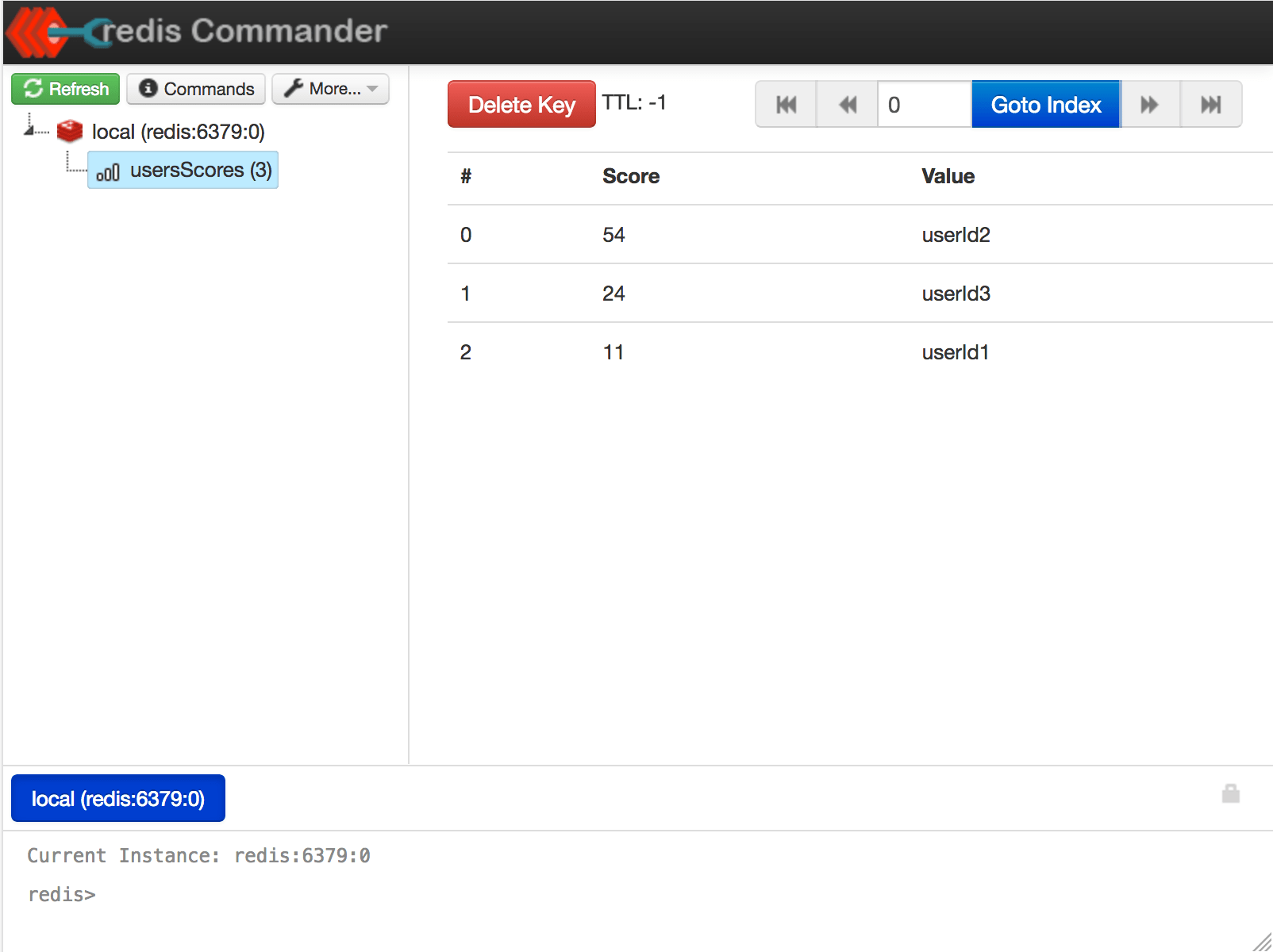 Redis Commander, the web GUI provided on Stackhero with Redis instances
Next, we retrieved userId1's score:
ZSCORE usersScores "userId1"
> 11
This confirmed that the score for userId1 was indeed 11. After that, we checked userId1's rank:
ZREVRANK usersScores "userId1"
> 2
Remember, ranking starts at 0. This means that the rankings are as follows:
| Username | Score | Rank |
|---|---|---|
| userId1 | 11 | 2 |
| userId2 | 54 | 0 |
| userId3 | 24 | 1 |
The command ZREVRANK returned 2, which is exactly what we expected for userId1.
You can also fetch the top entries. For example, to retrieve the first 2 users (from rank 0 to rank 1) run:
ZREVRANGE usersScores 0 1 WITHSCORES
> 1) userId2
> 2) 54
> 3) userId3
> 4) 24
To get the top 100 users simply run:
ZREVRANGE usersScores 0 99 WITHSCORES
This approach is efficient and perfectly suited to high-performance real-time ranking.