 Ruby: Configure SSH keys
This documentation is part of the Deploy with GitHub Actions guide. You can view the complete guide here: How to deploy your Ruby code using GitHub Actions.
👋 Welcome to the Stackhero documentation!
Stackhero provides a ready-to-use Ruby cloud solution offering a range of advantages, including:
- Deploy your application within seconds using a simple
git push.- Use your own domain name and benefit from the automatic configuration of HTTPS certificates for enhanced security.
- Take advantage of automatic backups, one-click updates, and clear, transparent, and predictable pricing.
- Enjoy optimal performance and enhanced security thanks to a private, dedicated infrastructure.
Save time and make your life easier: it only takes 5 minutes to try Stackhero's Ruby cloud hosting solution!
To allow GitHub Actions to deploy your code, you need to configure SSH keys. This ensures that only authorised actions can connect to your Stackhero services, keeping your deployments secure.
You can generate a new SSH key pair on your computer with:
ssh-keygen -C "" -f /tmp/ssh_key -N ""
Set the public key
Next, retrieve the public key you have just created:
cat /tmp/ssh_key.pub
In the Stackhero dashboard, select your "production" Ruby service and click the "Configure" button.
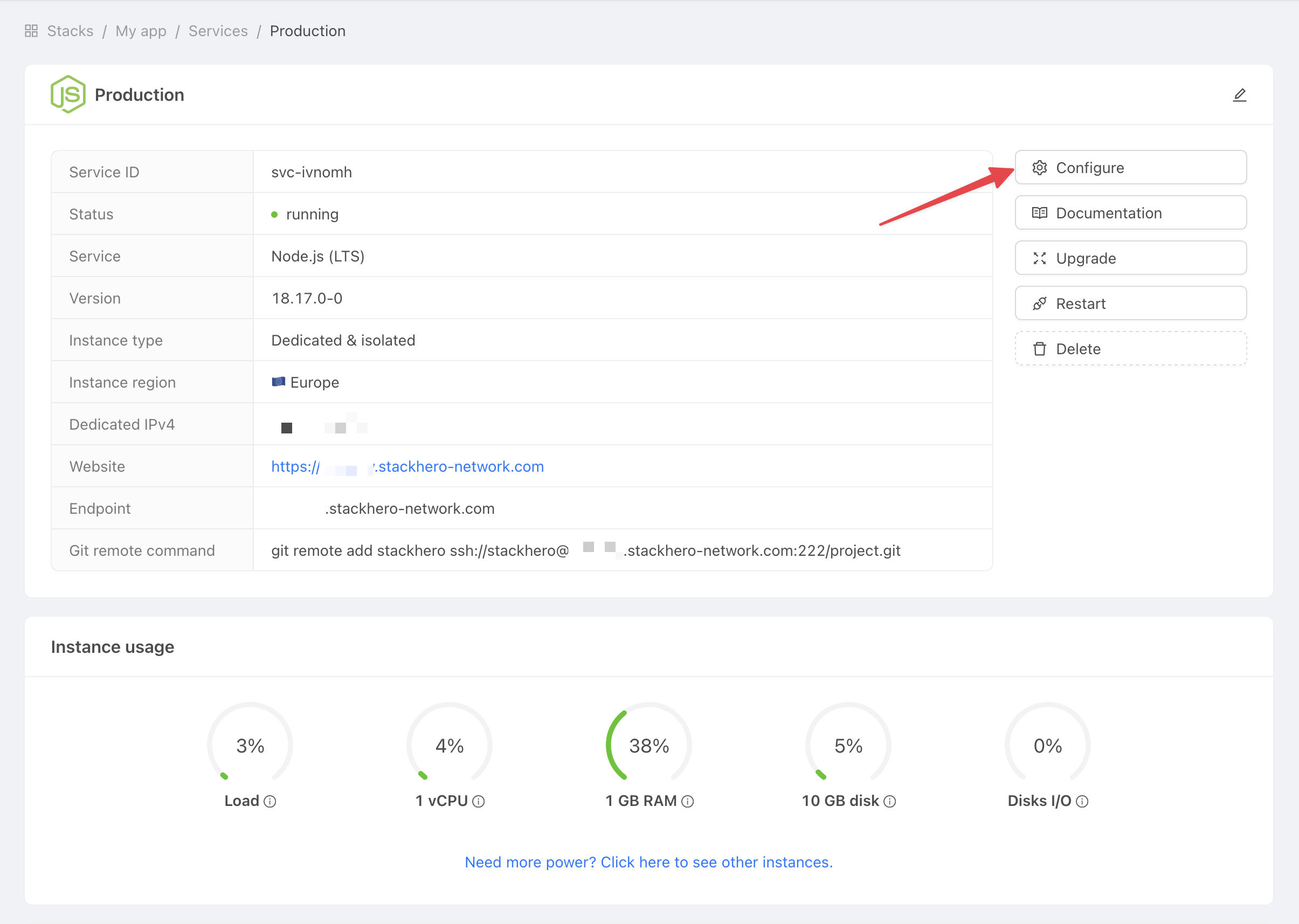 Get service settings
Then:
- Under
SSH public keys, clickAdd a public key. - For
Description, enterGitHub Action. - For
Key, paste in the public key content from your computer.
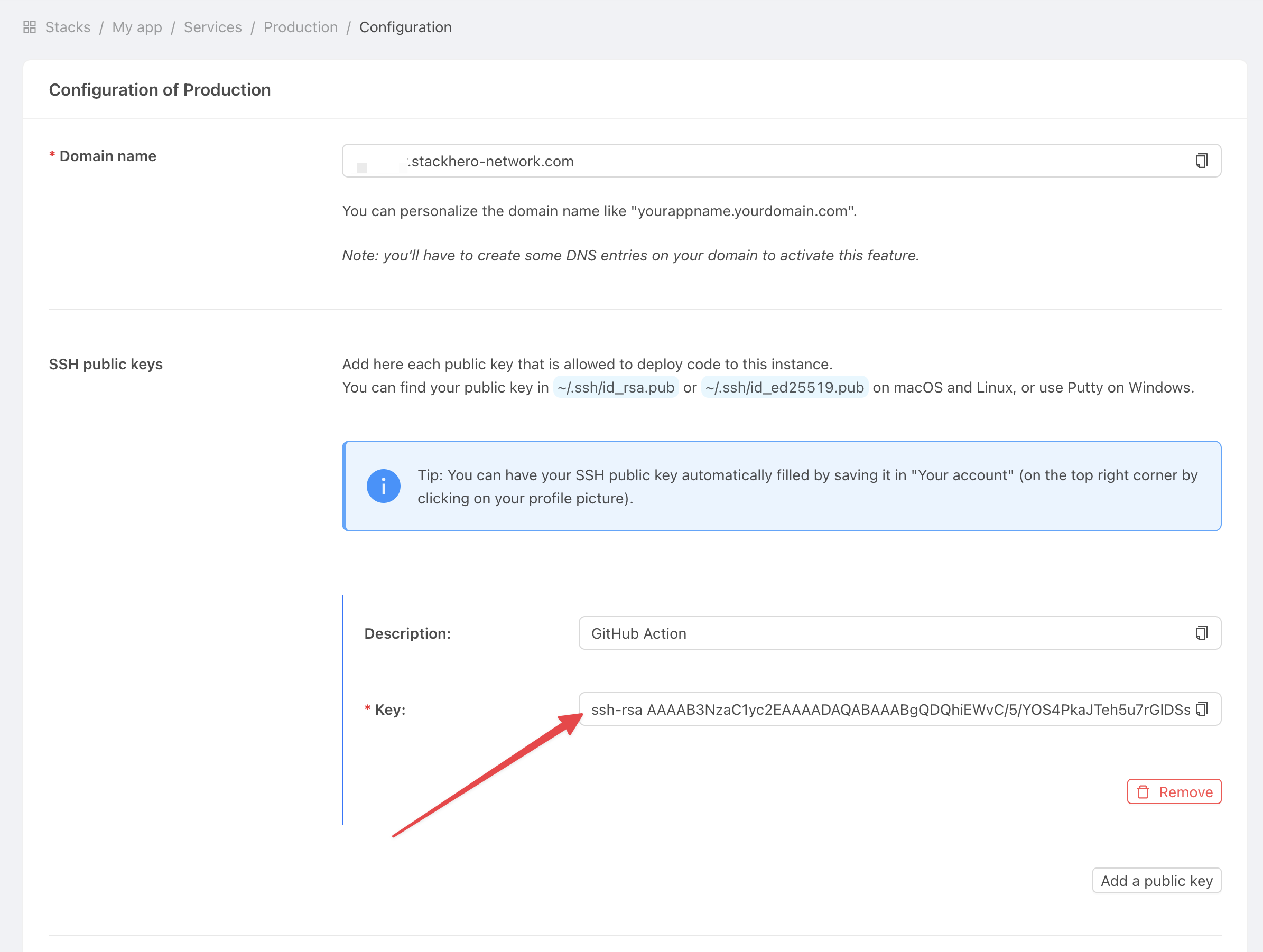 Get service settings
Set the private key
Now, go to the GitHub website and open your project.
Go to Settings > Environments, then click New environment.
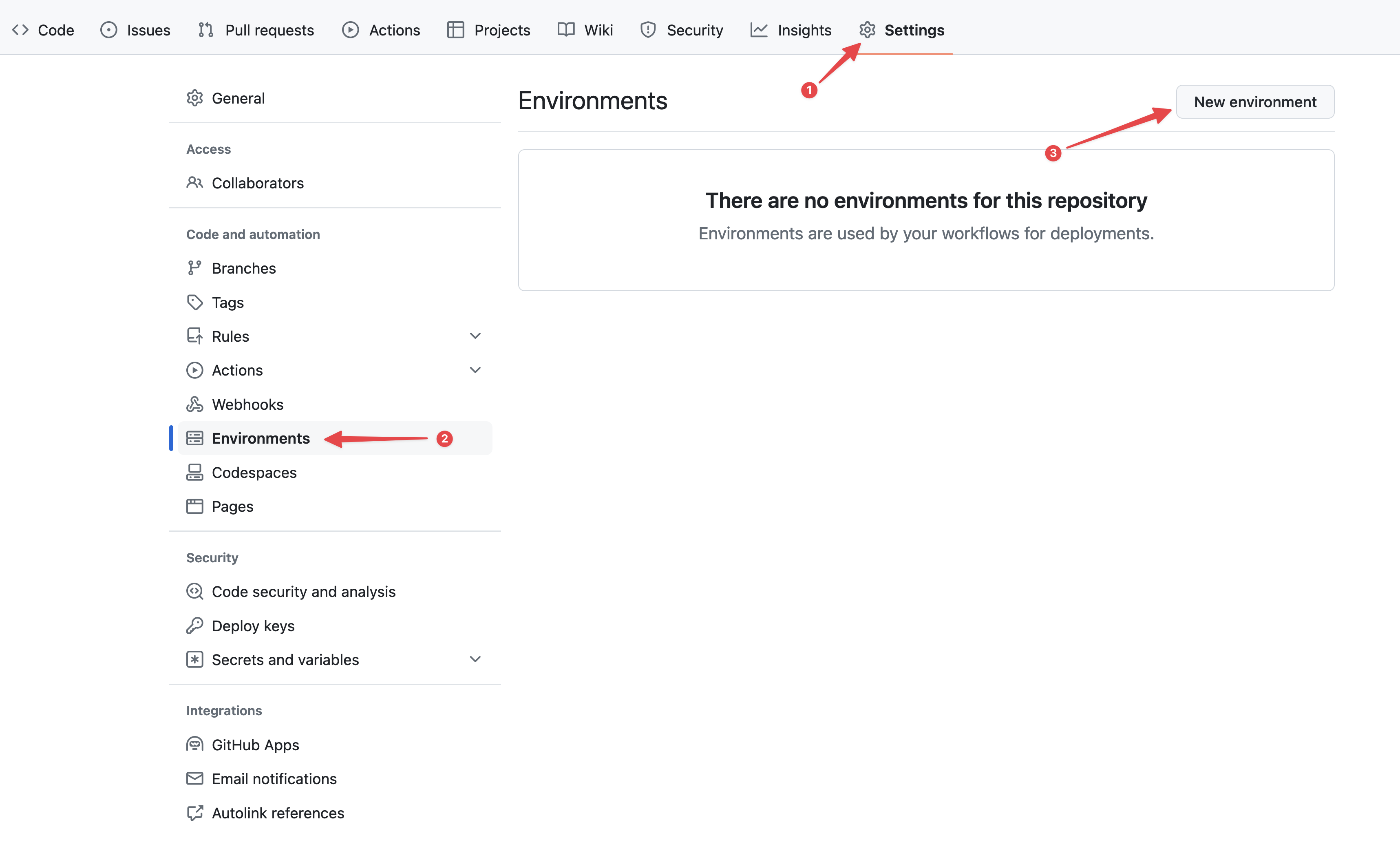 Configuring GitHub environments
Name your environment "production" and save it.
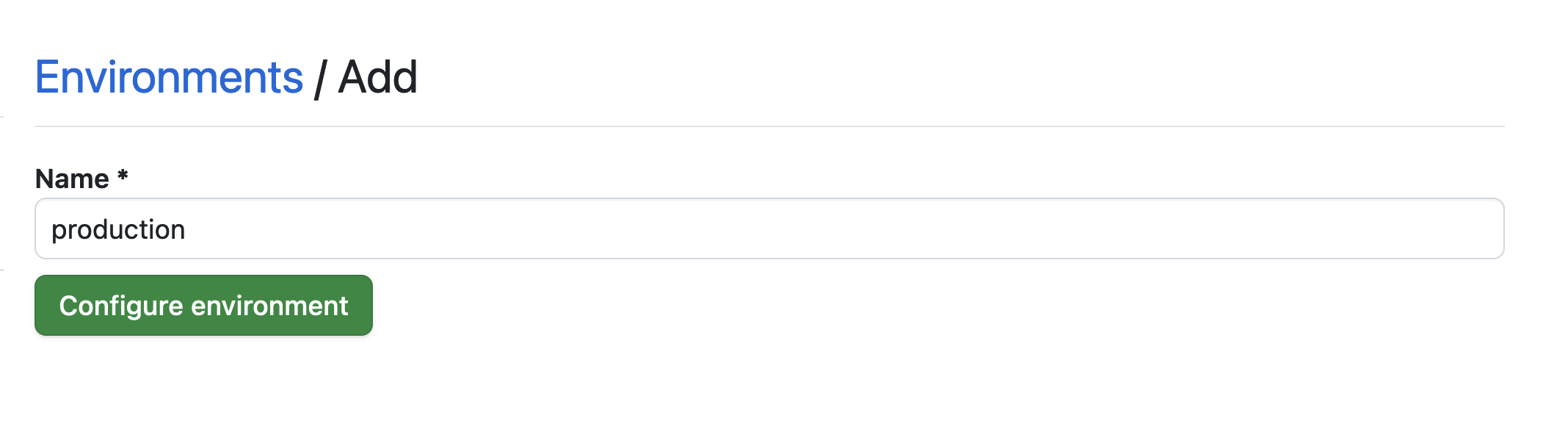 Setting the environment
Click the No restriction button and select Selected branches and tags.
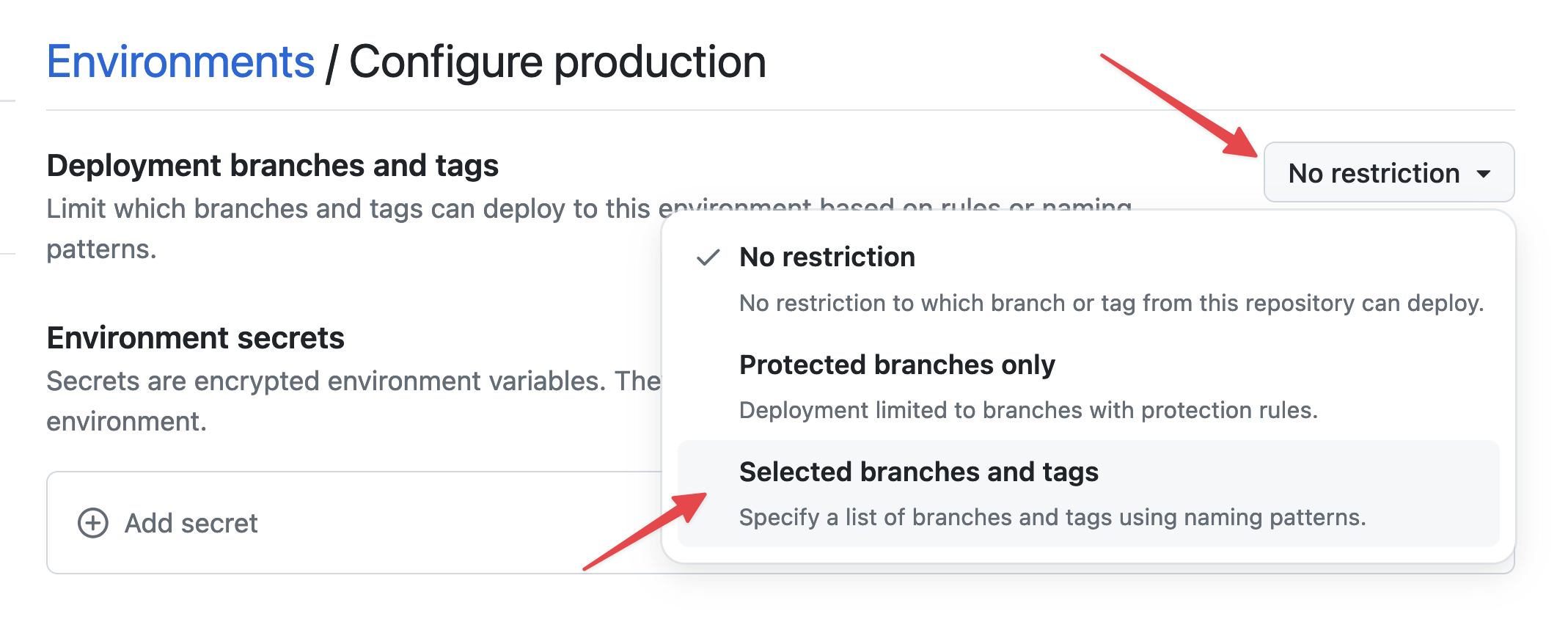 Setting environment restrictions
Click Add deployment branch or tag rule, enter "production" as the pattern, and add the rule.
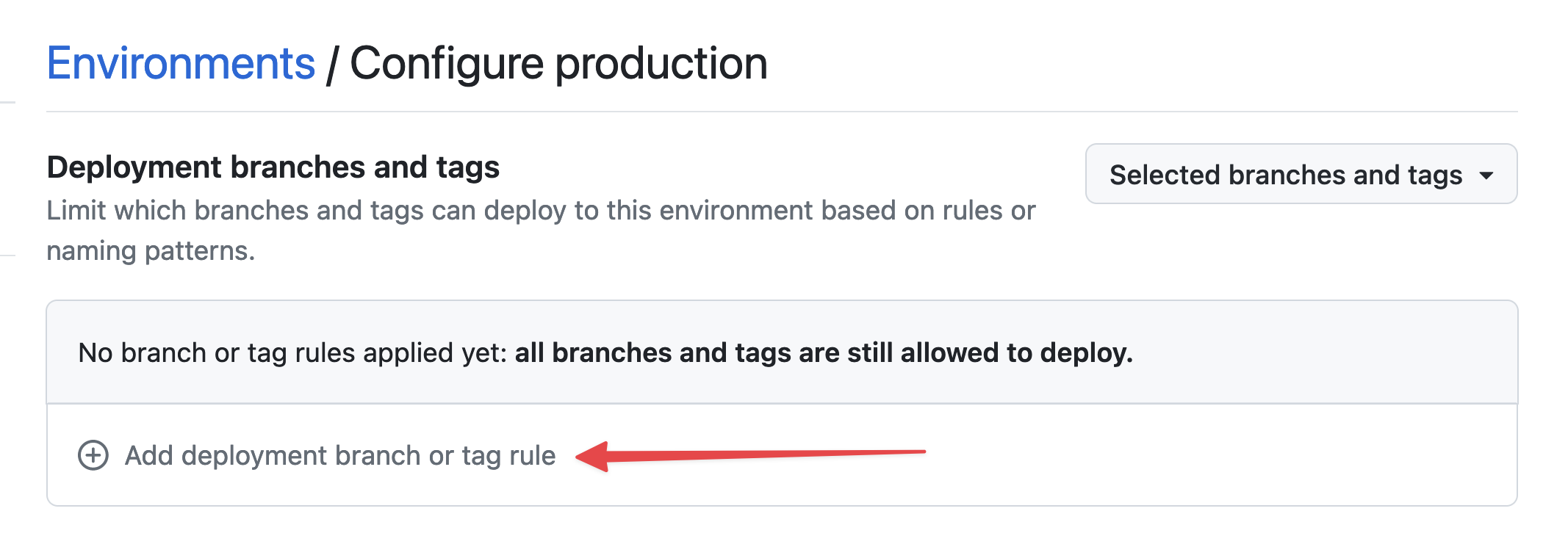 Setting environment branch
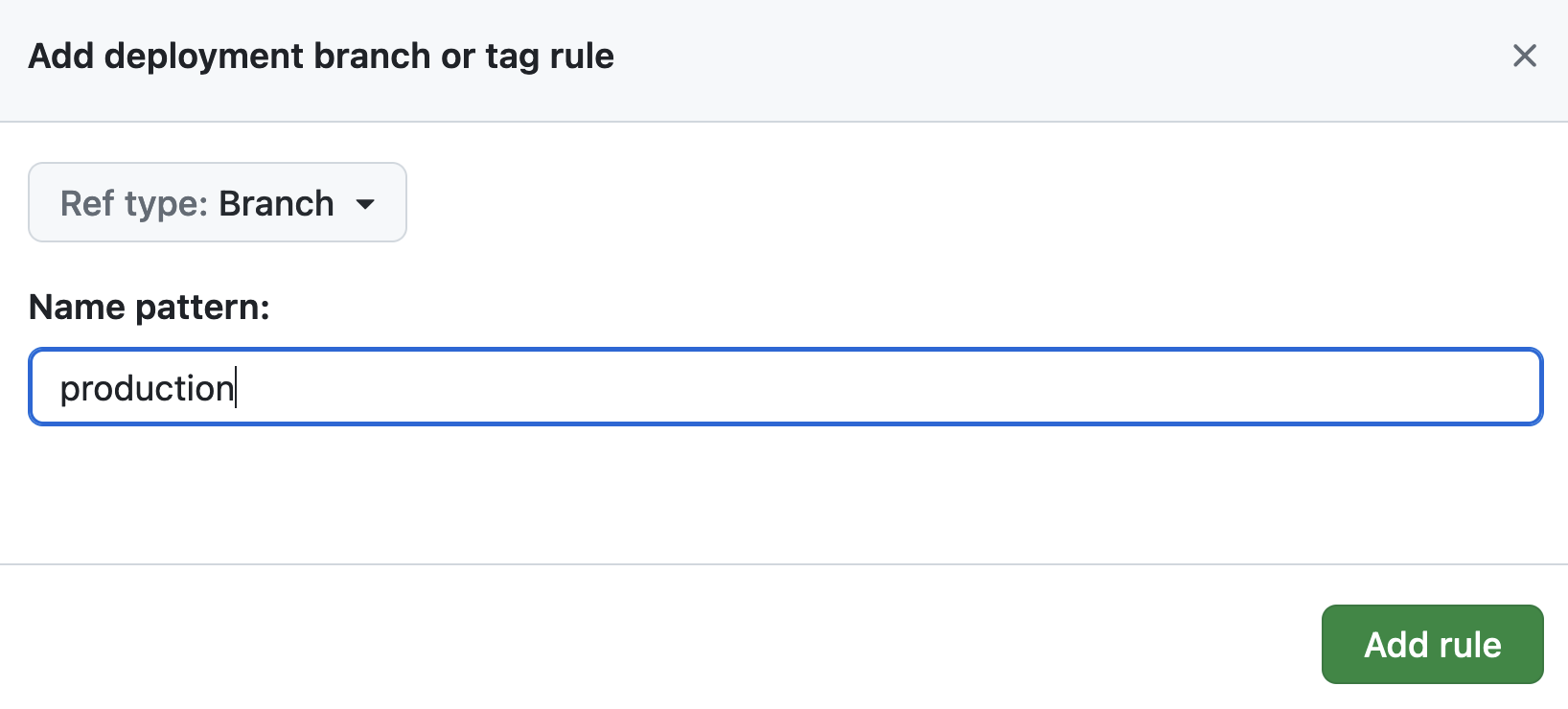 Setting environment branch
To securely store your SSH private key, go to Environment secrets and click Add secret.
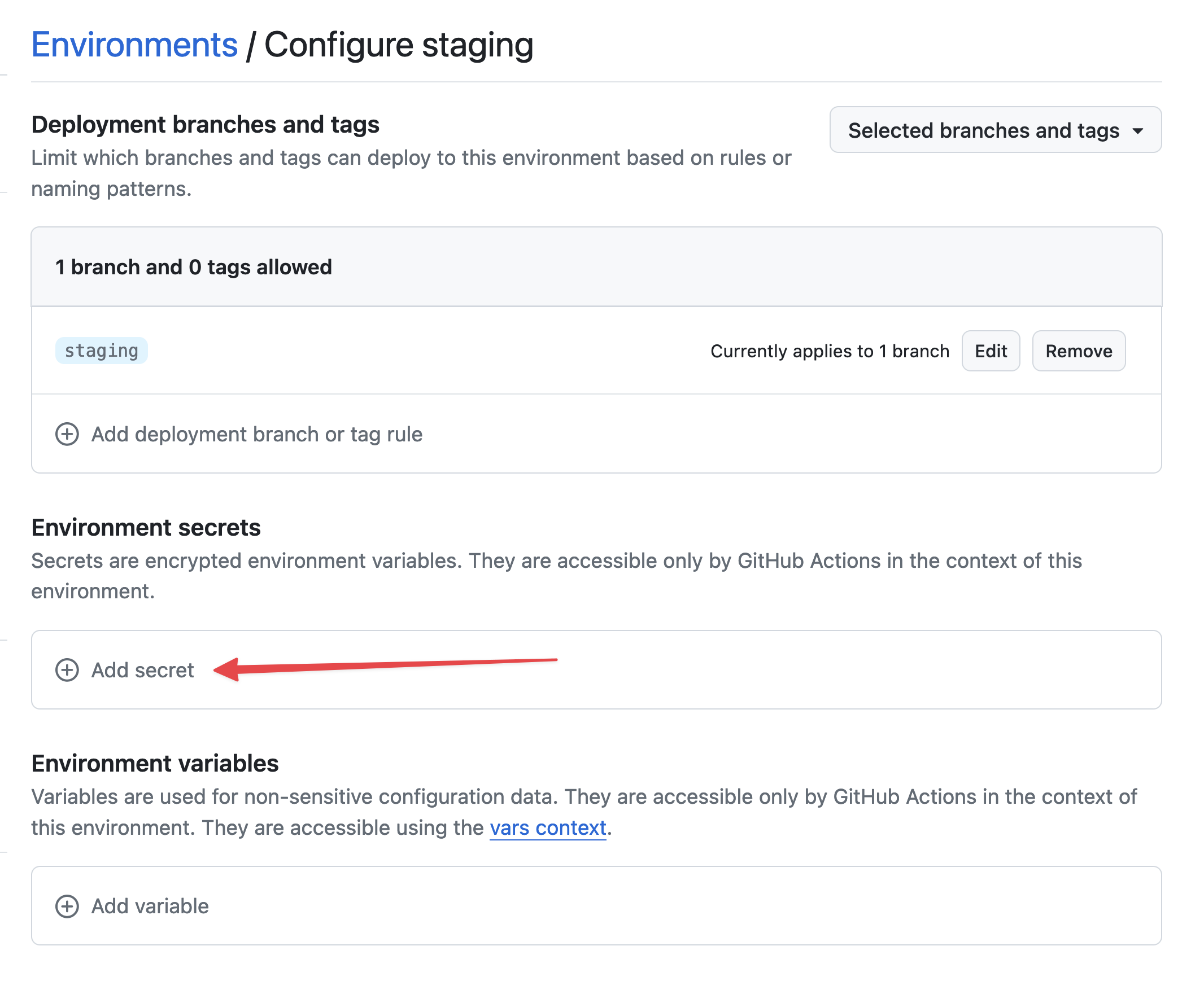 Add secret
Retrieve your private key from your computer:
cat /tmp/ssh_key
For Name, enter STACKHERO_SSH_PRIVATE_KEY. For Value, paste your private key content.
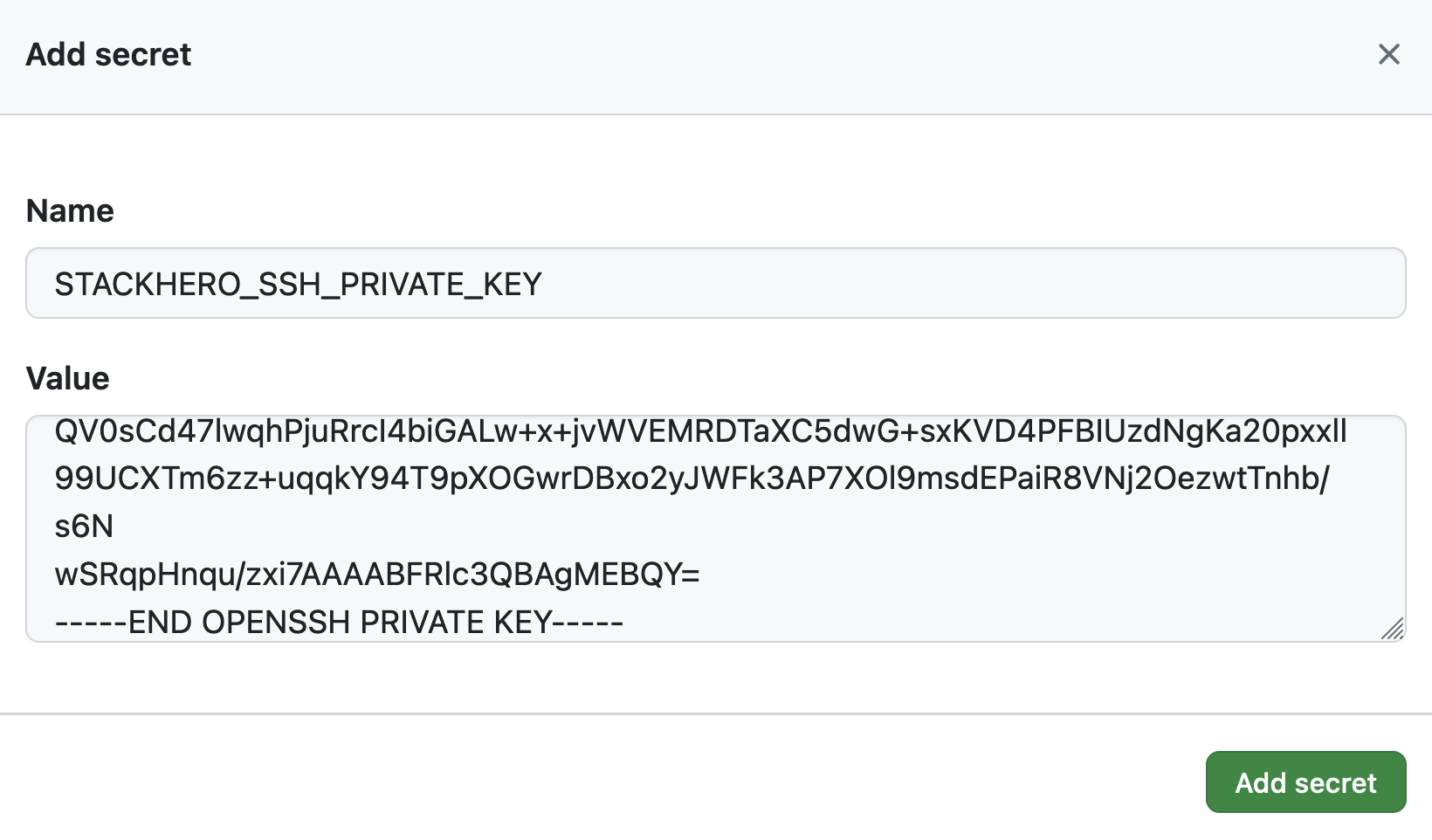 Setting the SSH private key secret
Next, add your Ruby service's endpoint as an environment variable. Click on Add variable in Environment variables.
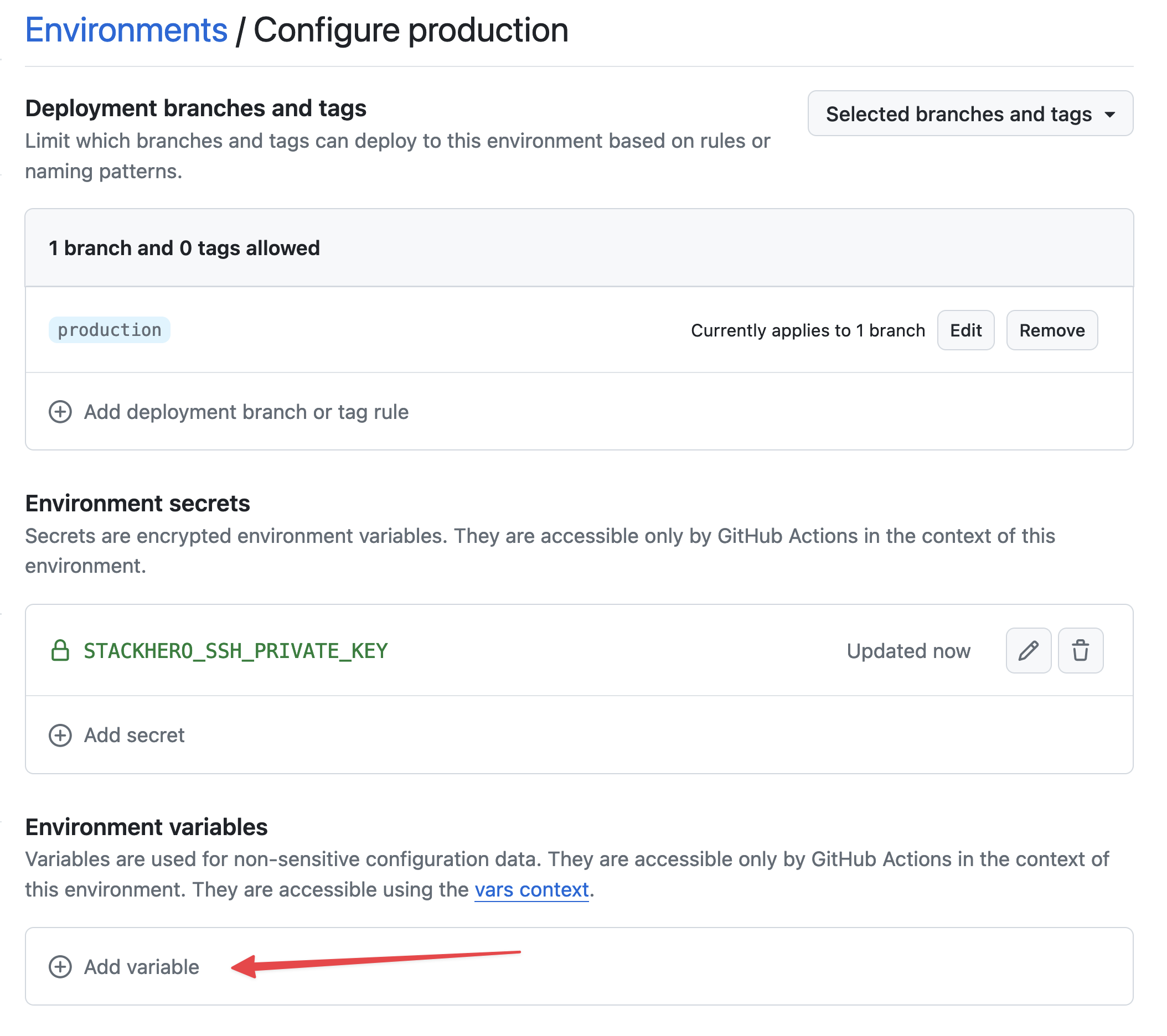 Setting variables
For Name, enter STACKHERO_ENDPOINT. For Value, paste the endpoint for your Ruby service, which you will find in your Stackhero dashboard.
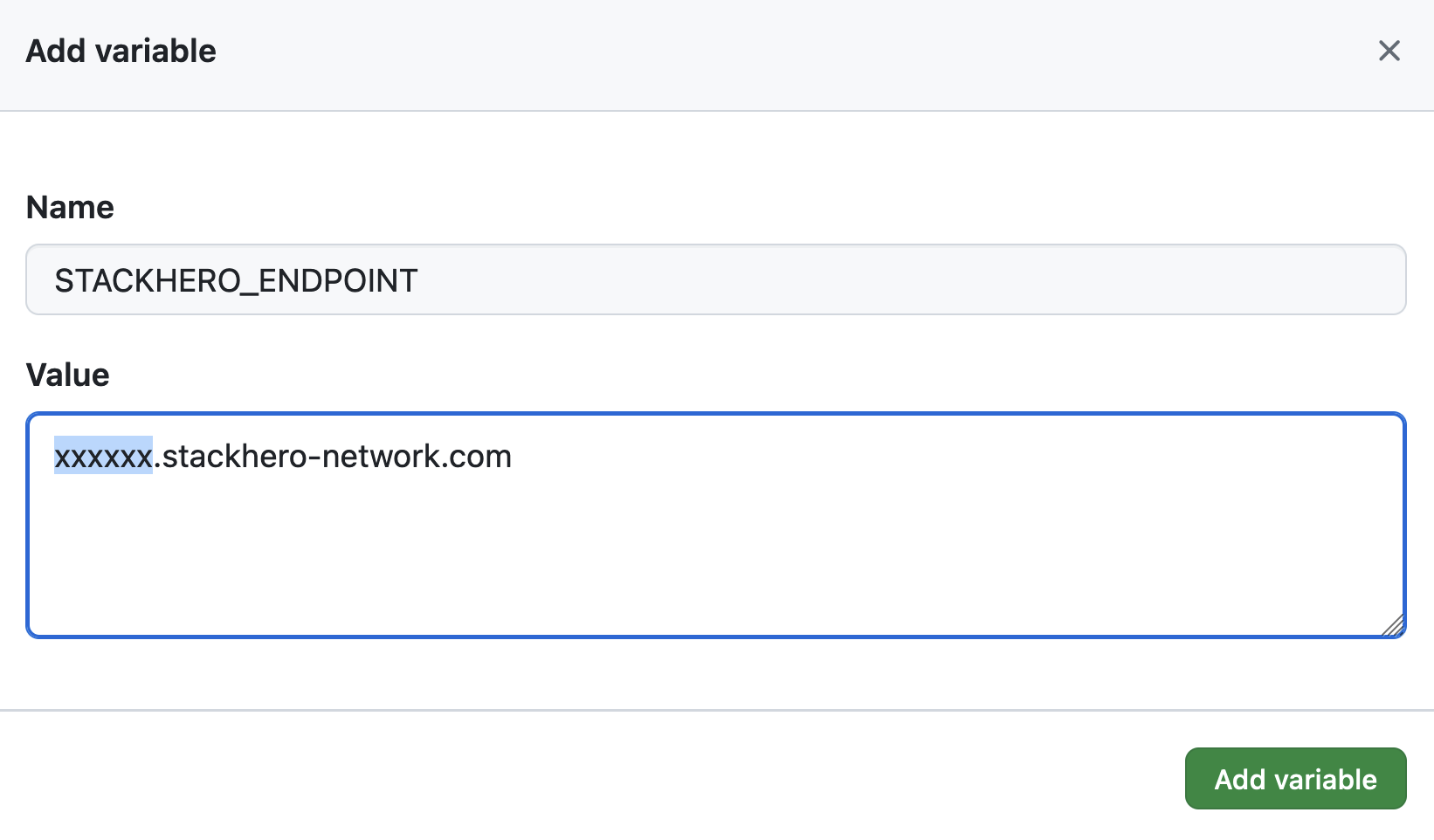 Setting the endpoint variable
If you have set a custom domain name for your service, make sure to use that custom domain instead of <XXXXXX>.stackhero-network.com.
Delete the generated keys
Once your keys are set up in Stackhero and GitHub, you can delete them from your computer for added security.
rm /tmp/ssh_key /tmp/ssh_key.pub