 Ruby: Crafting your first "hello world" application with Ruby on Rails
This documentation is part of the Getting started guide. You can view the complete guide here: Getting started with Ruby on Rails.
👋 Welcome to the Stackhero documentation!
Stackhero provides a ready-to-use Ruby cloud solution offering a range of advantages, including:
- Deploy your application within seconds using a simple
git push.- Use your own domain name and benefit from the automatic configuration of HTTPS certificates for enhanced security.
- Take advantage of automatic backups, one-click updates, and clear, transparent, and predictable pricing.
- Enjoy optimal performance and enhanced security thanks to a private, dedicated infrastructure.
Save time and make your life easier: it only takes 5 minutes to try Stackhero's Ruby cloud hosting solution!
Let's walk through the process of creating a simple "Hello World" application using Ruby on Rails.
-
First, set up a new route for your application. Open the
config/routes.rbfile and define a root route that points to thehello#indexaction:Rails.application.routes.draw do root "hello#index" end -
Next, generate the
Hellocontroller to manage the logic for this route. Run the following command in your terminal:bin/rails generate controller Hello index --skip-routesWith this configuration, any request made to the URL path
/will be handled by theHelloController. -
To display the "Hello World" message, create a view. Open the file at
app/views/hello/index.html.erband replace any existing content with the following code:<h1>Hello World!</h1> -
Finally, start the Rails server by running the command below in your terminal. Then, connect to your development URL (for example,
http://<XXXXXX>.stackhero-network.com:3000) to view your application:bin/rails server -b 0.0.0.0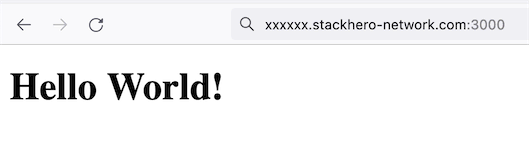 First "Hello World" page in Ruby on Rails
Congratulations. You have just created your first Ruby on Rails application!