Retrieve the configuration on Stackhero
This documentation is part of the Customise your service domain guide. You can view the complete guide here: How to set a custom domain for your service.
In the Stackhero dashboard, select your service and click the "Configure" button. In the configuration panel, replace the default domain name with the new one you wish to use.
After you enter your custom domain name, the required DNS configuration details will be displayed.
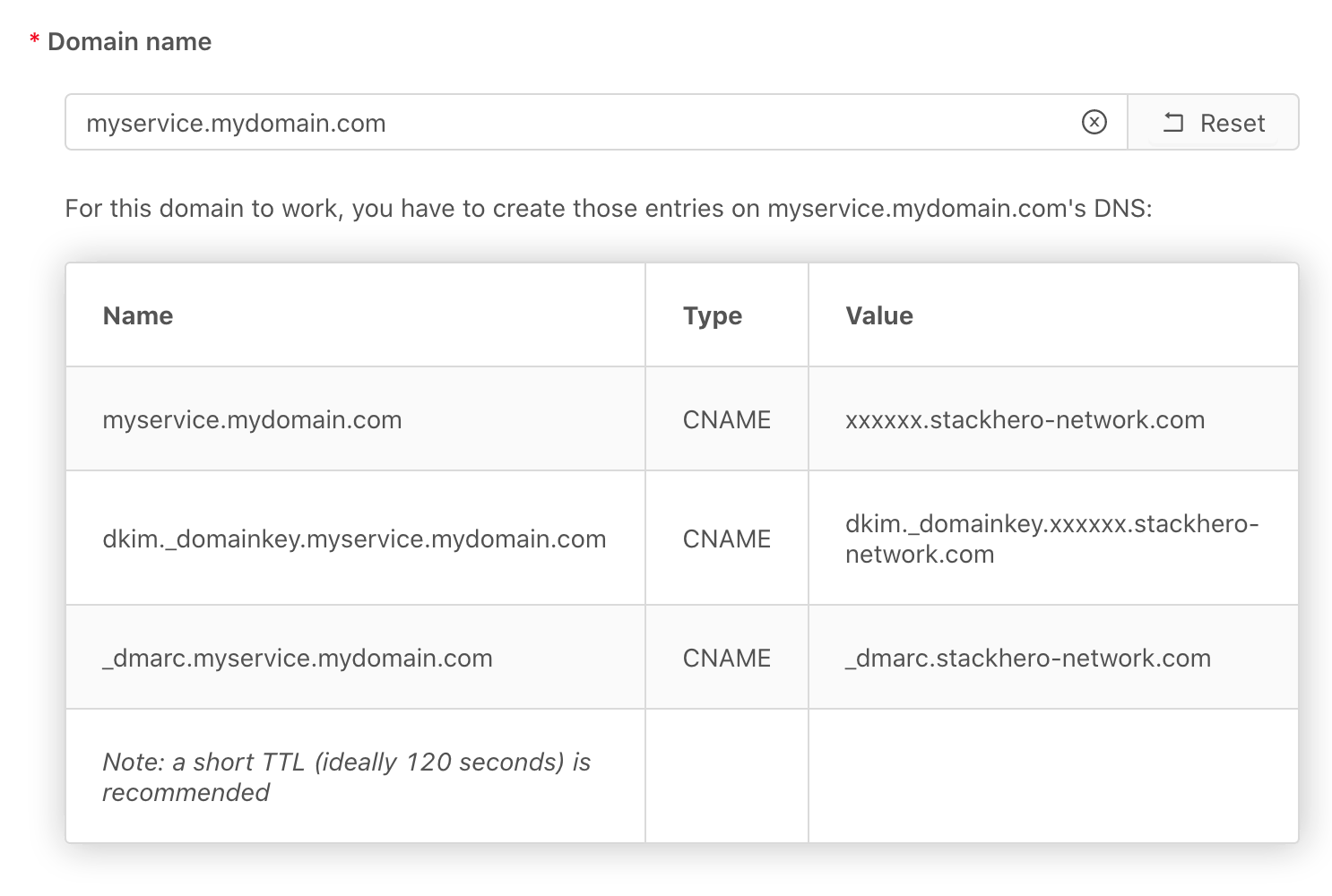 In this example, we own the domain mydomain.com and assign myservice.mydomain.com to this service.
Do not validate the configuration right now.