 Mattermost: Configuring push notification contents
This documentation is part of the Getting started guide. You can view the complete guide here: How to get started with Mattermost.
Welcome to the Stackhero documentation
Stackhero provides a production-ready Mattermost cloud environment, designed for seamless collaboration and enhanced data protection. Key benefits include:
- Unlimited users and channels to support your team's growth without restriction.
- A dedicated SMTP email server with no additional limits, included as standard.
- Full control over your domain name, automatically secured with HTTPS (for example, https://chat.your-company.com).
- Updates made simple, managed in just one click.
- High performance and advanced security on a private, dedicated infrastructure: your data remains isolated and confidential.
- Hosting available in both 🇪🇺 Europe and 🇺🇸 USA regions.
You can get started in just a few minutes. Stackhero takes care of installation, security, and operational management for your Mattermost cloud hosting, providing you with a secure and scalable collaboration platform with minimal effort.
By default, Mattermost sends push notifications that display the sender's username and the channel where the message was sent, without revealing the message content. If you would like to include the entire message in the notification, you can adjust the settings in the System Console:
-
Open the System Console.
-
Navigate to Site Configuration > Notifications > Push Notification Contents.
-
Choose whether to send only the sender's name, the sender's name with the channel, or the full message.
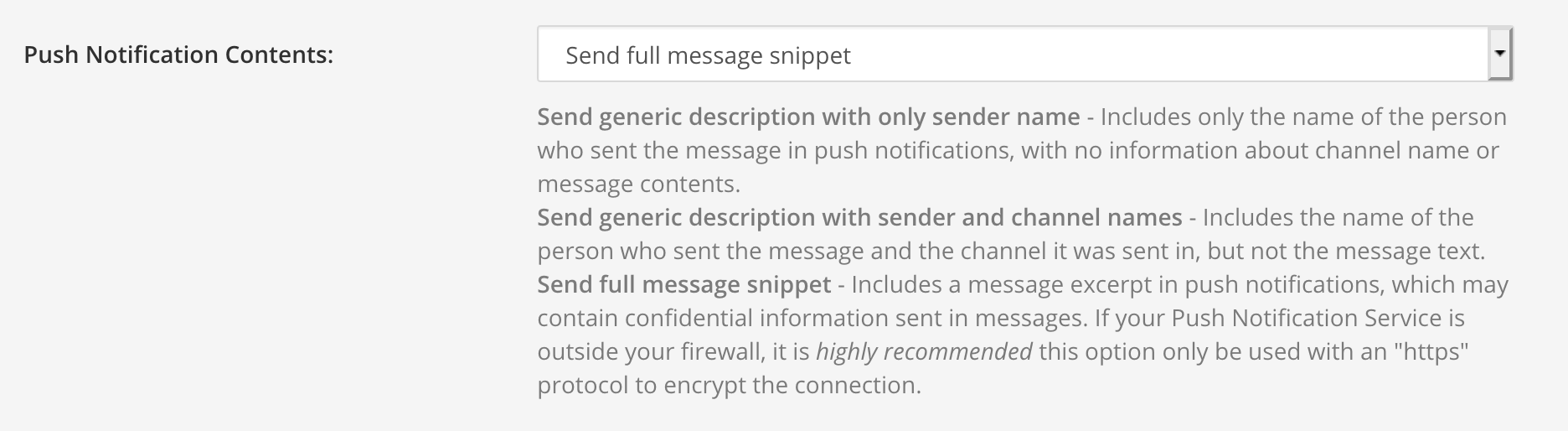 Push notification options