 Mattermost: Disabling the Mattermost Enterprise License
This documentation is part of the Getting started guide. You can view the complete guide here: How to get started with Mattermost.
Welcome to the Stackhero documentation
Stackhero provides a production-ready Mattermost cloud environment, designed for seamless collaboration and enhanced data protection. Key benefits include:
- Unlimited users and channels to support your team's growth without restriction.
- A dedicated SMTP email server with no additional limits, included as standard.
- Full control over your domain name, automatically secured with HTTPS (for example, https://chat.your-company.com).
- Updates made simple, managed in just one click.
- High performance and advanced security on a private, dedicated infrastructure: your data remains isolated and confidential.
- Hosting available in both 🇪🇺 Europe and 🇺🇸 USA regions.
You can get started in just a few minutes. Stackhero takes care of installation, security, and operational management for your Mattermost cloud hosting, providing you with a secure and scalable collaboration platform with minimal effort.
Stackhero provides the Team Edition, which is the free and open-source version of Mattermost. Alternatively, you can purchase an Enterprise Edition license from Mattermost Inc. and run it on Stackhero.
If you inadvertently activated the Mattermost Enterprise Edition, you can disable it by following these steps:
-
Ensure that the
Enterprise Editionis disabled on the Stackhero dashboard. Log in to your Stackhero dashboard, select your Mattermost service, click on the Configure button, and disable theEnterprise Editionoption if it is activated. Mattermost Enterprise edition option in the Stackhero dashboard
 -
Log in to Mattermost, click the menu icon at the top left, select System Console, then Edition and License. Finally, click Remove License and Downgrade Server.
After completing these steps, your server will be reverted to the free Team Edition.
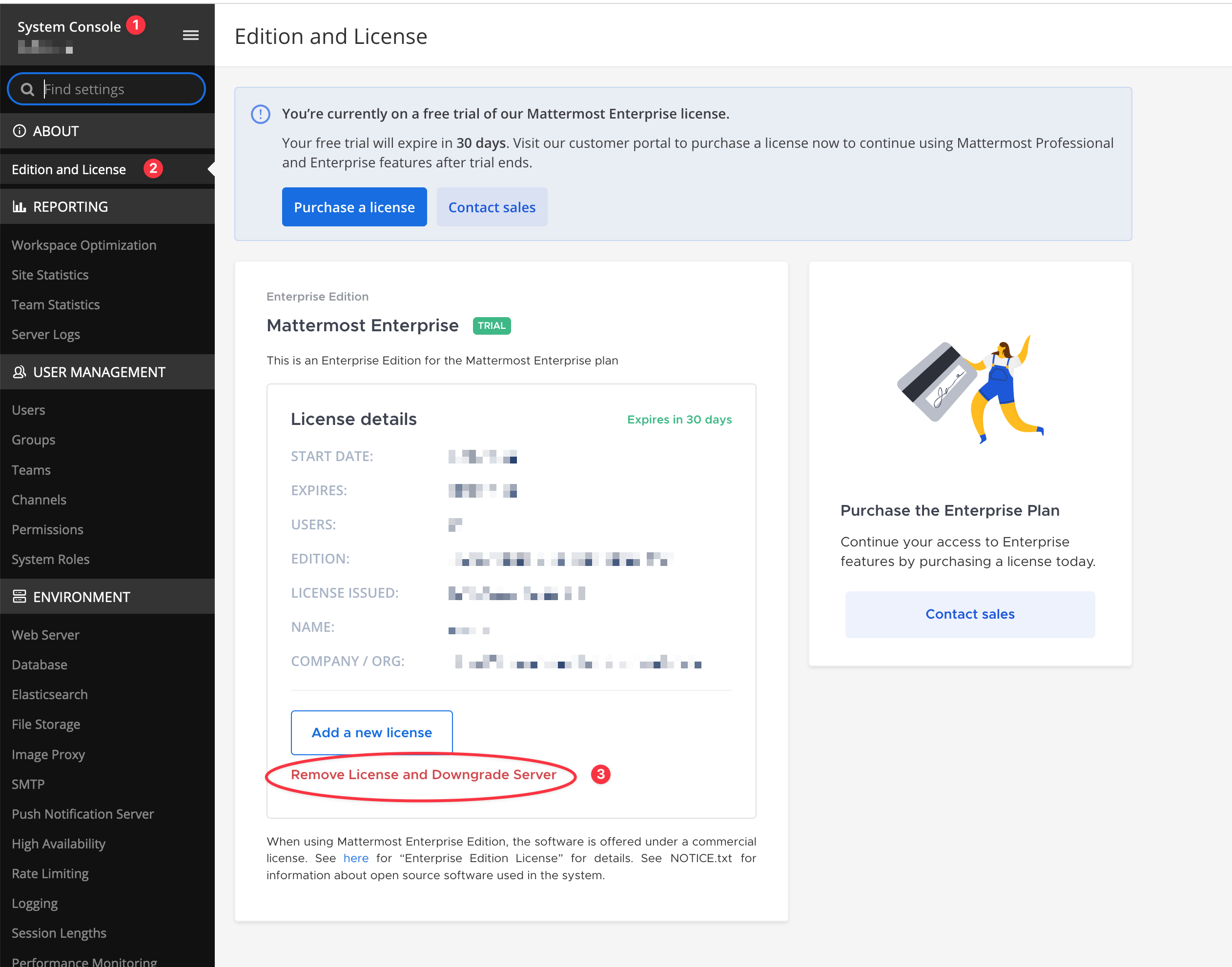 Remove enterprise license from Mattermost