 Node-RED: Connecting the button to the world
This documentation is part of the Use case: connect mailboxes guide. You can view the complete guide here: Seamlessly connect hundreds of mailboxes in a post office.
Welcome to the Stackhero documentation
Stackhero offers a fully managed Node-RED cloud environment designed to help you build workflows quickly:
- Integrated MQTT server (Mosquitto) for seamless IoT integration.
- Full access to the Node-RED admin interface for managing your flows and settings.
- Node-RED Dashboard included for real-time visualisation.
- Dedicated SMTP email server included, with no sending limits.
- Effortless one-click updates to keep your instance up to date.
- Custom domain names with automatic HTTPS: for example, https://node-red.your-company.com.
- High performance and enhanced security thanks to private, dedicated infrastructure.
You can have a secure, production-ready Node-RED cloud hosting instance running in around 5 minutes. Stackhero takes care of installation, updates, and infrastructure, so you can focus on building your automations.
Each button is equipped with an ESP8266, a WiFi-capable chipset. This WiFi connection facilitates the device's communication with the Internet.
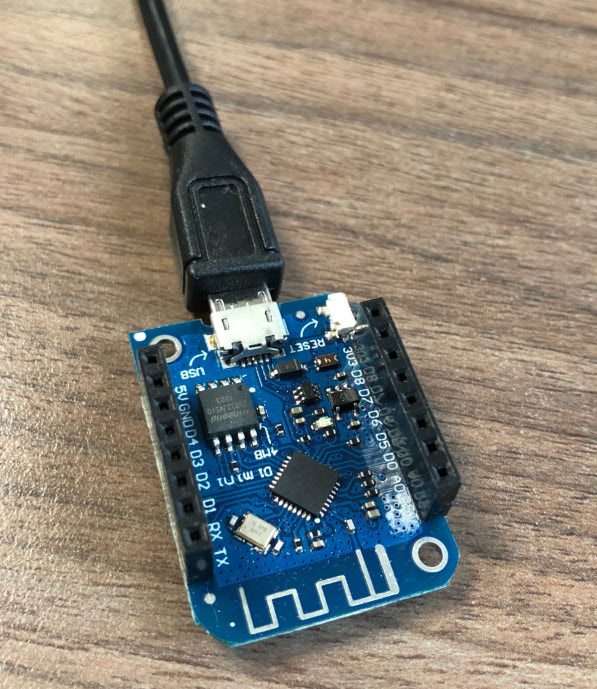 An ESP8266 on a WEMOS D1 Mini board
The MQTT protocol was chosen for communication between the ESP8266 and the server. It is a lightweight protocol, ideal for IoT applications.
When the button is pressed, after a brief pause of 15 seconds, a message is sent to the server via MQTT. The server then identifies the corresponding email and sends a notification to the customer.
MQTT is perfect for IoT. Unfortunately, authentication is not activated by default, nor is encryption. We have observed many IoT platforms vulnerable to attacks, leading to private data leaks. Fortunately, when you start an MQTT instance on Stackhero, both authentication and encryption are activated, providing a fully secured solution out of the box.