 Mosquitto: MQTT API authentication with Node-RED
This documentation is part of the API authentication guide. View the full guide here: How to authenticate thousands of devices using an external API.
👋 Welcome to the Stackhero documentation!
Stackhero gives you a fully managed Mosquitto MQTT cloud environment designed for reliability and flexibility:
- Unlimited message throughput and data transfers, so your workflows never hit artificial limits.
- Unlimited device authentication through your own external API, making onboarding and access management seamless.
- Advanced ACLs for fine-grained control over topics, users, and actions.
- A custom domain name with built-in HTTPS for secure, branded endpoints (for example: https://mqtt.your-company.com).
- Zero-hassle updates: apply improvements or security patches with a single click.
- Consistent performance and strong security, with every instance running on a private, dedicated infrastructure.
Accelerate your IoT projects and reduce operational overhead. You can have a secure, production-ready Mosquitto MQTT cloud hosting instance up and running in just a few minutes.
Stackhero for Node-RED includes a Mosquitto server. Nevertheless, for advanced usage, having a standalone Mosquitto service is recommended. This example shows how to use the API authentication system with a standalone Mosquitto service and a Node-RED service. If you use the Mosquitto service included with your Node-RED, this guide does not apply to you.
Stackhero for Node-RED provides an example of an MQTT API connection in the flow named "MQTT authentication." This flow is also used with the integrated Mosquitto server in Stackhero for Node-RED.
Configuring Mosquitto to use Node-RED as authentication API
To use Node-RED as your API authentication endpoint, update your Mosquitto configuration as follows:
- Enable the
API authenticationoption. - Set the
Hostfield to your Node-RED domain. - Choose
HTTPSas theProtocoland enter443for thePort. - Specify the
User routeas/mqttAuthentication/userGet. - Specify the
ACLs routeas/mqttAuthentication/aclCheck.
For debugging, you might set the "Authentication cache time" to 1 second. Once your setup is operating smoothly, the recommended value is 30 seconds.
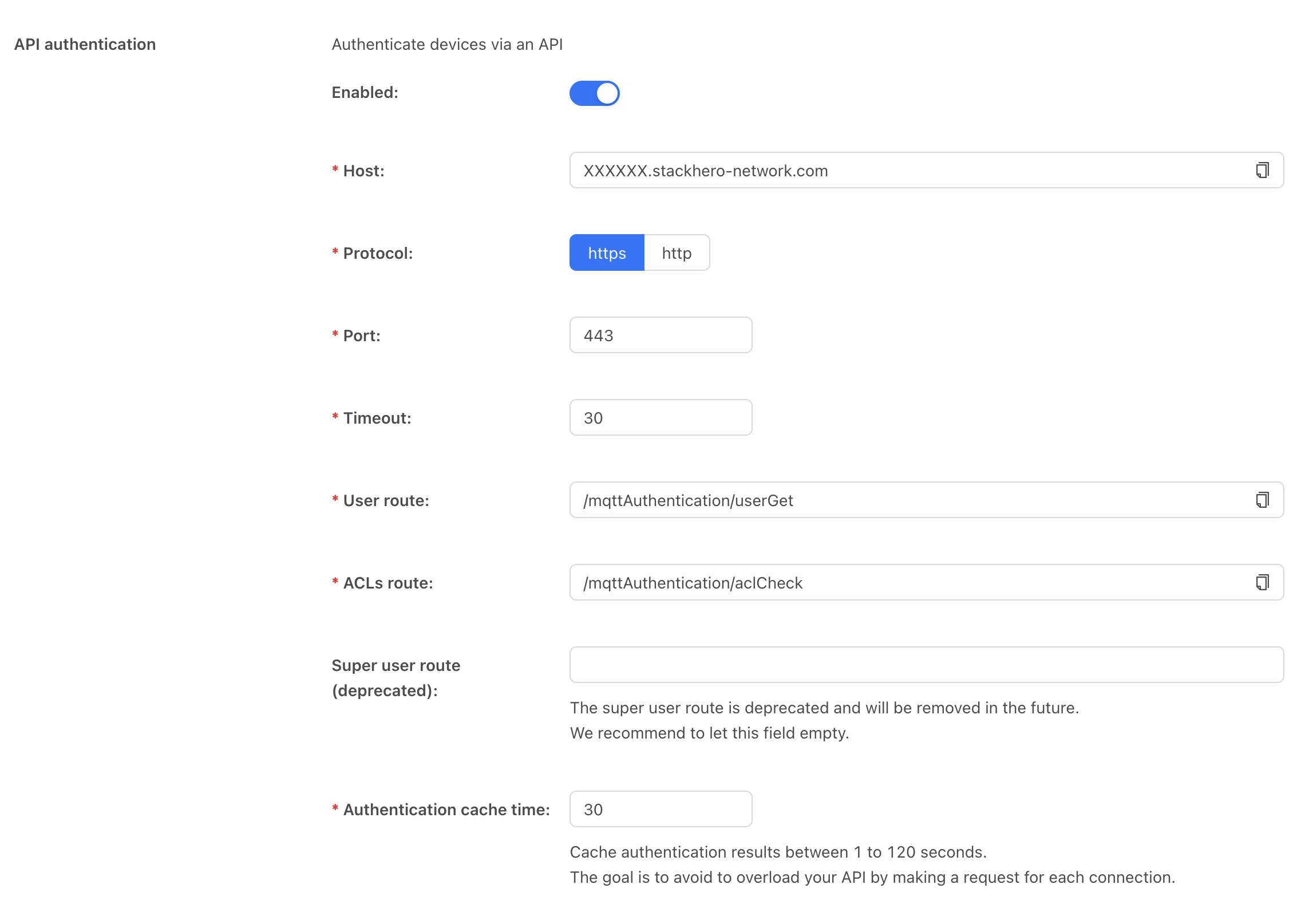 Mosquitto configuration example
Configuring Node-RED as an MQTT authentication API
After updating the Mosquitto configuration, launch Node-RED and open the MQTT authentication flow. Edit the Users node to configure your user credentials. The provided examples include several username and password combinations. Feel free to add as many users as necessary.
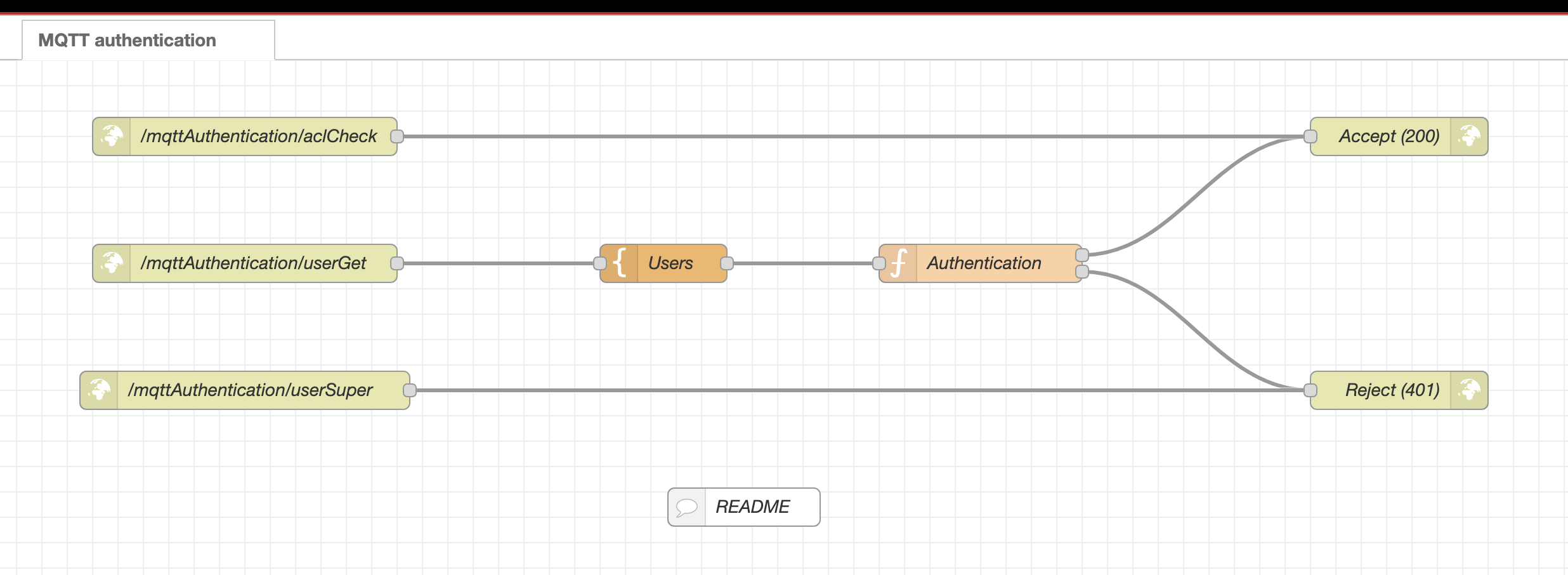 Node-RED MQTT authentication flow