 GitLab: CI/CD
How to use GitLab CI/CD
👋 Welcome to the Stackhero documentation!
Stackhero provides a ready-to-use GitLab cloud solution designed for teams that need a fast, secure, and scalable environment:
- Unlimited users, repositories, data transfers, and CI/CD processing time for complete flexibility.
- Effortless updates with a single click, so your environment stays current without downtime.
- Custom domain name secured with HTTPS (for example, https://git.your-company.com) for professional branding and security.
- Consistent performance and strong security on your own private, dedicated infrastructure. There are no noisy neighbors and you have full isolation.
- Choice of hosting location: 🇪🇺 Europe or 🇺🇸 USA to suit your compliance or latency needs.
Get started fast and focus on your code. Stackhero's GitLab cloud hosting solution is ready to use in about 5 minutes.
Introduction
GitLab CI/CD is a powerful and integrated feature of GitLab, a popular open-source platform for version control and collaboration. This tool enables you to streamline and automate the critical stages of building, testing, and deploying your software, ensuring quicker and more dependable delivery of high-quality applications.
For example, with GitLab CI/CD, you can set up automated unit tests that trigger whenever a new commit is pushed to a GitLab repository. After passing these tests successfully, your code can be built and deployed to a staging environment for further evaluation. Upon clearing all staging tests, the system can promote the code to a production environment, making it available to end users.
One of the standout features of GitLab CI/CD is its tight integration within GitLab itself. This allows you to define and manage your CI/CD pipelines directly within your project repositories, simplifying the orchestration and tracking of your entire workflow.
GitLab CI/CD supports a wide array of programming languages, frameworks, and tools, making it versatile enough to suit various types of projects. Its customizable pipeline system lets you tailor each stage of the CI/CD process to your needs, whether it is building, testing, or deploying to multiple environments.
In summary, GitLab CI/CD is an all-encompassing solution designed to automate and enhance software delivery processes. It allows developers to focus on writing and improving code while the platform efficiently manages operational tasks.
How to build Docker images in your GitLab CI
If your project repository includes Dockerfile files, you can automate the process of building, running, and, if needed, publishing Docker images to a registry.
Step 1: Enable Docker in Docker (DinD) support
To start, enable "Docker in Docker" (DinD) support in your Stackhero dashboard.
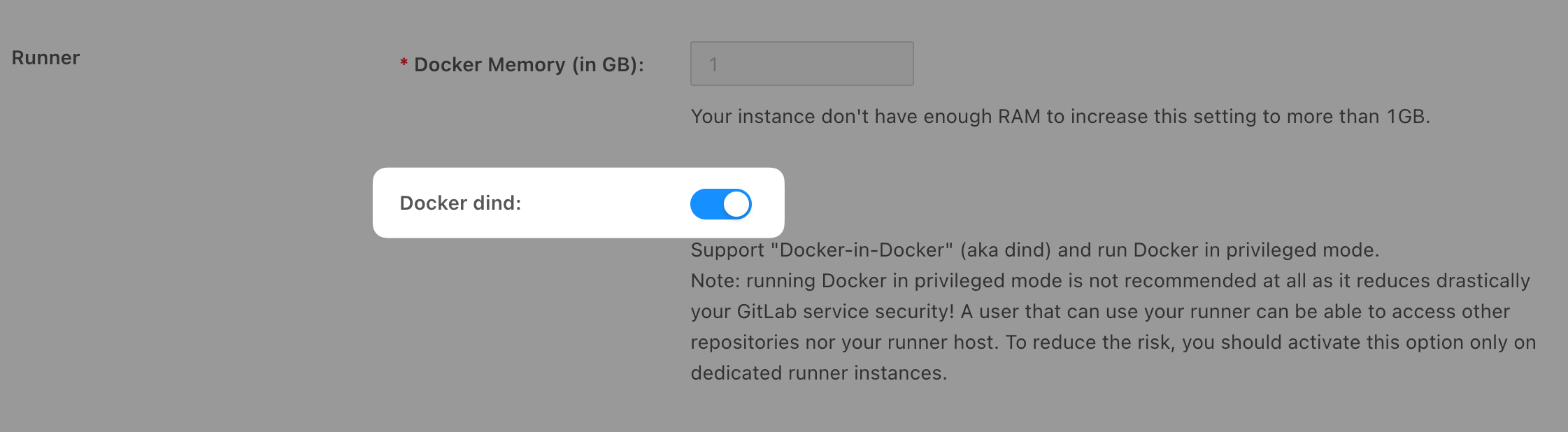
Enabling DinD support presents a security risk, especially if you want to isolate your users and avoid them to access each others projects.
Step 2: Configure the GitLab CI pipeline
Next, update your gitlab-ci.yml file to include a pipeline configuration that builds your Dockerfile using DinD. Below is an example configuration:
image: docker:29

build:
  stage: build
  services:
    - name: docker:29-dind
      alias: docker
  variables:
    # Point the docker CLI at the Docker-in-Docker service, over its plain
    # (non-TLS) port. See the note below about why DOCKER_HOST matters.
    DOCKER_HOST: "tcp://docker:2375"
    DOCKER_TLS_CERTDIR: ""
  before_script:
    - docker info
  script:
    # Replace "my-docker-image" with the name of your desired image:
    - docker build -t my-docker-image .
    # Optionally, test the Docker image:
    # - docker run my-docker-image /script/to/run/tests
The docker:29-dind service starts a Docker daemon next to your job, and DOCKER_HOST tells the docker CLI to use it. Always set DOCKER_HOST when you declare a docker:dind service: if you omit it, the CLI silently connects to a different daemon, and your build can succeed even when the service is misconfigured, hiding real problems. DOCKER_TLS_CERTDIR: "" uses the plain, non-TLS port 2375 on the internal job network.
As a simpler alternative, you can drop the services block and both variables entirely: Stackhero's runner already exposes a ready-to-use Docker daemon through a mounted socket, so a bare docker build works out of the box.
For additional guidance on building Docker images with GitLab CI, consult the official GitLab documentation.
Running your tests with Testcontainers
If your test suite uses Testcontainers, a library that starts real services (databases, message brokers and more) as disposable Docker containers while your tests run, the configuration above already covers it. Keep the docker:29-dind service and both variables: Testcontainers uses DOCKER_HOST to reach the Docker daemon and to connect to the containers it starts, so nothing else is required.
Leaving DOCKER_HOST out is the most common cause of Testcontainers failures in CI. The library then falls back to the Docker socket mounted by the runner and cannot reach its own test containers, which usually shows up as its Ryuk helper container timing out.