 GitLab: How to build Docker images in your GitLab CI
This documentation is part of the CI/CD guide. View the full guide here: How to use GitLab CI/CD.
👋 Welcome to the Stackhero documentation!
Stackhero provides a ready-to-use GitLab cloud solution designed for teams that need a fast, secure, and scalable environment:
- Unlimited users, repositories, data transfers, and CI/CD processing time for complete flexibility.
- Effortless updates with a single click, so your environment stays current without downtime.
- Custom domain name secured with HTTPS (for example, https://git.your-company.com) for professional branding and security.
- Consistent performance and strong security on your own private, dedicated infrastructure. There are no noisy neighbors and you have full isolation.
- Choice of hosting location: 🇪🇺 Europe or 🇺🇸 USA to suit your compliance or latency needs.
Get started fast and focus on your code. Stackhero's GitLab cloud hosting solution is ready to use in about 5 minutes.
If your project repository includes Dockerfile files, you can automate the process of building, running, and, if needed, publishing Docker images to a registry.
Step 1: Enable Docker in Docker (DinD) support
To start, enable "Docker in Docker" (DinD) support in your Stackhero dashboard.
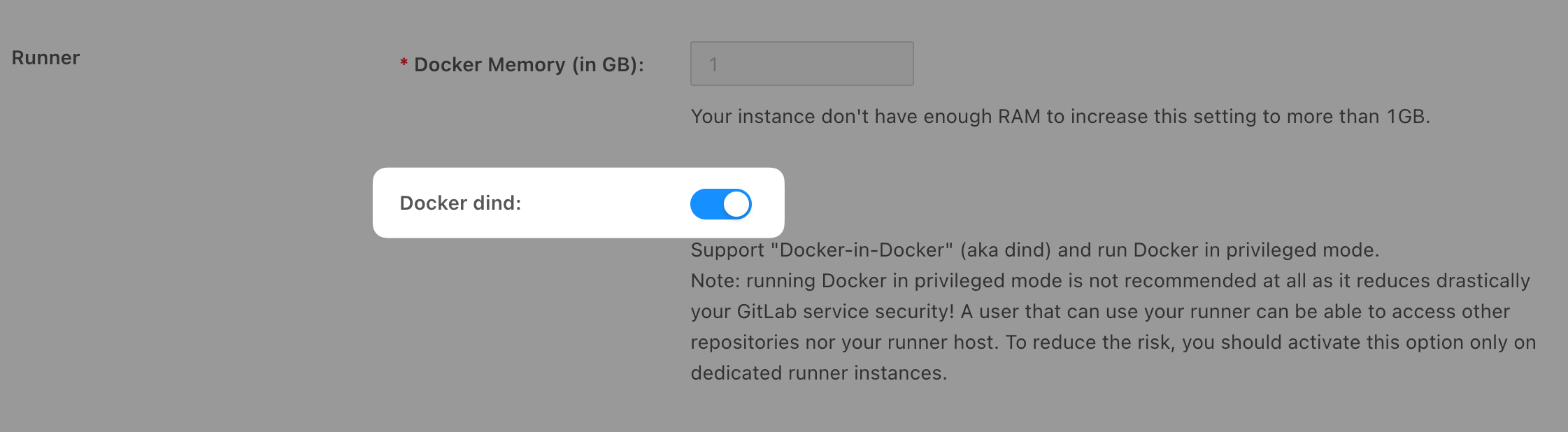
Enabling DinD support presents a security risk, especially if you want to isolate your users and avoid them to access each others projects.
Step 2: Configure the GitLab CI pipeline
Next, update your gitlab-ci.yml file to include a pipeline configuration that builds your Dockerfile using DinD. Below is an example configuration:
image: docker:29

build:
  stage: build
  services:
    - name: docker:29-dind
      alias: docker
  variables:
    # Point the docker CLI at the Docker-in-Docker service, over its plain
    # (non-TLS) port. See the note below about why DOCKER_HOST matters.
    DOCKER_HOST: "tcp://docker:2375"
    DOCKER_TLS_CERTDIR: ""
  before_script:
    - docker info
  script:
    # Replace "my-docker-image" with the name of your desired image:
    - docker build -t my-docker-image .
    # Optionally, test the Docker image:
    # - docker run my-docker-image /script/to/run/tests
The docker:29-dind service starts a Docker daemon next to your job, and DOCKER_HOST tells the docker CLI to use it. Always set DOCKER_HOST when you declare a docker:dind service: if you omit it, the CLI silently connects to a different daemon, and your build can succeed even when the service is misconfigured, hiding real problems. DOCKER_TLS_CERTDIR: "" uses the plain, non-TLS port 2375 on the internal job network.
As a simpler alternative, you can drop the services block and both variables entirely: Stackhero's runner already exposes a ready-to-use Docker daemon through a mounted socket, so a bare docker build works out of the box.
For additional guidance on building Docker images with GitLab CI, consult the official GitLab documentation.