 Grafana: Connecting Grafana to InfluxDB v2
This documentation is part of the Getting started guide. View the full guide here: How to get started with Grafana.
👋 Welcome to the Stackhero documentation!
Stackhero gives you a ready-to-use Grafana cloud environment built for quick setup and reliable performance:
- Unlimited users, dashboards, and alerts: scale your monitoring as needed, without artificial limits.
- Dedicated SMTP email server included, so you can send all the notifications you want, with no quotas to track.
- One-click plugin installation streamlines adding new features to Grafana.
- Built-in SSO support for
GitLab,GitHub,OAuth2provider. User management stays simple and secure.- One-click updates keep your Grafana instance current, with no downtime or maintenance hassle.
- Use your own custom domain with automated HTTPS provisioning for secure, branded access (for example, https://grafana.your-company.com).
- High performance and strong security are standard, running on your own private, dedicated infrastructure.
Get started faster and save setup time: a secure Grafana cloud hosting instance is ready in about 5 minutes.
Before you begin, ensure you are using Grafana v7.0.0 or later. Since Stackhero regularly updates its services, this should not be a concern.
Log in to your Grafana web panel and navigate to Configuration / Data sources / Add a data source. Choose the data source labeled "InfluxDB". In the "Query language" dropdown, select "Flux". This step is essential because InfluxDB v2 uses the Flux query language.
Next, provide the URL, organization, and token details (you can refer to the "InfluxDB" / "Getting started" documentation on the left to learn how to create a token).
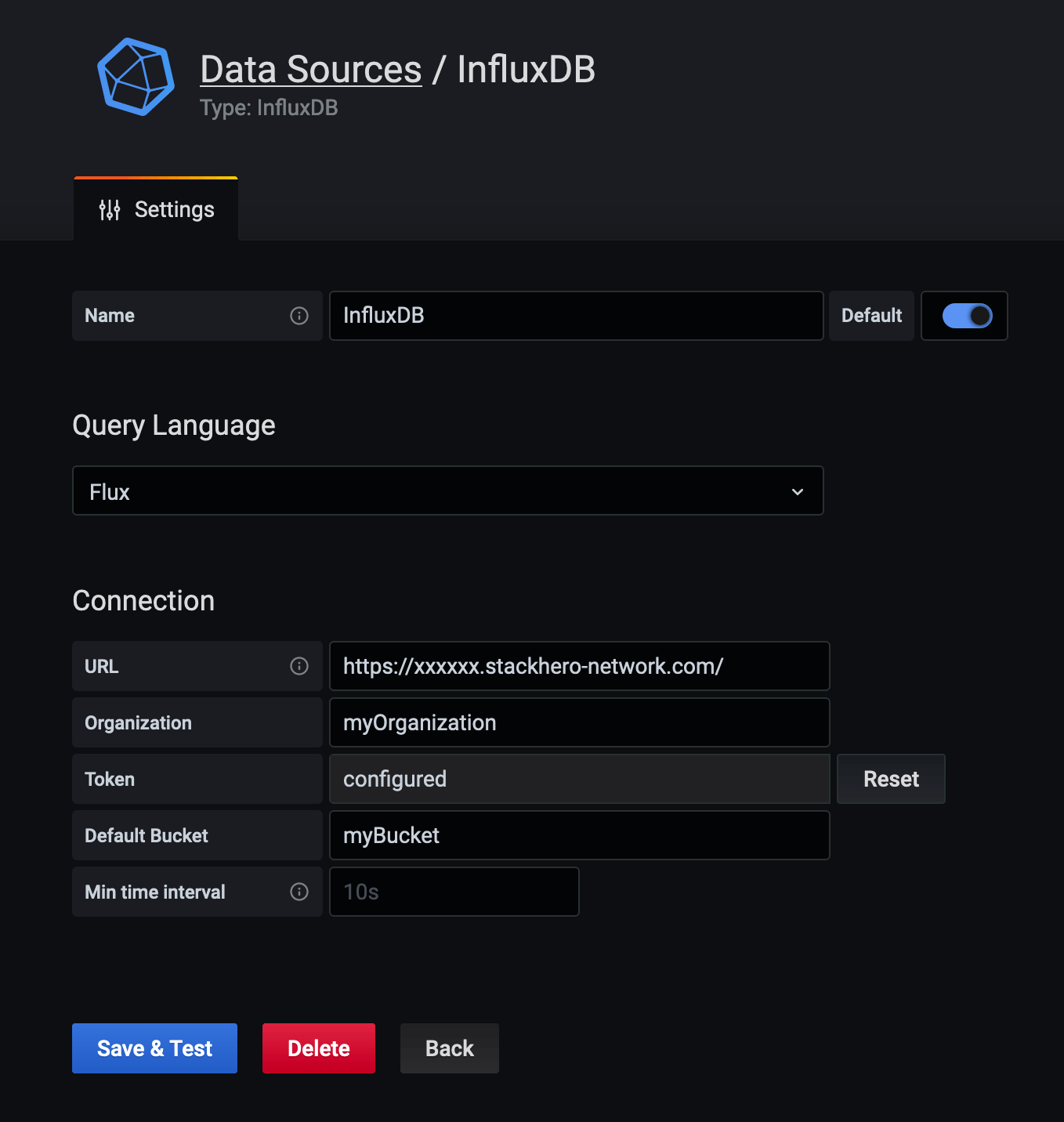 InfluxDB data source configuration
Handle error "parse error on line 1, column 1: bare " in non-quoted-field" with InfluxDB v2
If you encounter the error "parse error on line 1, column 1: bare " in non-quoted-field" with Grafana 7.2.0, you can resolve it by editing your data source.
Log in to Grafana, go to your data sources, select "InfluxDB", and update the URL by replacing:
https://<XXXXXX>.stackhero-network.com/api/v2
with
https://<XXXXXX>.stackhero-network.com/
After making this change, click on "Save & test". The connection should now work as expected.