 MySQL: Creating a user on MySQL using phpMyAdmin
This documentation is part of the Getting started guide. View the full guide here: How to get started with MySQL.
👋 Welcome to the Stackhero documentation!
Stackhero provides a fully managed MySQL cloud service that simplifies deployment and management for production workloads:
- Unlimited connections and data transfers.
- Integrated phpMyAdmin web interface for easy database management.
- Hassle-free updates with one-click upgrades.
- Consistent performance and strong security on a private, dedicated infrastructure.
With Stackhero, you can have a reliable MySQL database ready in just a few minutes. Spend less time on setup and maintenance, and more time building your applications. Try MySQL cloud hosting on Stackhero today.
For better security, it is a good practice to create a dedicated user for your application instead of using the "root" user. You can do this easily with phpMyAdmin:
-
In phpMyAdmin, select
User accountsfrom the top menu.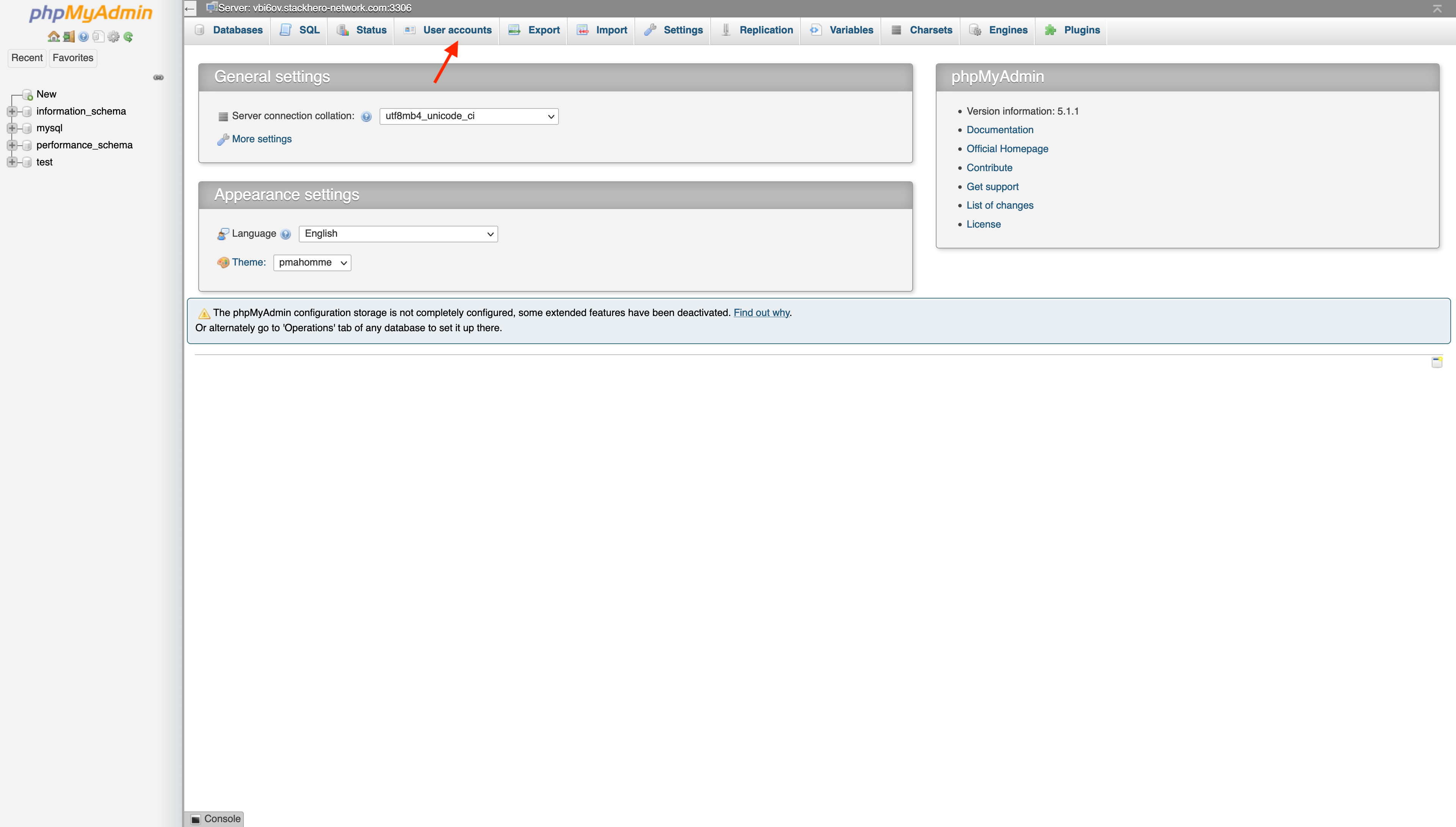
-
Click
Add user account.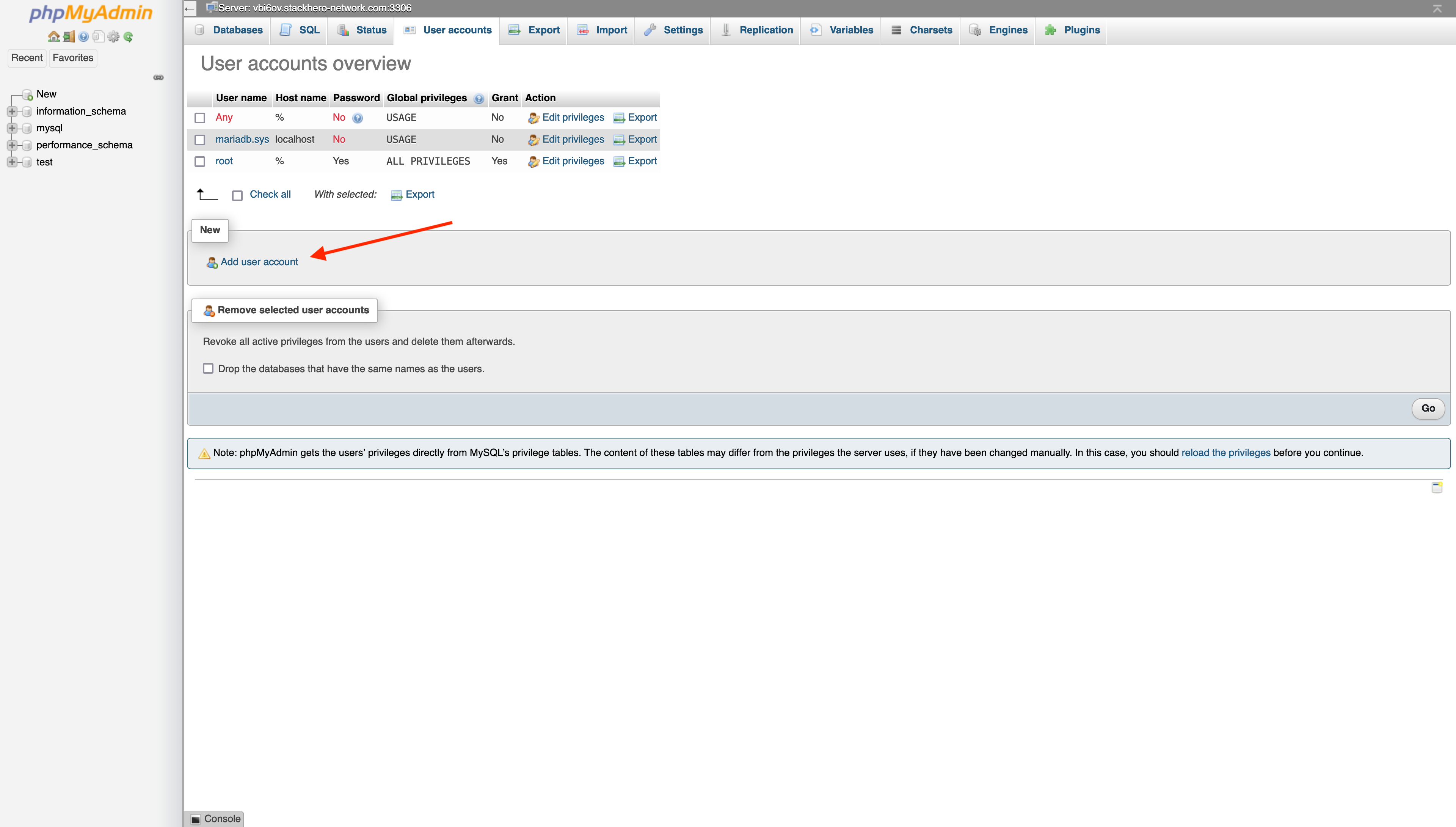
-
Fill out the user creation form:
- Enter an account name (usually your application's name)
- Click
Generate passwordfor a secure password and copy it to your clipboard - Select
Create database with same name and grant all privileges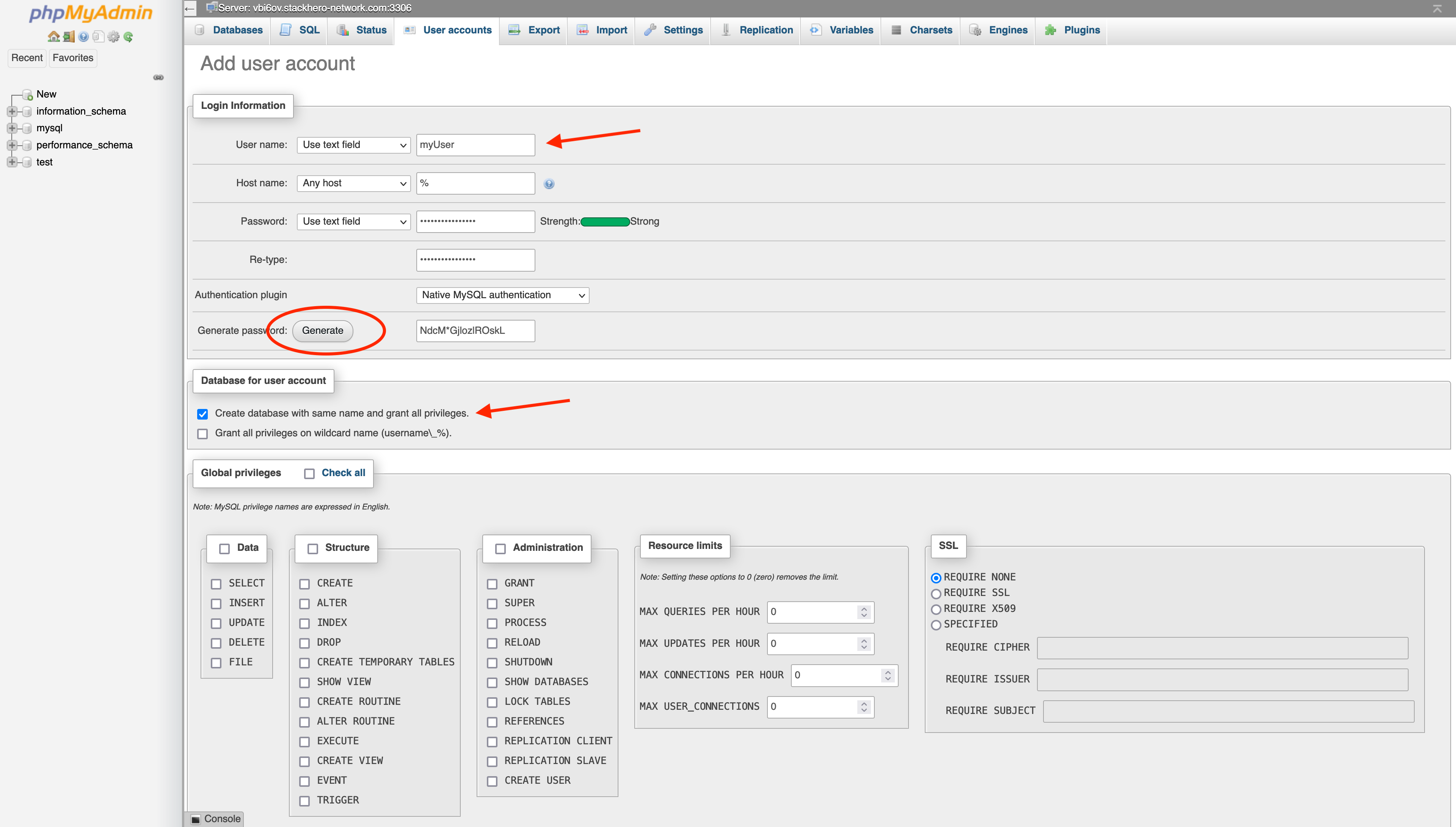
Once you submit the form, you will have a new user and a dedicated database that shares the same name as your username.