 Node-RED: Creating the backoffice interface
This documentation is part of the Use case: connect mailboxes guide. View the full guide here: Seamlessly connect hundreds of mailboxes in a post office.
Welcome to the Stackhero documentation
Stackhero provides a fully managed Node-RED cloud environment designed to get you building workflows quickly:
- Built-in MQTT server (Mosquitto) for seamless IoT integration.
- Full access to the Node-RED admin UI for managing flows and settings.
- Node-RED Dashboard included for real-time visualization.
- Dedicated SMTP email server included, with no limits on sending.
- Effortless one-click updates to keep your instance current.
- Custom domain names with automatic HTTPS: for example, https://node-red.your-company.com.
- High performance and strong security with private, dedicated infrastructure.
You can have a secure, production-ready Node-RED cloud hosting instance running in about 5 minutes. Stackhero handles setup, updates, and infrastructure so you can focus on building automations.
The backoffice interface is utilized by post office operators. They can add a new button with an associated email or remove one as needed.
Node-RED includes an HTTP server, allowing the creation of HTML pages and APIs with minimal effort.
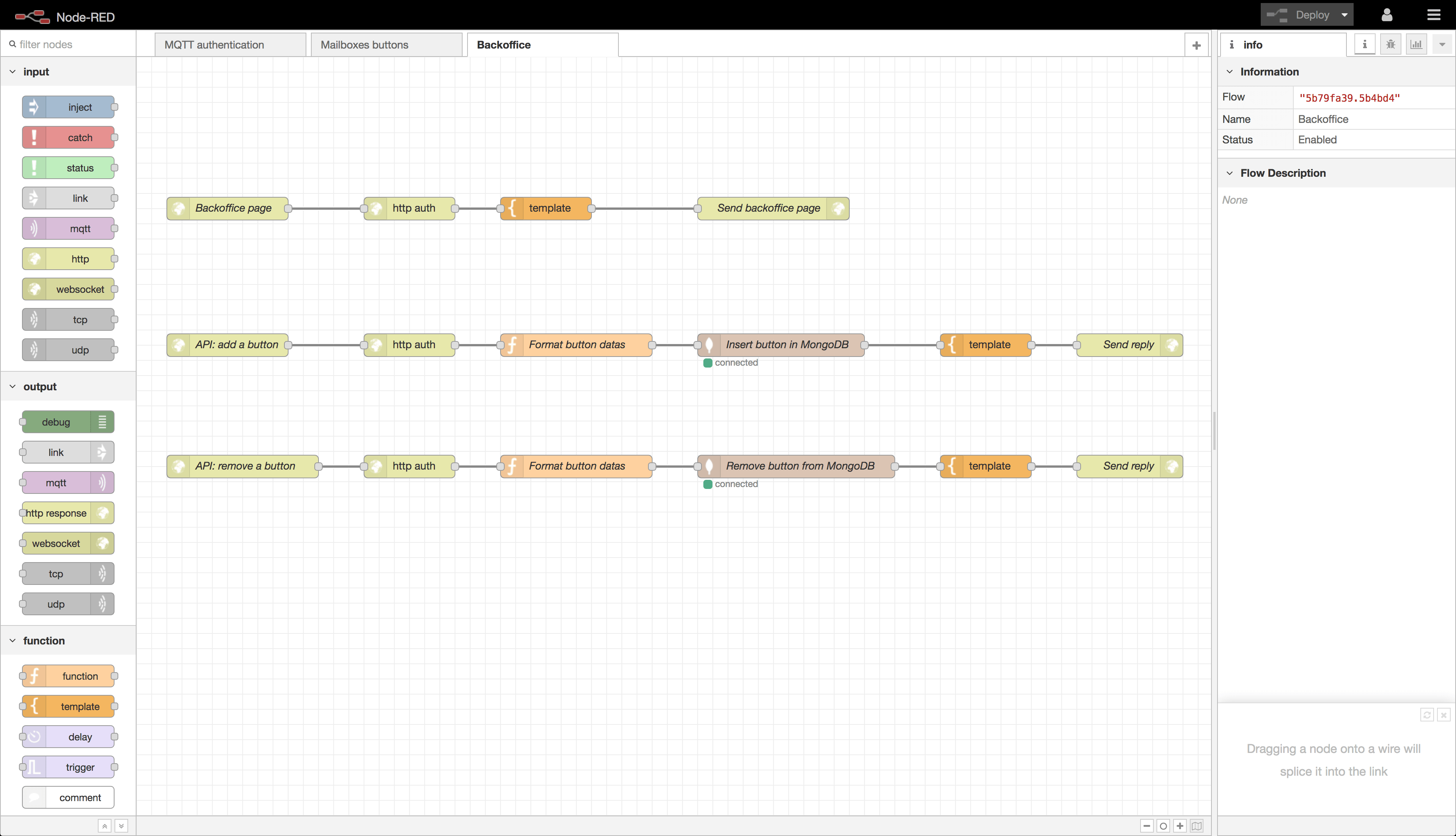 Node-RED backoffice flow
The entire backoffice interface was developed directly within Node-RED. It consists of an HTML page with authentication and an API with two routes. The first API route allows for the addition of a new button, while the second route facilitates the removal of an existing button.