 Python: Handling secrets (environment variables)
This documentation is part of the Advanced usages guide. View the full guide here: Going further with your Python deployments.
👋 Welcome to the Stackhero documentation!
Stackhero provides a ready-to-use Python cloud solution designed to streamline your deployment process:
- Deploy your application to production in seconds with a simple
git push.- Use your own domain name, with automatic HTTPS certificate configuration for secure connections handled for you.
- Rely on automatic backups, one-click updates, and predictable pricing, so you can focus on your code, not infrastructure management.
- Benefit from strong performance and security on a private, dedicated infrastructure. Your environment is isolated and protected.
Save time and simplify your workflow: you can have your code running with Stackhero's Python cloud hosting in just 5 minutes.
At some point, you will need to store secrets such as tokens and passwords for databases or third-party services. It is important to store these securely. Avoid embedding them directly in your repository or code as this creates a significant security risk.
Using environment variables offers two key benefits:
- Your secrets are never stored in your Git repository, reducing the risk of unauthorized access.
- You can use different credentials for various environments, such as using a production database in production and a development database during development.
Setting up environment variables for development
In a development environment, create a .env file at the root of your project. This file should be excluded from Git to ensure it is never committed.
To automatically read the .env file, you can use the python-dotenv module:
pip install python-dotenv
pip freeze > requirements.txt
Then, create a .env file at the root of your project and add your variables:
ENV="development"
DATABASE_PASSWORD="secretPassword"
THIRD_API_PRIVATE_KEY="secretKey"
# ...
Finally, ensure the .env file is excluded from Git by adding it to your .gitignore:
echo ".env" >> .gitignore
Setting up environment variables for staging and production
The .env file is not secure enough for staging and production environments. Instead, Stackhero allows you to securely store your environment variables directly in your Python service configuration.
You can set these variables in the Stackhero dashboard by selecting your Python service and then clicking on the "Configure" button.
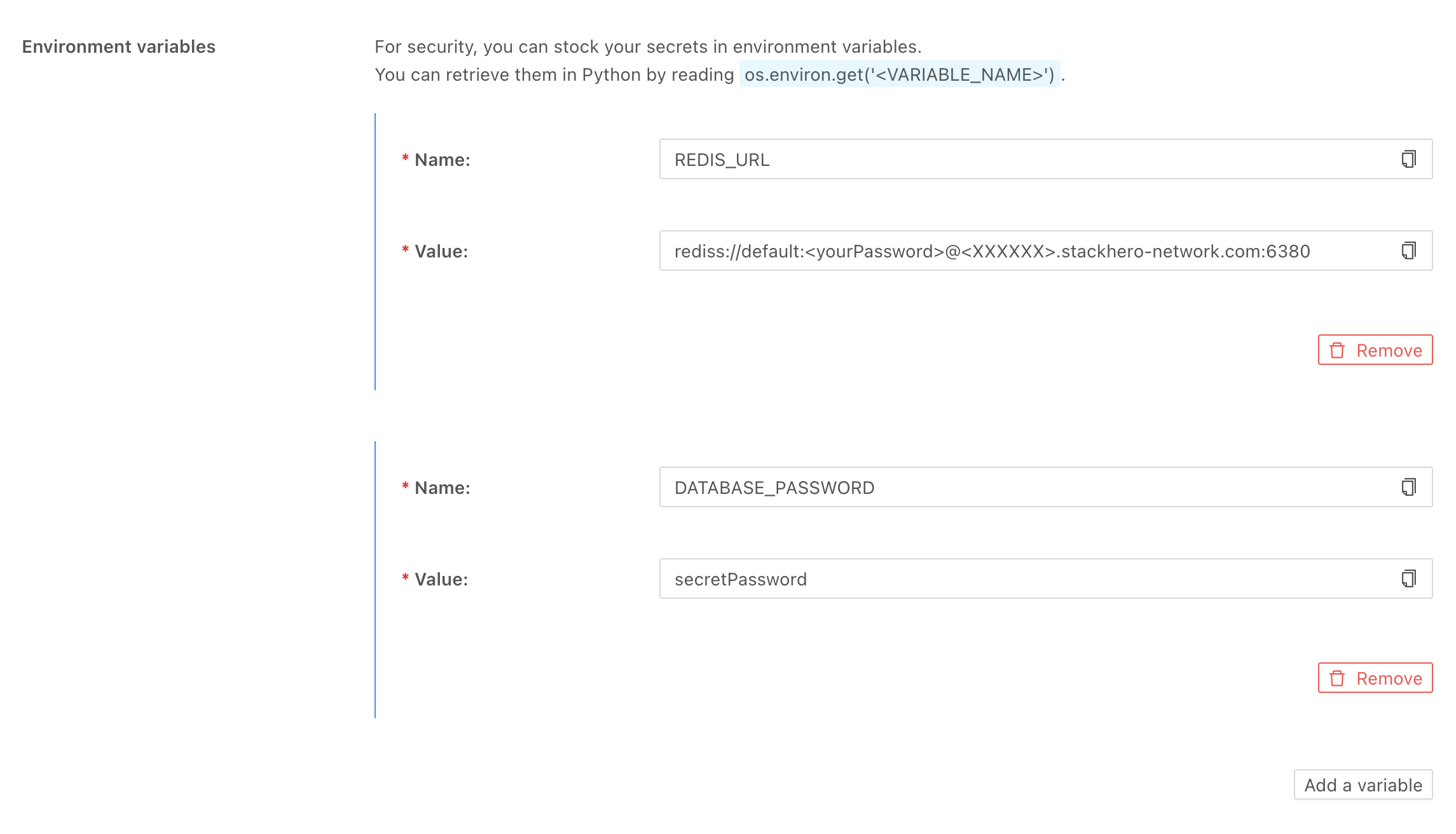 Python environment variables on Stackhero
Accessing environment variables in Python
Accessing environment variables in Python is simple. Just use os.environ.get() as shown below:
import os

print(os.environ.get('ENV'))
For example, connecting to a Redis server using an environment variable can be done like this:
import os
import redis

r = redis.from_url(os.environ.get("REDIS_URL"))
In a development environment, set the REDIS_URL in your .env file as follows:
REDIS_URL="redis://localhost:6379"
For production and staging, define REDIS_URL on the Stackhero dashboard under the Python service configuration:
REDIS_URL="rediss://default:<yourPassword>@<XXXXXX>.stackhero-network.com:6380"