 Python: Opening UDP/TCP ports
This documentation is part of the Advanced usages guide. View the full guide here: Going further with your Python deployments.
👋 Welcome to the Stackhero documentation!
Stackhero provides a ready-to-use Python cloud solution designed to streamline your deployment process:
- Deploy your application to production in seconds with a simple
git push.- Use your own domain name, with automatic HTTPS certificate configuration for secure connections handled for you.
- Rely on automatic backups, one-click updates, and predictable pricing, so you can focus on your code, not infrastructure management.
- Benefit from strong performance and security on a private, dedicated infrastructure. Your environment is isolated and protected.
Save time and simplify your workflow: you can have your code running with Stackhero's Python cloud hosting in just 5 minutes.
Most Python applications use HTTP ports 80 (HTTP) and 443 (HTTPS).
If your application needs to open additional ports or uses other protocols (TCP or UDP), you can adjust the "Ports Redirections" setting in your Python service on the Stackhero dashboard.
For each additional port, specify the entry port (public facing), the destination port (used by your Python application), and the protocol (TCP or UDP).
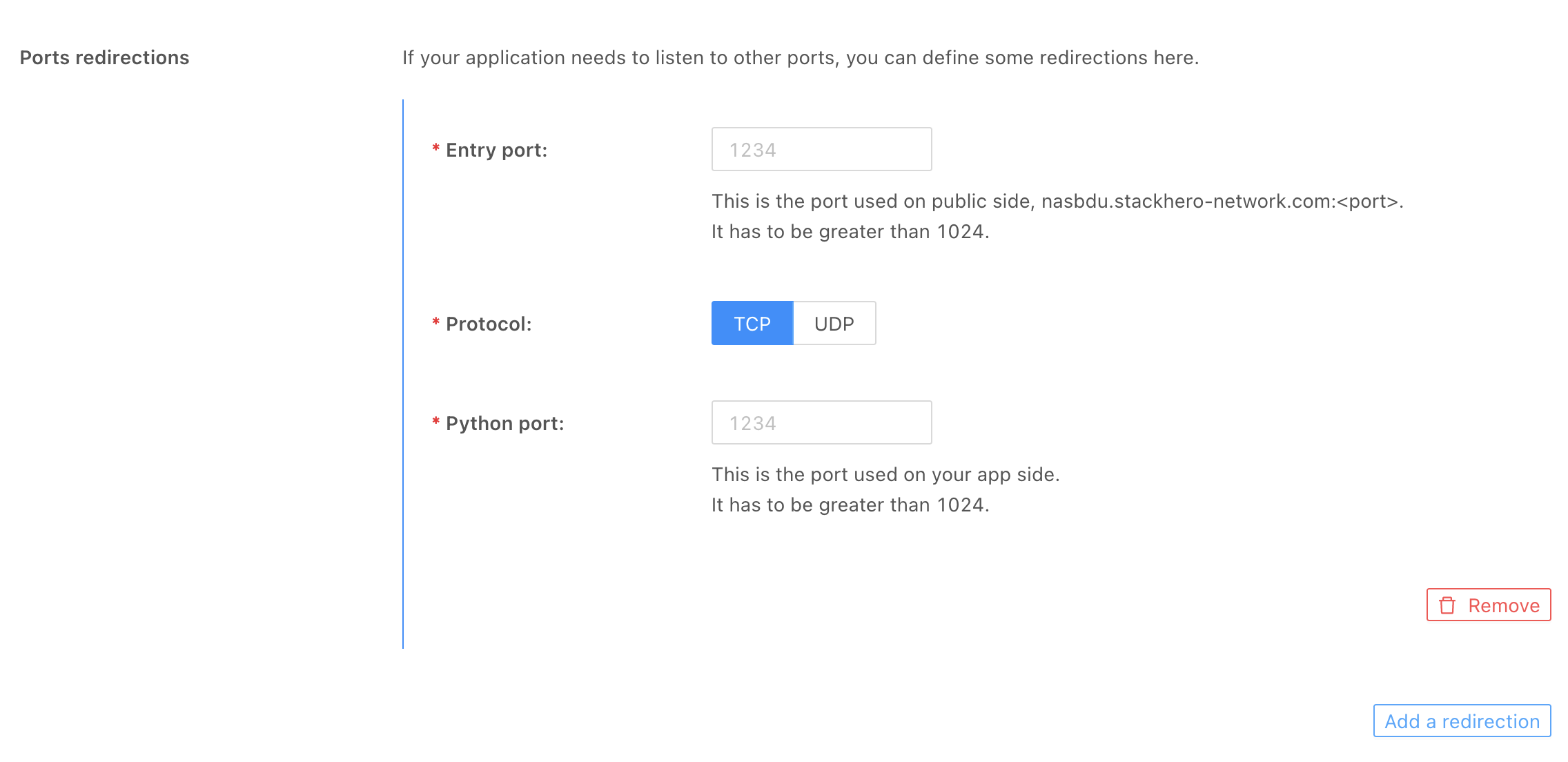 Ports redirections in the Stackhero dashboard