 Graylog: Configure email notifications
This documentation is part of the Alerting guide. View the full guide here: How to send Graylog alerts by email, Slack, or Mattermost.
👋 Welcome to Stackhero documentation
Stackhero provides a fully managed Graylog cloud solution designed for speed and simplicity. You can:
- Rely on an unlimited, dedicated SMTP email server included with your service.
- Apply updates effortlessly with a single click, with no manual intervention needed.
- Use a custom domain name secured by HTTPS (for example, https://logs.your-company.com), giving your team secure, direct access.
- Experience strong performance and security on a private, dedicated infrastructure with no shared resources or noisy neighbors.
Focus on your data, not your tooling: you can get started with Stackhero's Graylog cloud hosting solution in just a few minutes.
Every Graylog instance provided by Stackhero includes a built-in email server, allowing you to send unlimited emails directly from your instance at no additional cost.
To set up an email notification, you might consider following these steps:
-
Access your Graylog service, navigate to
Alerts>Notifications, and click theGet started!button or opt forCreate notification. -
Enter a title for your notification and choose
Email NotificationunderNotification type. -
In the
Senderfield, inputnoreply@<yourGraylogDomain>. Remember to replace<yourGraylogDomain>with your actual Graylog domain name, typically formatted as<XXXXXX>.stackhero-network.com.Important: Ensure you use your Graylog domain to avoid errors when sending emails.
-
Specify the email address where you would like to receive alerts in the
Email recipientfield.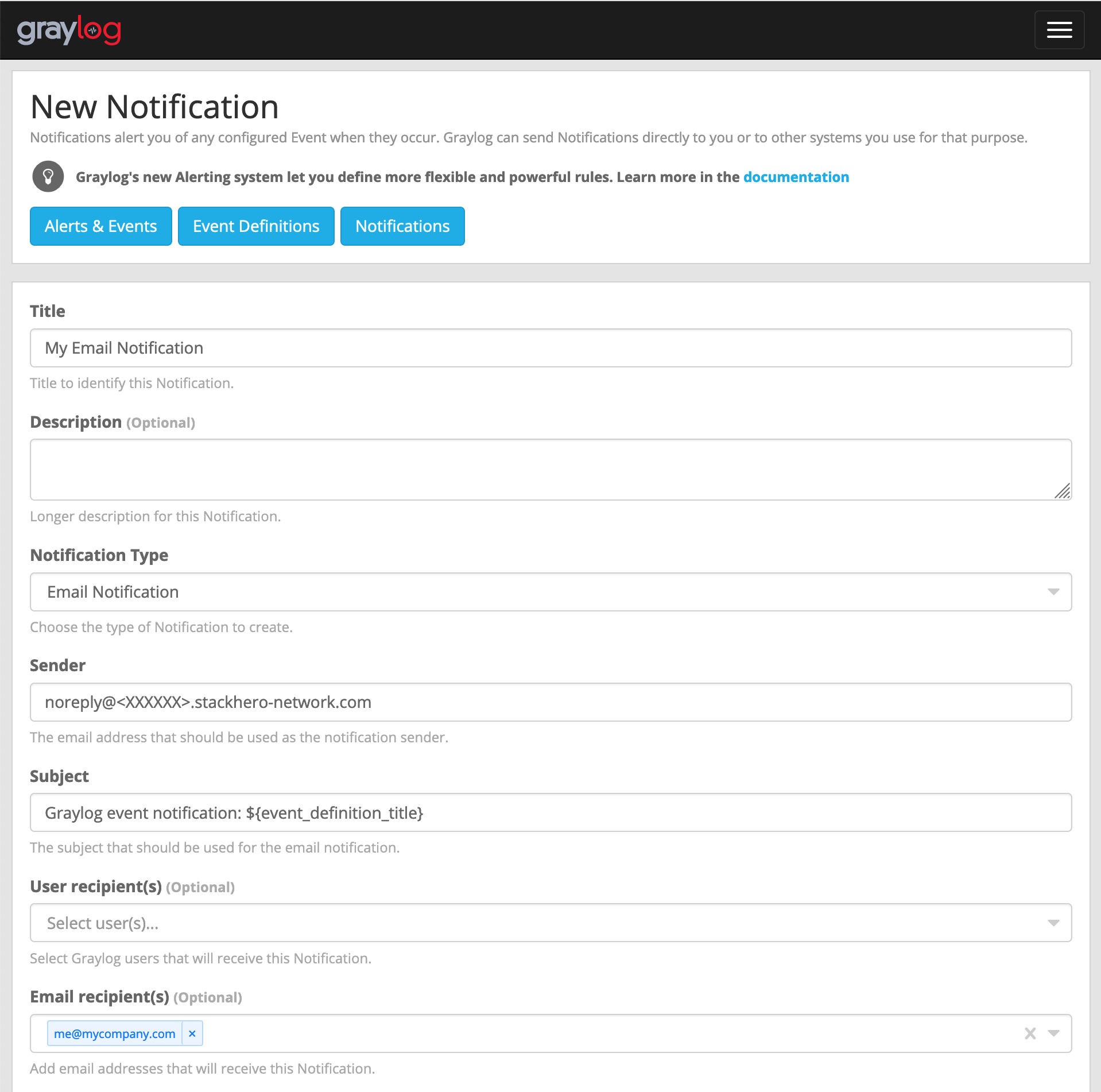 Example of email configuration
 -
Click the
Execute test notificationbutton to verify that everything functions correctly. Once confirmed, complete the setup by clickingCreate.
Congratulations! Your email notification is now established and operational!
Handling the error: "Sending the email to the following server failed: postfix:25"
Should you encounter the error Error: Notification has email recipients and is triggered, but sending emails failed. Sending the email to the following server failed: postfix:25, it is likely because the sender input is not correctly formatted. It should follow the pattern <something>@<yourGraylogDomain>. "Something" is flexible (like "noreply"), but "yourGraylogDomain" must reflect your Graylog service domain, usually presented as <XXXXXX>.stackhero-network.com.