 Node-RED: Simple example: using Node-RED with the MQTT server
This documentation is part of the MQTT server guide. View the full guide here: How to connect Node-RED to Mosquitto MQTT server.
Welcome to the Stackhero documentation
Stackhero provides a fully managed Node-RED cloud environment designed to get you building workflows quickly:
- Built-in MQTT server (Mosquitto) for seamless IoT integration.
- Full access to the Node-RED admin UI for managing flows and settings.
- Node-RED Dashboard included for real-time visualization.
- Dedicated SMTP email server included, with no limits on sending.
- Effortless one-click updates to keep your instance current.
- Custom domain names with automatic HTTPS: for example, https://node-red.your-company.com.
- High performance and strong security with private, dedicated infrastructure.
You can have a secure, production-ready Node-RED cloud hosting instance running in about 5 minutes. Stackhero handles setup, updates, and infrastructure so you can focus on building automations.
If you are new to MQTT with Node-RED, here is a simple example to help you get up and running. This example shows how to send a message to a topic and receive messages from it. You can download the flow example and import it into your Node-RED instance using the "Import" menu.
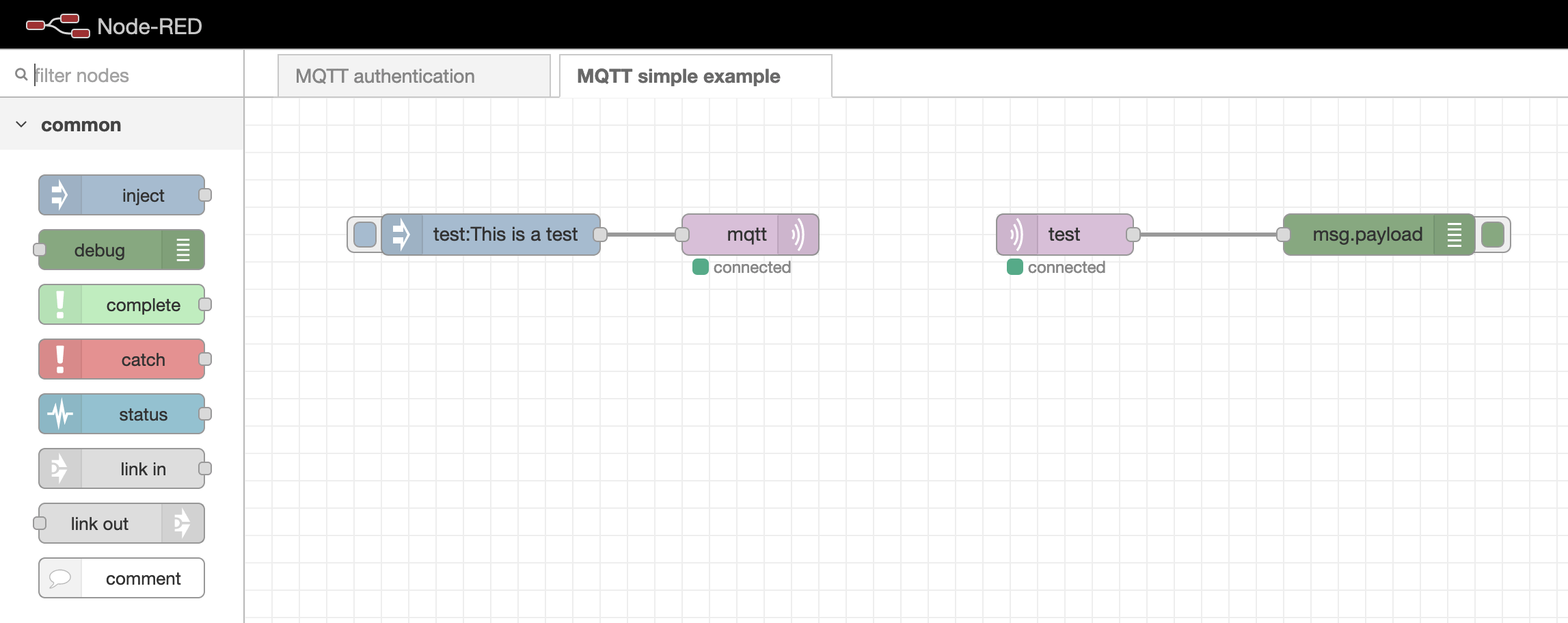 Simple example of connecting MQTT to Node-RED
If your MQTT nodes are stuck on a "connecting" status, it is a good idea to check whether the
MQTT authenticationflow is still in place. If it is missing, you can download it here: mqttAuthenticationFlow.json. Import this flow into your Node-RED instance, update theUsersnode with your preferred passwords, and remove any unnecessary comments as needed.