Configuring your Stackhero instance to send logs to Graylog
This documentation is part of the Forward logs to Graylog guide. View the full guide here: Learn how to configure your Stackhero instances to forward system logs to Graylog for centralized log management..
To set up a Stackhero instance to forward logs to Graylog:
- Log in to the Stackhero dashboard.
- Navigate to the service instance you wish to configure.
- Select the Logs Forwarder tab.
- Enter your Graylog domain in the Graylog Domain field (e.g.,
<XXXXXX>.stackhero-network.comor your custom domain). - Set the Graylog Port to
12201. - Save the configuration settings.
Once these configurations are saved, your Stackhero instance will begin forwarding logs to your Graylog server.
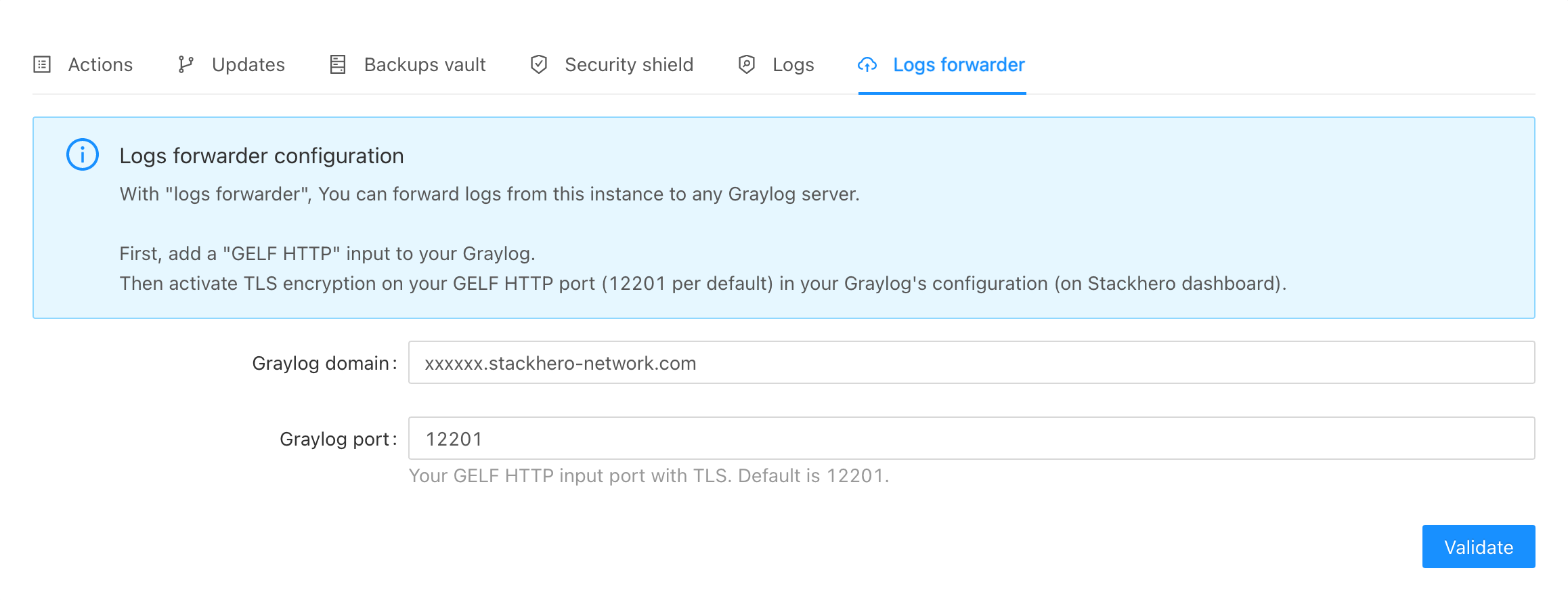 Stackhero Logs Forwarder Configuration