 Prometheus: Configuring Grafana to display Prometheus data from the Blackbox Exporter
This documentation is part of the Blackbox Exporter guide. View the full guide here: How to use Prometheus Blackbox Exporter to probe HTTP and ICMP (ping) endpoints.
👋 Welcome to the Stackhero documentation!
Stackhero delivers a fully managed Prometheus cloud platform designed for reliability and simplicity:
Alert Manageris built in, so you can route alerts directly toSlack,Mattermost,PagerDuty, and other popular destinations.- A dedicated email server lets you send unlimited email alerts without extra setup.
Blackboxis included, allowing you to probeHTTP,ICMP,TCP, and other protocols for comprehensive monitoring.- Configure your instance quickly using the online configuration file editor. There is no need to manage YAML by hand.
- Apply updates with a single click. Stackhero handles the upgrade process for you, minimizing downtime and manual intervention.
- High performance and strong security are built in, thanks to your own private, dedicated infrastructure.
Get up and running in about 5 minutes. Stackhero takes care of the setup so you can focus on monitoring, not maintenance. Try Prometheus cloud hosting on Stackhero to streamline your monitoring and alerting workflows.
Grafana makes it easy to create dashboards that visualize the performance and availability metrics collected by the Blackbox Exporter. With just a few clicks, you can set up dynamic dashboards that bring your Prometheus data to life. For more details on integrating Grafana with Prometheus, you might explore Grafana's documentation.
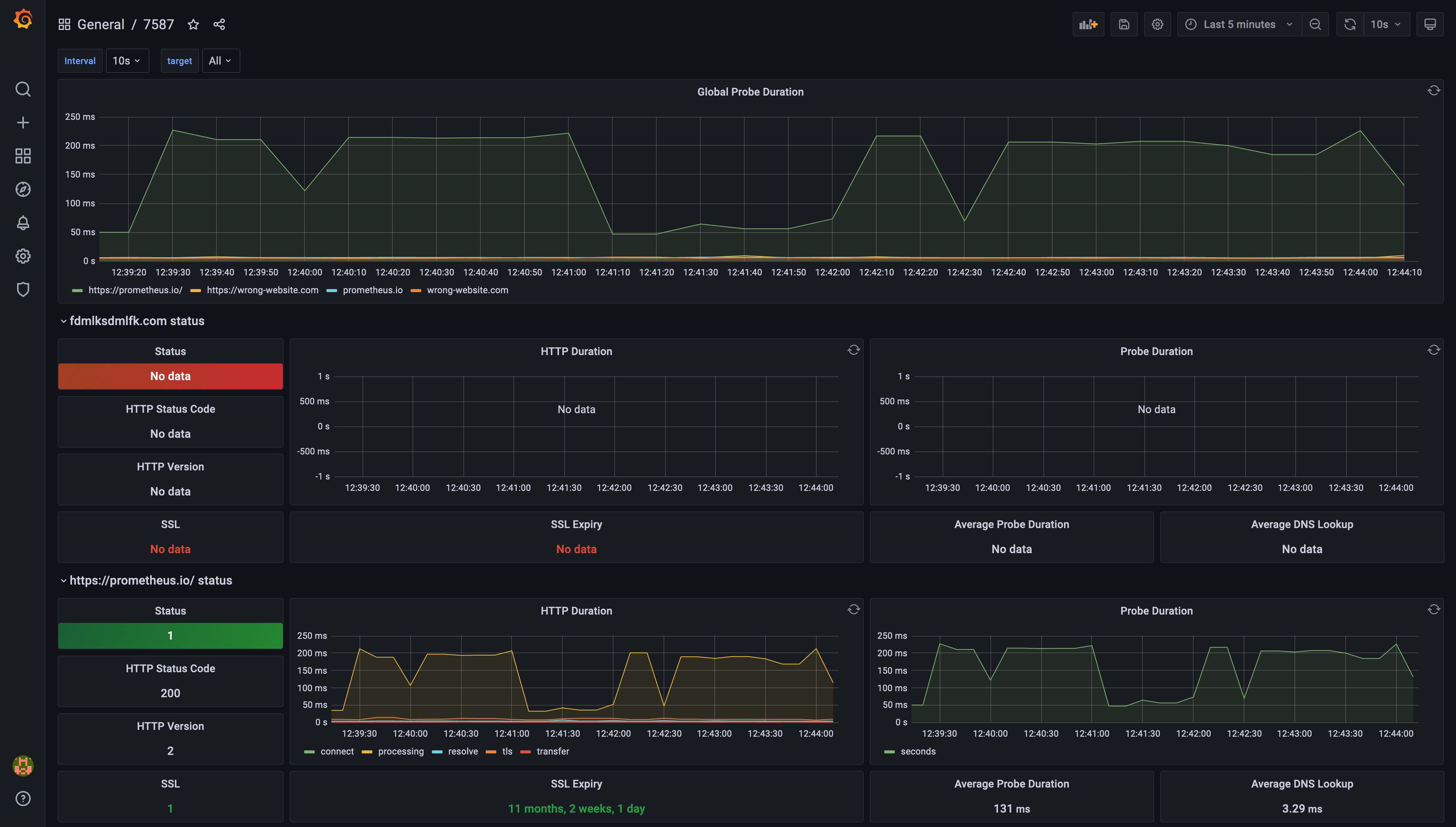 Example of a dashboard generated by Grafana, based on Prometheus Blackbox Exporter data